Insights add-on
The Insights add-on visualizes your workspace data in a customizable dashboard, enabling you to monitor key metrics such as project progress, financial status, and team activity at a glance.
The Time off card requires the Standard plan, and the Expenses card requires the Pro plan.
Install the Insights add-on #
To start using the dashboard, you must first install the add-on from the Marketplace.
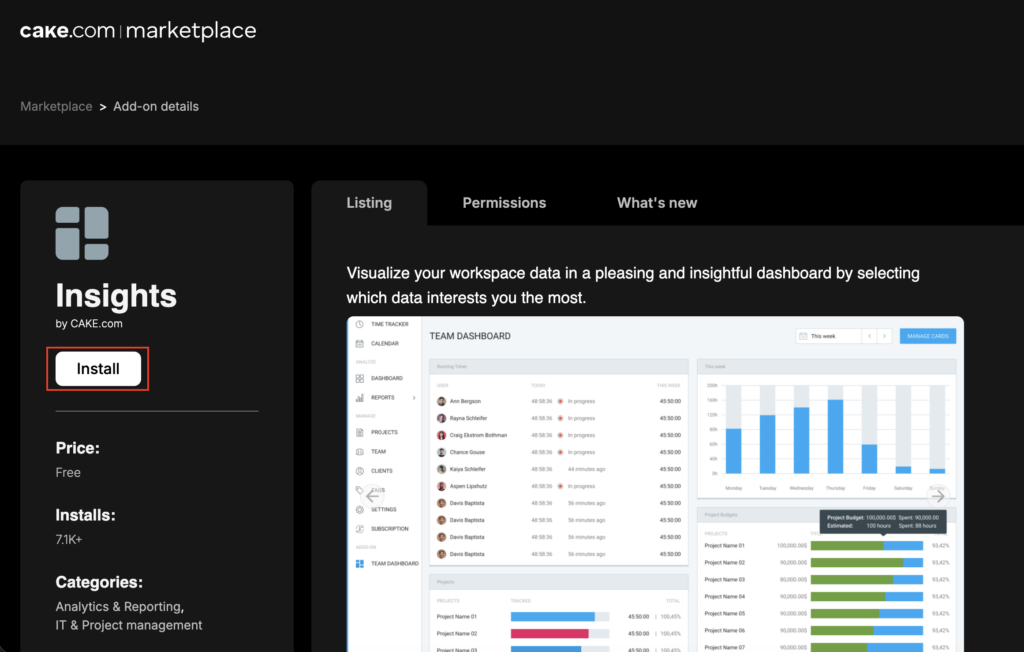
- Go to https://marketplace.cake.com/
- Log in with your Clockify credentials
- Search for Insights in the search bar
- Click Install on the add-on page
- Select the workspace where you want to install the add-on
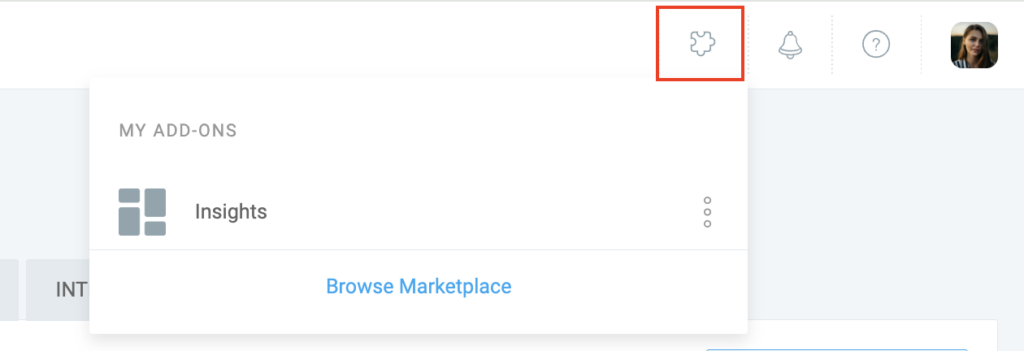
Access the Marketplace directly in Clockify by clicking the puzzle icon in the top-right corner and selecting Browse Marketplace.
Configure dashboard #
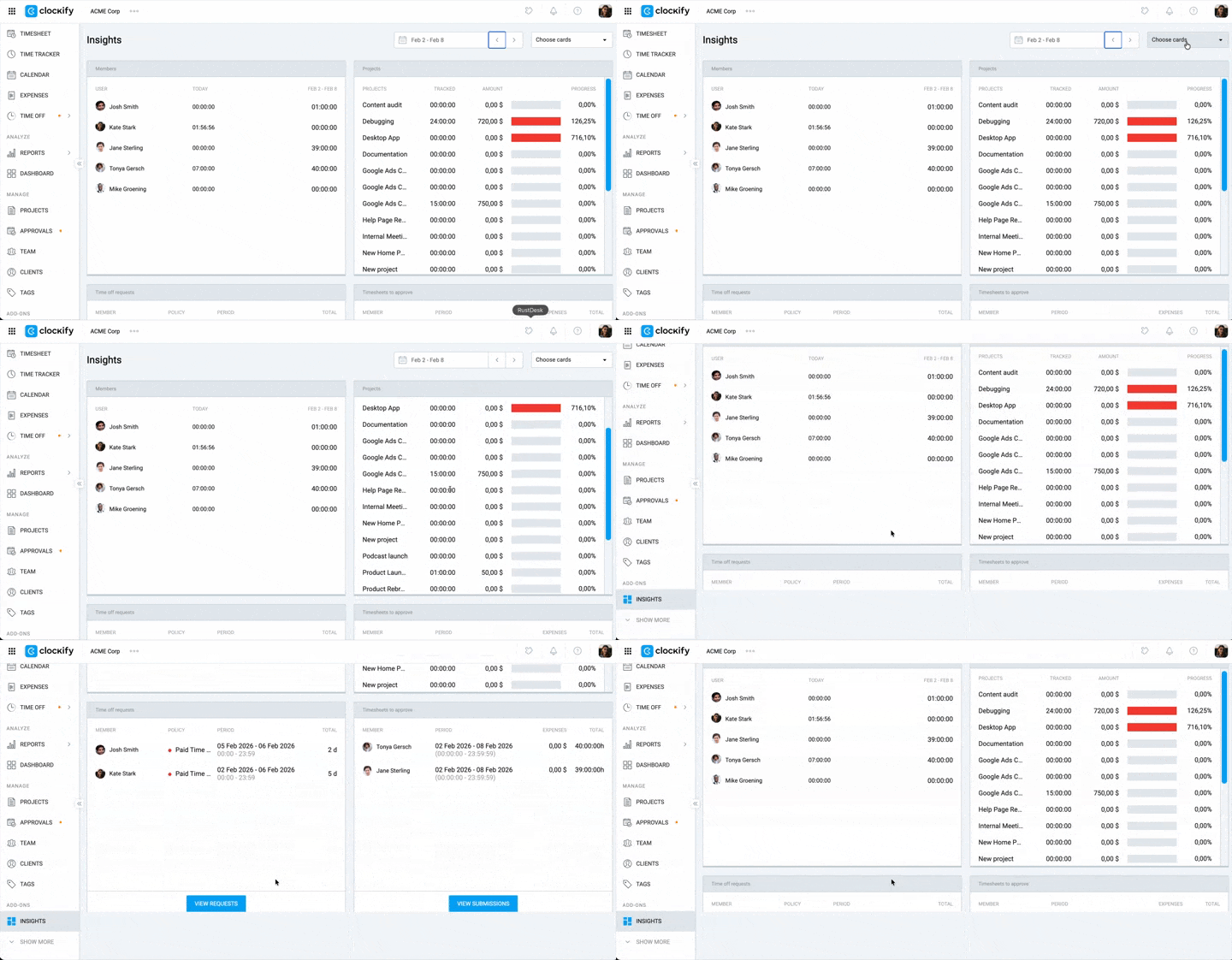
Once installed, you can choose which data cards to display to best suit your needs. You can select up to 4 cards to view simultaneously.
- Go to your Clockify workspace
- Click Insights from the sidebar
- Use the calendar in the top right of the dashboard to select your desired date range
- Click Choose cards to open the dropdown menu
- Select the checkboxes next to the cards you want to display (e.g., Unpaid invoices, Projects)
Available data cards #
The following data cards are available for use with the Insights add-on, along with the plans they correspond to.
| Card name | Descrição | Plan requirement |
| Integrantes | Lists people in the workspace and their activity status (who isn’t tracking time) | No plano gratuito e nos planos pagos |
| Projetos | Shows the number of people working on projects, total tracked hours, and progress | No plano gratuito e nos planos pagos |
| Unpaid invoices | Lists unpaid invoices with statu s (Unsent, Sent, Partially paid, Overdue) | Standard plan & above |
| Financial | Displays total tracked time, including Amount, Cost, and Profit | Pro plan & above |
| Time off requests | Lists pending time off requests with details on member, policy, and period | Standard plan & above |
| Timesheets to approve | Lists timesheets and expenses waiting for approval | Standard plan & above |
| Despesas | Shows a pie chart breakdown of expenses by category | Pro & above |
Perguntas frequentes #
Who can see the Insights dashboard?
The Insights dashboard is only available to workspace owners and administrators. Regular users and managers cannot access this add-on.
Why can’t I see the Time off or Expenses cards?
These cards require specific subscription plans. You must be on the Standard plan or higher to view Time off data, and the Pro plan or higher to view Expenses data. If you are on a lower plan, these cards will be locked or unavailable.