Beta testing program
The beta testing program lets you try out and provide feedback on new, upcoming features before they are officially released.
This feature is available to users on any paid plan.
Enable beta features #
- Haz clic en tres puntos junto al nombre de tu espacio de trabajo
- Selecciona: Workspace settings > General Tab
- Scroll down to the Project preferences sección.
- Slide the toggle for Enable beta features a SÍ
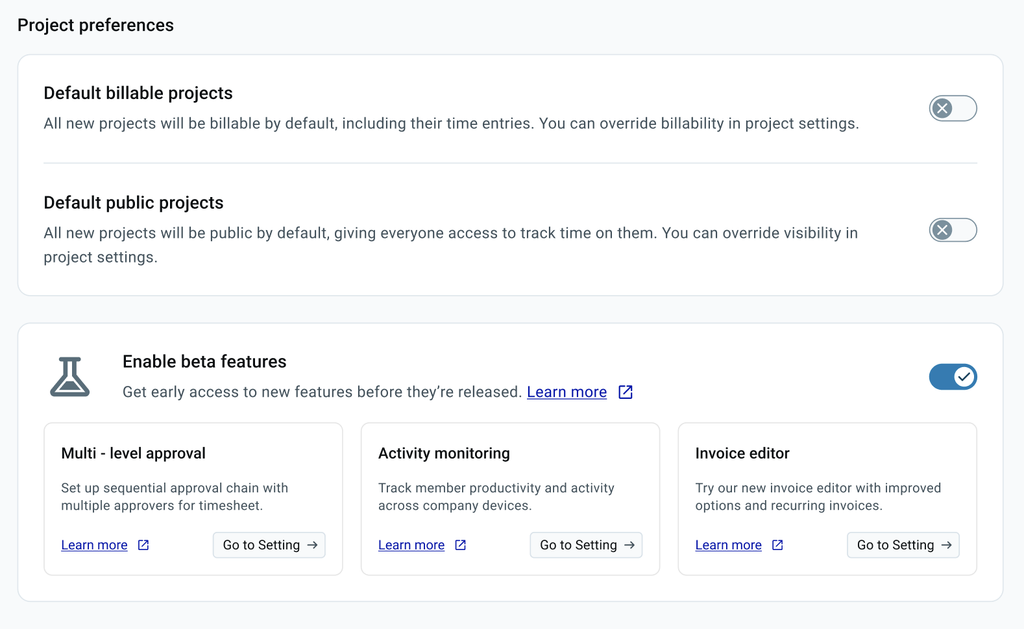
Enabling beta access activates certain features automatically, while others will still need to be turned on manually.
Beta permissions and access #
| Rol de usuario | Permisos |
| Owner / Admin | Can opt in or opt out of the program for the workspace, turn specific beta features on or off, provide feedback, and receive official announcements |
| Miembro de equipo | Can access and use the enabled beta features |
Turn off all beta features #
You can turn off all beta features for your workspace should you decide not to test them.
Para hacer esto:
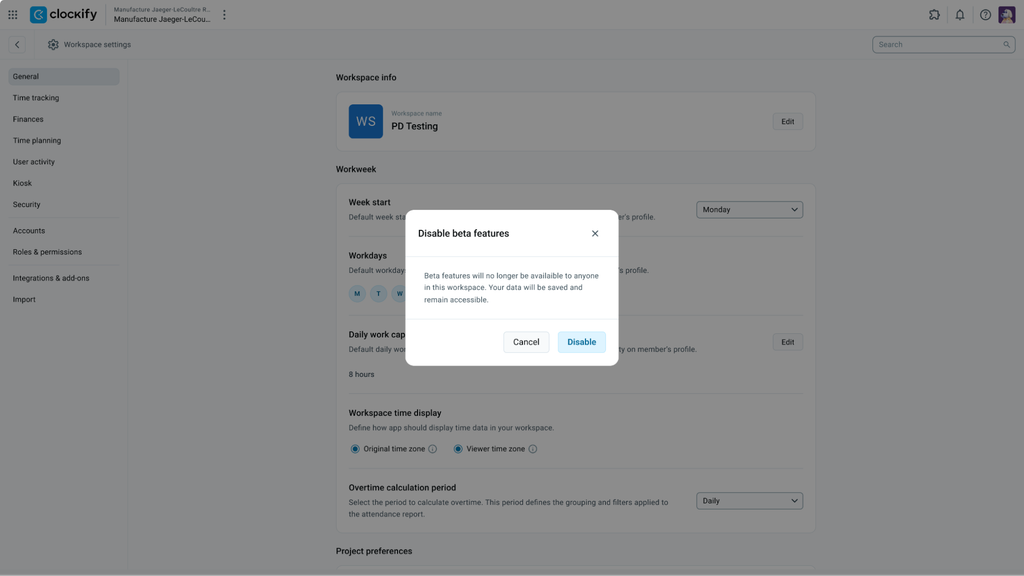
1. Ve a Configuración del espacio de trabajo
2. Scroll down to Enable beta features
3. Toggle the slider to OFF
4. Haz clic en Disable on the confirmation window
Turn off specific beta features #
You can turn off a specific beta feature while keeping other ones active.
Para hacer esto:
- Ve a Configuración del espacio de trabajo
- Haz clic en Ve a Configuración for the feature you want to turn off
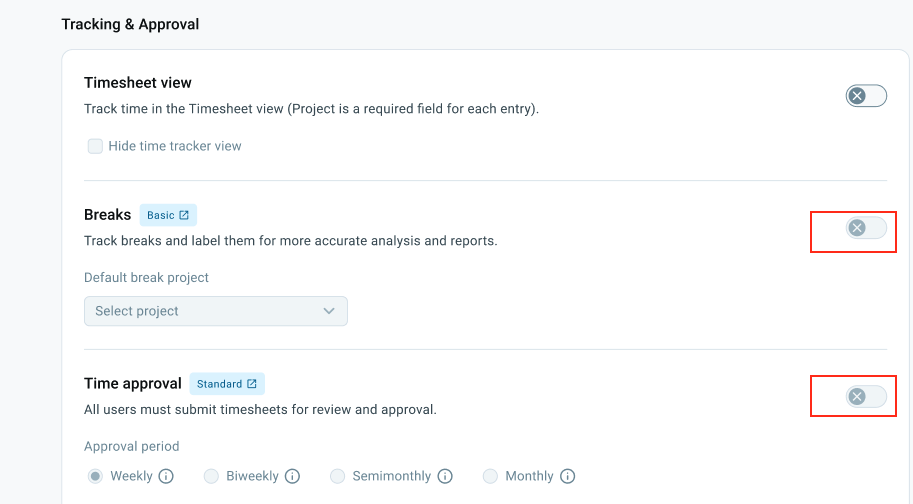
- Locate the toggle button or specific setting to turn off the feature
Frequently asked questions #
Why can I see a beta feature but not interact with it?
The availability of specific beta features depends on the pricing plan your workspace is on. Beta features will have a label stating which plan is required to allow testing. Additionally, some beta features may rely on other features. If a required feature is disabled, you must enable it first (e.g., the Multi-level approval feature requires the Approval feature to be enabled).
If your workspace is not on the appropriate plan for that specific feature, you will see the feature listed in the beta program but will not be able to use it unless you upgrade your plan. You can review our plans on the Clockify Pricing página.
What happens to my data if a beta feature is discontinued?
We try our best to create great features for our users, but sometimes user feedback shows that a feature might not provide the expected benefit, so we may decide not to proceed with it.
For more details, please visit our Términos de uso.