Utilisateurs dans des fuseaux horaires différents
How you see time entries and their time zone depends on two factors:
- Profile time zone – This is the time zone selected in your Profile settings
- Time data display – This is the time zone view selected in your Workspace settings
Set your profile time zone #
- Go to Profile settings by clicking on your profile photo on the upper right corner
- Sélectionnez Préférences
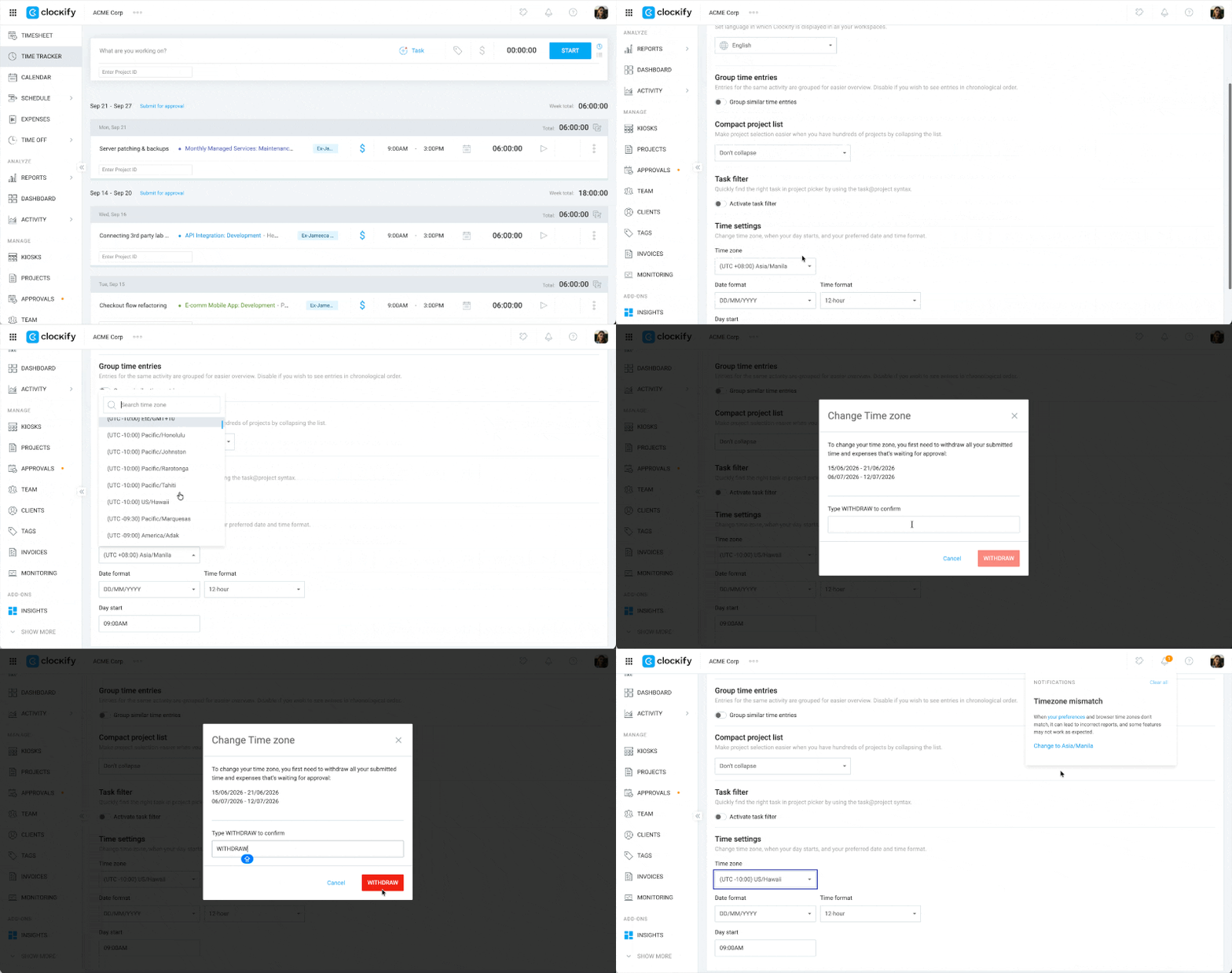
- Scroll down to Time settings
- Select your local time zone from the dropdown menu
- Click Save to apply your changes
If you have pending timesheets, a prompt will ask you to withdraw them first before making the change.
View time entries and reports in a different time zone #
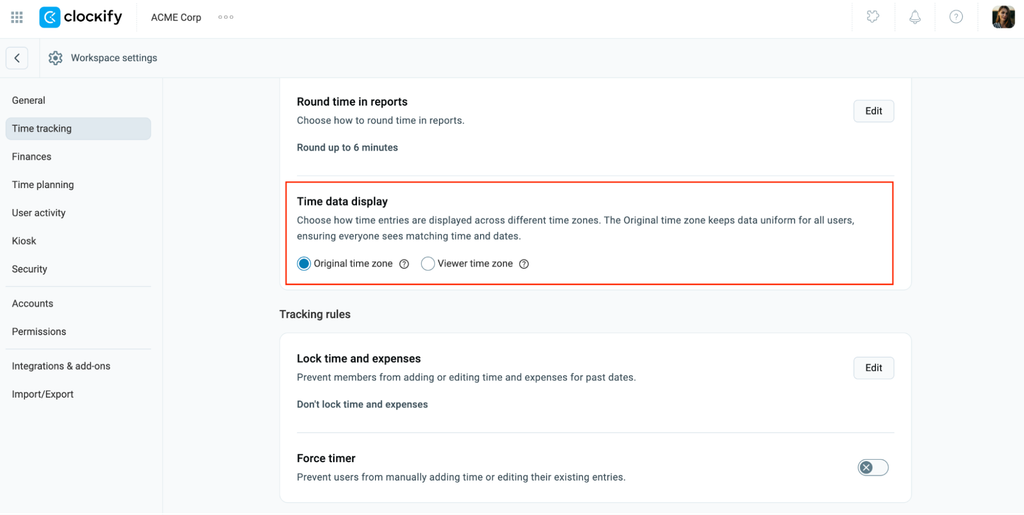
If you want to analyze a report for team members in their native time zone, you can adjust your Workspace settings to display Original time zone.
Pour ce faire :
- Cliquez sur les trois points à côté du nom de votre espace de travail
- Sélectionnez Paramètres de l’espace de travail
- Cliquez sur Suivi du temps dans la barre latérale
- Select Original time zone under Time data display
- Click Confirm
Frequently asked questions (FAQs) #
What if I travel to a different location/country with a different time zone?
If you travel to a new location or change your device’s clock, Clockify will detect that your device time zone no longer matches your saved app preferences. You will receive a mismatch notification asking if you want to align them. You can safely update your settings to match your new local time zone.
Can I run reports for two or more users on different time zones?
All time entries are displayed in the single time zone currently set in your Workspace settings. To see a specific user’s native time zone, temporarily change your Time data display setting to Original time zone before running or sharing the report.