Gérer les comptes des utilisateurs
L’onglet « Comptes » des paramètres de l’espace de travail permet aux propriétaires d’accéder aux comptes utilisateurs pour résoudre des problèmes, arrêter des chronomètres, corriger des saisies de temps ou pour des raisons de sécurité.
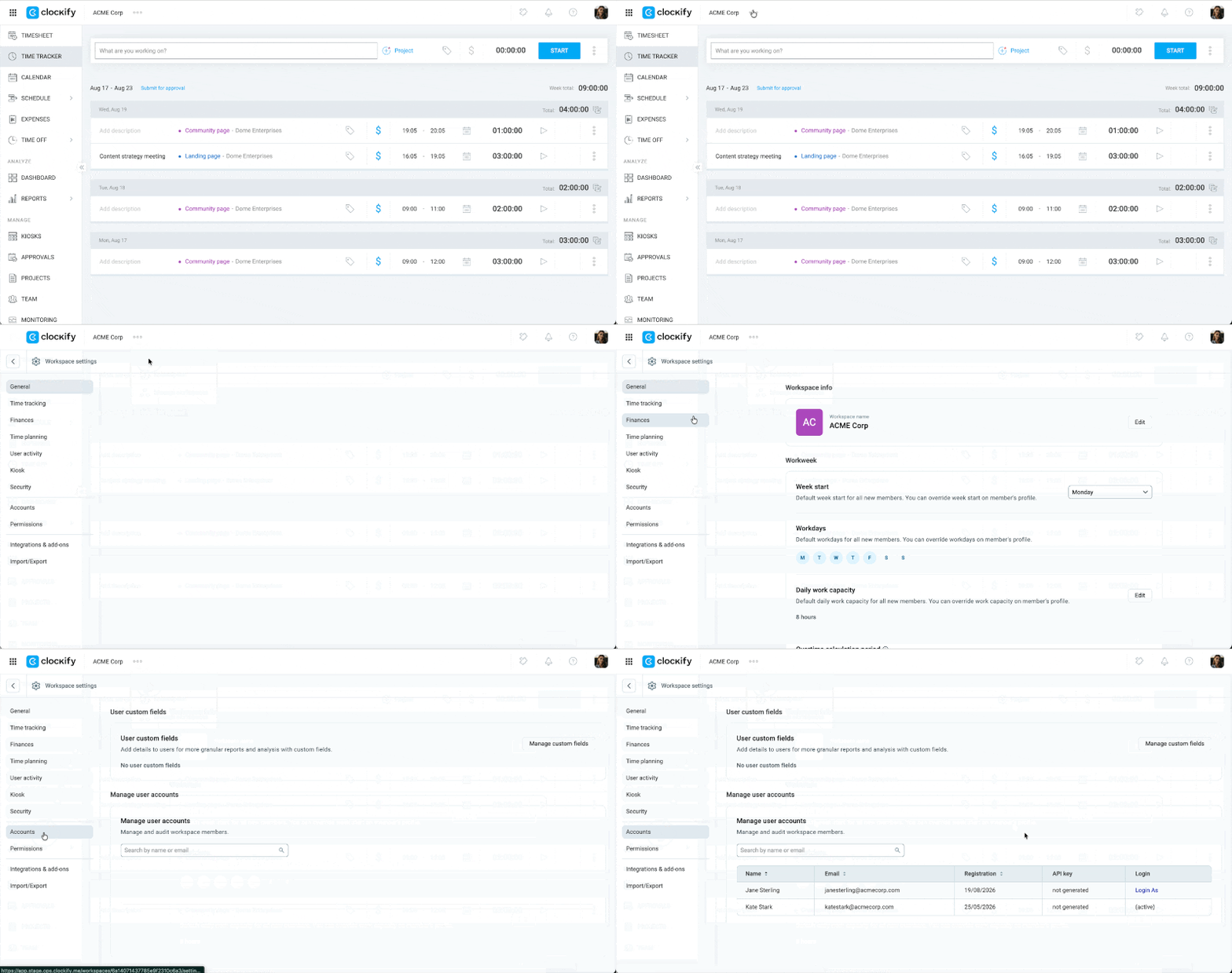
Accéder à l’onglet « Comptes » #
Only workspace owners on the Enterprise plan can access the Accounts page.
- Cliquez sur les trois points situés à côté du nom de votre espace de travail
- Sélectionnez Paramètres de l’espace de travail
- Select Accounts from the sidebar
Se connecter comme utilisateur #
If you’re an admin or workspace owner, you can log in as another user for troubleshooting purposes.
To log in as another user:
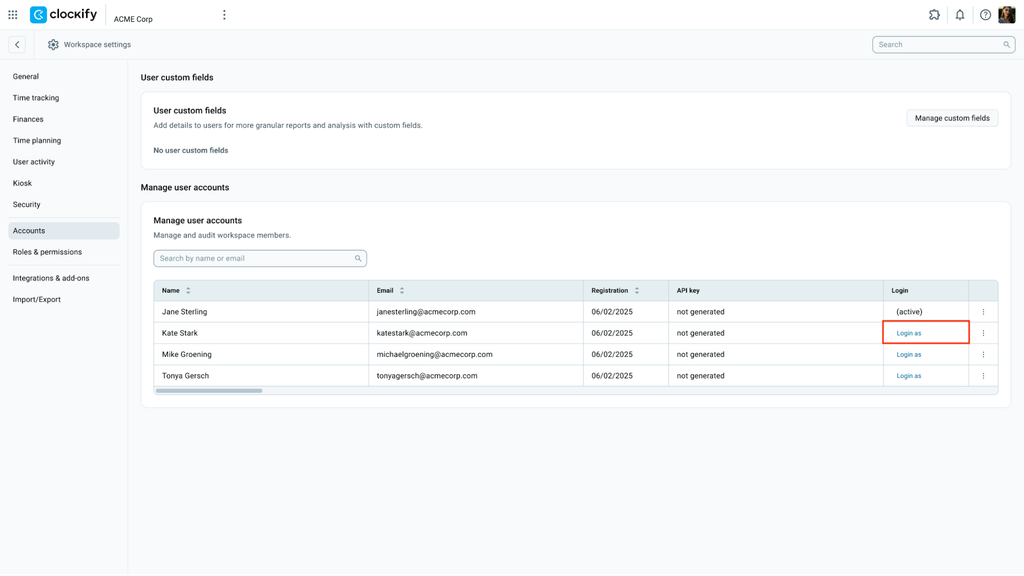
- Go to Workspace settings > Accounts
- Click Log in as across from the name of the team member whose account you want to access
- Effectuez les actions nécessaires ou procédez au dépannage
Si vous utilisez un sous-domaine personnalisé, vous ne pourrez vous connecter en tant que cet utilisateur qu’au sein de votre espace de travail.
Désactiver la clé API #
- Cliquez sur le menu à trois points situé à côté de l’utilisateur
- Choisissez Désactiver la clé API
- Cliquez sur Désactiver pour confirmer l’action
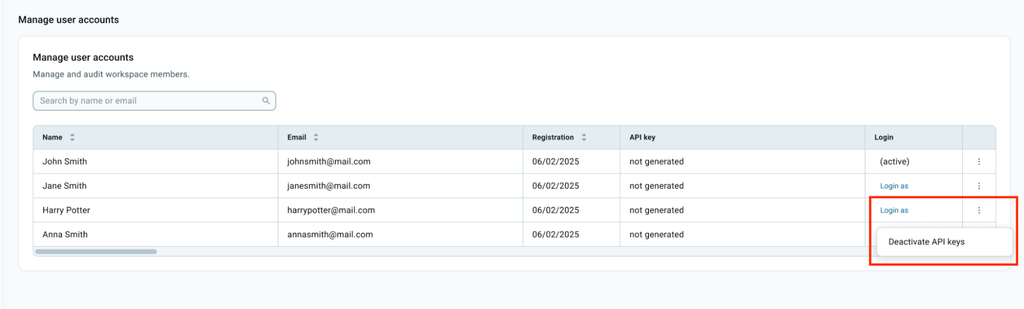
Après avoir été désactivée, cette clé API ne peut plus être utilisée et son statut sera automatiquement mis à jour sur la page Gérer les clés API.
Arrêter le chronomètre pour un autre utilisateur #
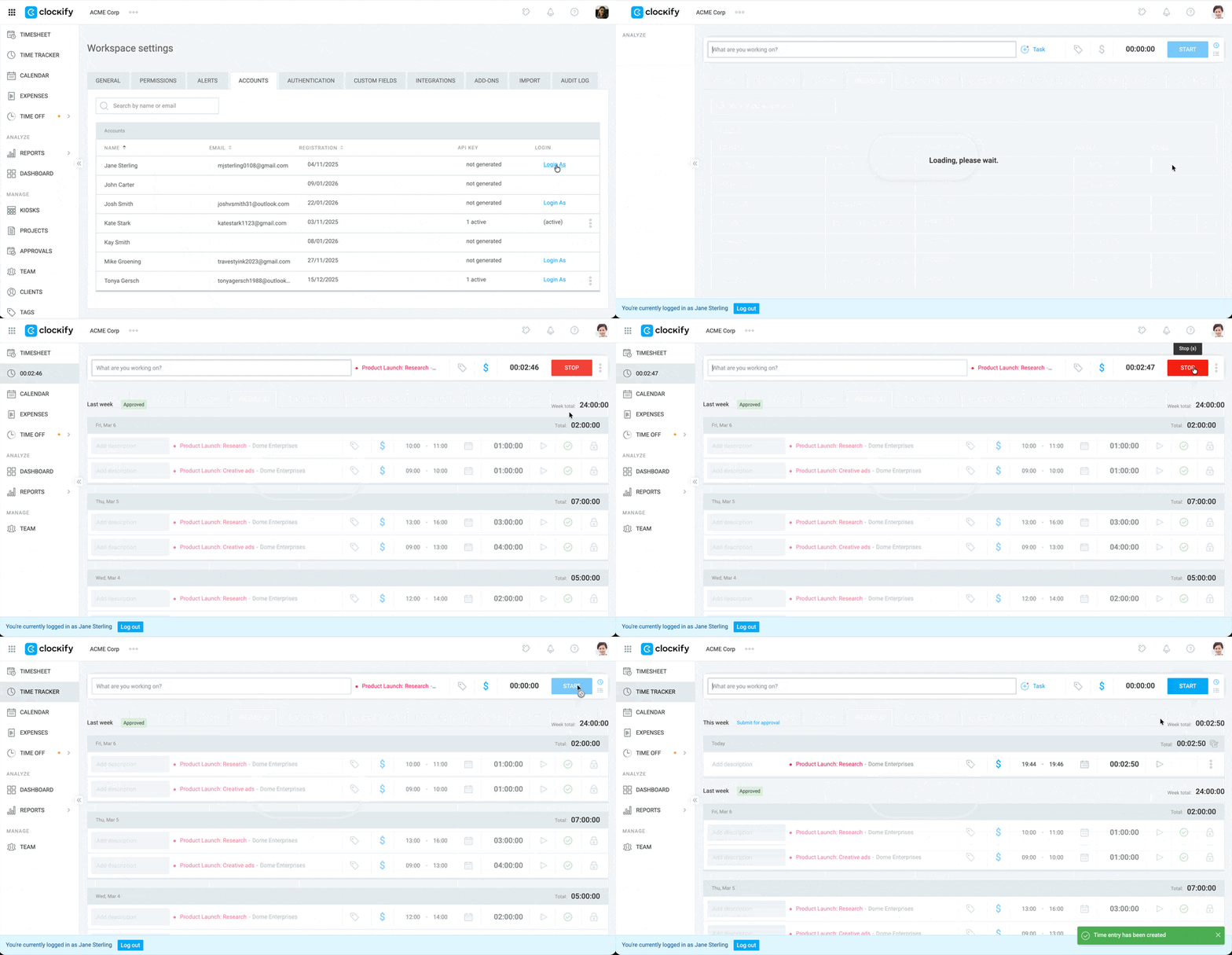
Si un membre de l’équipe oublie d’arrêter son chronomètre, vous pouvez l’arrêter à sa place, apporter les corrections nécessaires au temps enregistré, puis enregistrer la saisie.
Pour arrêter le chronomètre d’un autre utilisateur :
- Go to the Accounts page
- Sélectionnez Se connecter comme à côté du nom de l’utilisateur
- Cliquez sur le bouton Arrêter du chronomètre de l’utilisateur
FAQ #
Pourquoi l’onglet « Comptes » n’apparaît-il pas ?
Il peut y avoir deux raisons pour lesquelles l’onglet « Comptes » n’apparaît pas :
- L’onglet « Comptes » n’est disponible qu’avec l’abonnement Enterprise.
- Seuls les propriétaires de l’espace de travail peuvent consulter et accéder à l’onglet « Comptes ». Les administrateurs et les autres rôles d’utilisateurs ne le verront pas, même avec la formule Enterprise.
Est-il possible de consulter la clé API d’un utilisateur ?
Non. Pour des raisons de sécurité, cette page indique seulement le nombre de clés API actives d’un utilisateur. Bien que vous ne puissiez pas visualiser les caractères de la clé, vous avez la possibilité de la désactiver si nécessaire.
Que se passe-t-il si je me connecte en tant qu’utilisateur depuis un sous-domaine ?
Si vous utilisez un sous-domaine personnalisé, la fonction Se connecter comme utilisateur vous permet d’accéder au compte de cet utilisateur, mais uniquement au sein de votre espace de travail. Vous n’aurez pas la possibilité d’accéder à ses autres espaces de travail en dehors de votre sous-domaine.
Est-ce que l’utilisateur s’en rendra compte si j’arrête son chronomètre ?
Le chronomètre s’arrêtera instantanément pour l’utilisateur. Cependant, celui-ci ne recevra aucune notification l’informant que vous l’avez arrêté. Il est donc recommandé de l’avertir de toute modification effectuée pour garantir la justesse de ses feuilles de temps.