Projektexporte anpassen
You can modify the specific project details (fields) that are visible on a file before exporting it. For instance, you can select fields like project name, tasks, and tracked time while hiding rates or budget overages to share only the needed information without disclosing sensitive or internal data.
Customizing project exports is available on any paid plan.
Projektexporte anpassen #
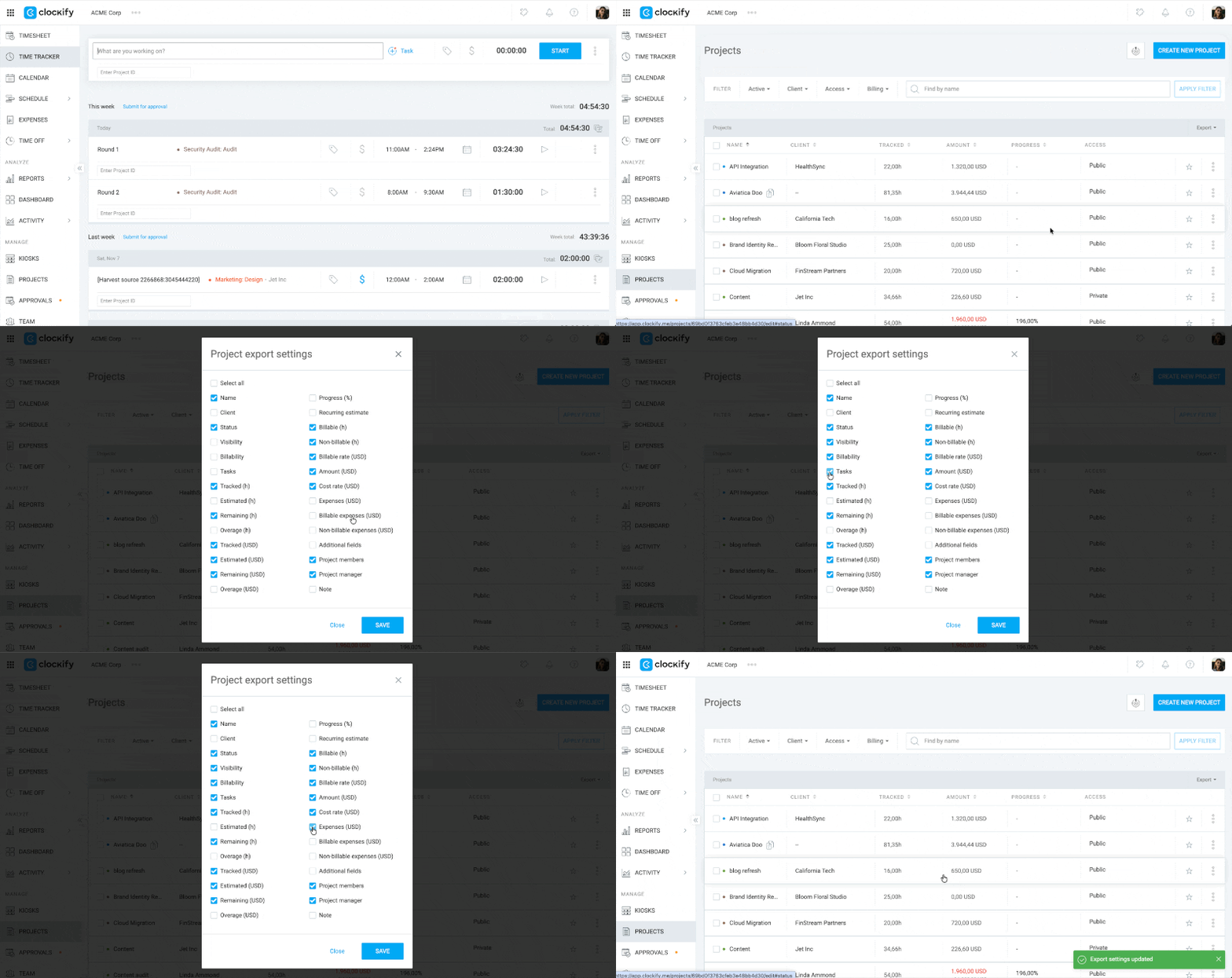
- Gehe zur Seite Projekte
- Click the Export dropdown on the right side of the screen
- Select Customize
- Check or uncheck the boxes for the data fields you want to include
- Klicke auf Speichern
If you transition to a lower or free plan, the custom export configurations set on your previous paid plan will no longer be available.
Custom export options per plan #
The details you can include in your customized export depend on your current subscription plan.
| Plan | Export capabilities |
| Free | Can do a standard export without customization. The Customize option will not be available, but you can choose Save as CSV or Save as PDF and standard export fields are exported by default: • Project name • Client • Privacy status • Billable status • Tasks • Estimated (h) • Remaining (h) • Overage (h) • Project members • Project managers • Note |
| Basic and Standard | Can customize all standard export fields listed for Free plans, plus custom fields if any |
| Pro and Enterprise | Can customize all standard export fields, custom fields, plus tracked hours, estimated and remaining budget, recurring estimates, and cost rates |
If you have Expenses and Activate cost rate enabled on your workspace, additional checkboxes for expenses, billable expenses, non-billable expenses, and cost rates will appear on your customization screen for you to select.
Häufig gestellte Fragen #
Can I export projects as a CSV or Excel file?
Yes, you can export your project lists in both CSV and Excel formats.
Who has permission to customize project exports?
Workspace owners and admins have the ability to customize and export project data across the entire workspace.
Are archived projects included in the export?
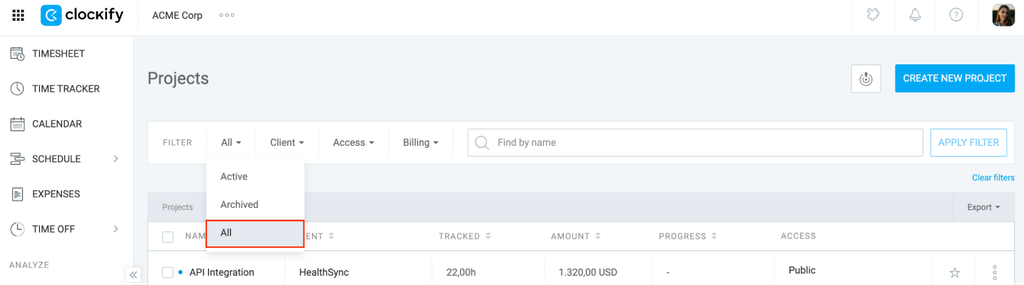
Archived projects will be included in your export file as long as you have your project filters set to All before exporting.