Introduction to add-ons
What are add-ons? #
Add-ons are extensions built by CAKE.com or third-party developers that enhance the functionalities and add integrations to your Clockify workspace, making your workflows more efficient. You can browse and install add-ons from the CAKE.com Marketplace.
Add-on preview #
Once you’re signed up and logged in to the Marketplace, you can browse add-ons by category or discover new and recently updated ones. Selecting an add-on opens the Add-on Preview page, which provides information you can review about the add-on’s functionalities, pricing, permissions, and latest news before installing.
The left sidebar displays the following key information:
- Price: Whether the add-on is free or requires paid subscription
- Installs: Total number of active installations
- Categories: Marketplace categories the add-on belongs to
- Compatibility: Which CAKE.com apps the add-on work with (e.g. Clockify)
- Developer details: Developer’s name (linked to their profile) and website
- Support and legal links: Links to the add-on’s Privacy Policy, Terms and Conditions, support contact, and the Report misuse option
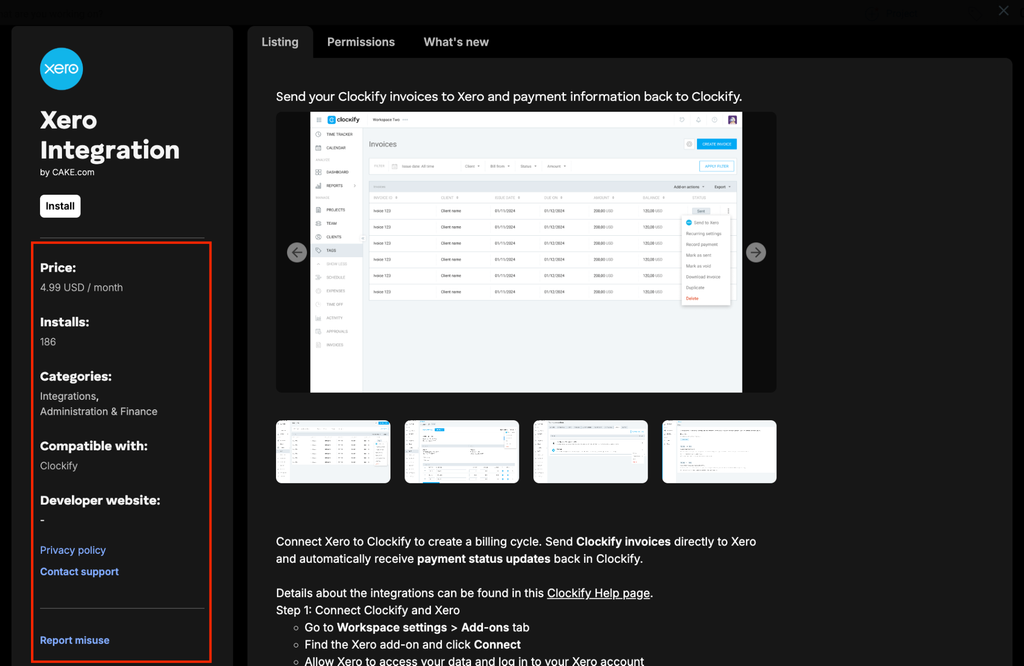
To report misuse, you must be logged in to an active Clockify account. Before reporting any concerns, we encourage you to review the Listing Agreement and Developer Terms to confirm that the issue violates these legal documents.
If an add-on is scheduled for retirement, a banner at the top of the page displays the specific date when it will be removed from the Marketplace.
Listing page #
The Listing tab displays an overview of what the add-on does and how to use it. Along with a short description, developers can provide detailed usage instructions, and screenshots or videos to demonstrate its features.
Permissions #
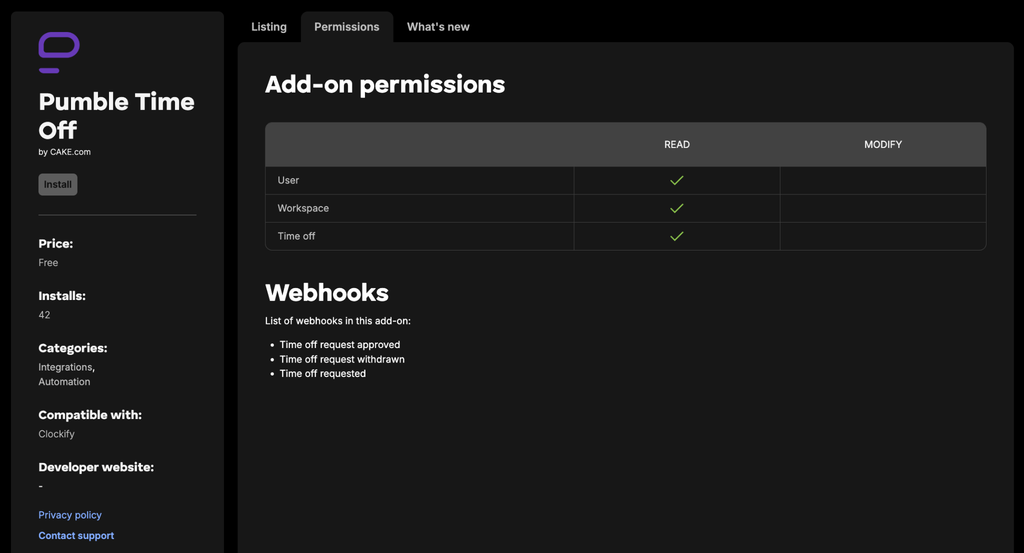
The Permissions tab displays information on what workspace data the add-on can access once installed:
- Add-on permissions: List of Clockify fields (such as Users, Workspace, or Time Off) that indicates whether the add on has Read (view only) or Modify (edit/write) access
- Webhooks: List of Clockify events that trigger the add-on updates
What’s new #
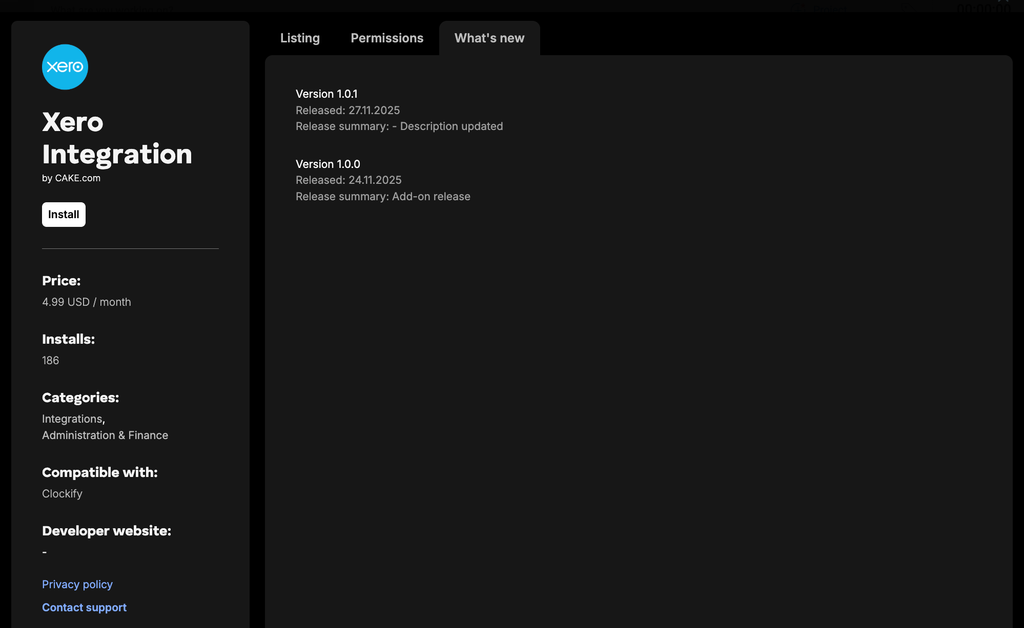
The What’s new tab contains the list of the add-on’s version history, release dates, and summary of latest changes.
Developer profile #
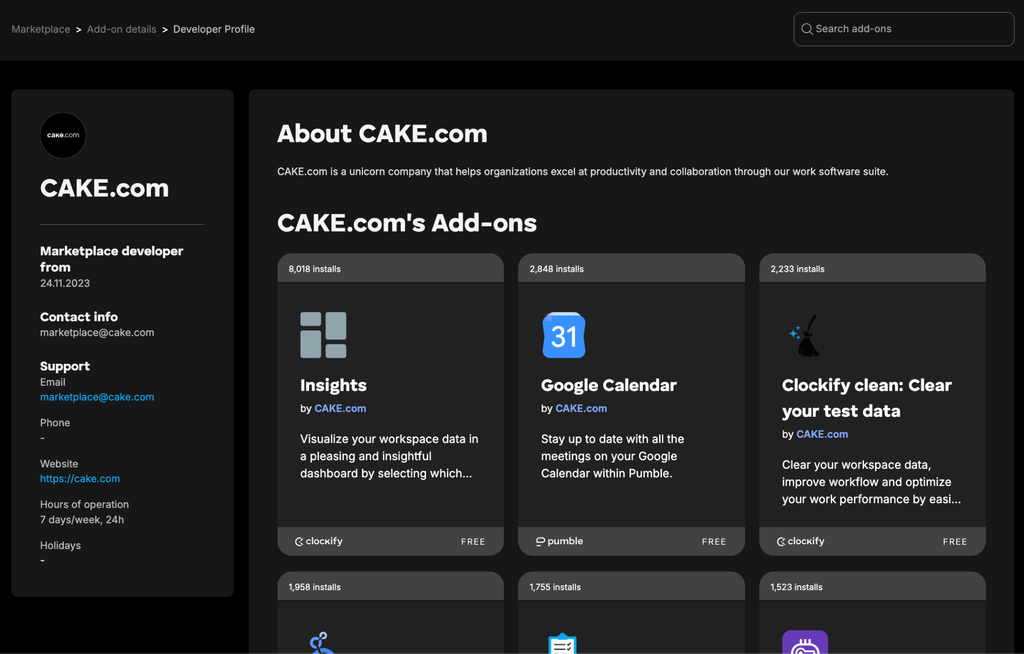
Click the developer’s name in the sidebar to display their Developer Profile page. This page includes the following information:
- About: Background information about the developer or company
- Contact info and Support: Contact details, support channels, operating hours, holiday schedule
- Other Marketplace add-ons built by the same developer
We hope this guide provides you with valuable insights on Marketplace add-ons. If you have any further questions or need some assistance, feel free to reach out to our dedicated support team.
Expand the capabilities of your Clockify workspace by exploring the add-ons available in the CAKE.com Marketplace.