

Alex Beadon
Founder of Together We Launch
"We use Clockify to see where our time is going and how to solve any problems. It’s just so beneficial."
More stories

Find new apps that fit you team's needs
Use the labor cost calculator to get an accurate estimate for informed budgeting or pricing decisions.
Labor costs are the total amount a business spends on its workforce. Besides base wages, labor costs include the following expenses:
Calculating labor costs accurately helps you make confident budgeting and pricing decisions, which is essential for your business success.
Labor costs are divided into 2 categories:
Learn more about each category below.
Direct labor costs are expenses for employees who directly deliver services or produce goods for a business. Examples of direct labor costs are:
Indirect labor costs are expenses for employees who support production but aren’t directly involved in making a specific product. Common examples include the wages of supervisors or administrative personnel.
Understanding how indirect labor costs, like wages of supervisors or administrative staff, support your business can help you feel better equipped to manage overhead effectively.

A labor cost calculator is a tool that helps employers determine the true cost of labor, including employee wages, payroll taxes, and benefits. This tool simplifies estimating your labor costs, making it easier to avoid undercharging and feel more in control of your profit margins.
Our labor cost calculator has 4 sections. To determine your annual labor cost per employee, fill out these sections one by one.
Section #1: Gross annual pay
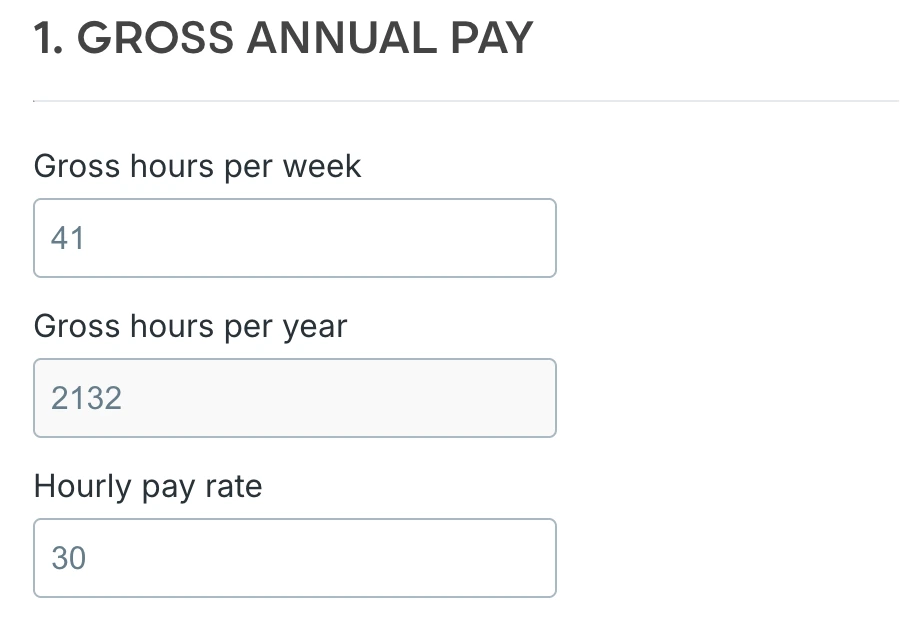
Enter the total number of hours worked by an employee in a week (including overtime) in the Gross hours per week field (e.g., 41). After you provide this information, your employee’s gross hours per year (in this case, 2,132) will appear in the Gross hours per year field.
Next, enter the amount of money paid to that employee per hour in the Hourly pay rate field (e.g., $30).
Section #2: Net annual hours worked
Net annual hours worked represent the total number of hours an employee actually works in a year, excluding PTO and any other non-work time. They’re computed by subtracting annual absent hours from annual gross hours.
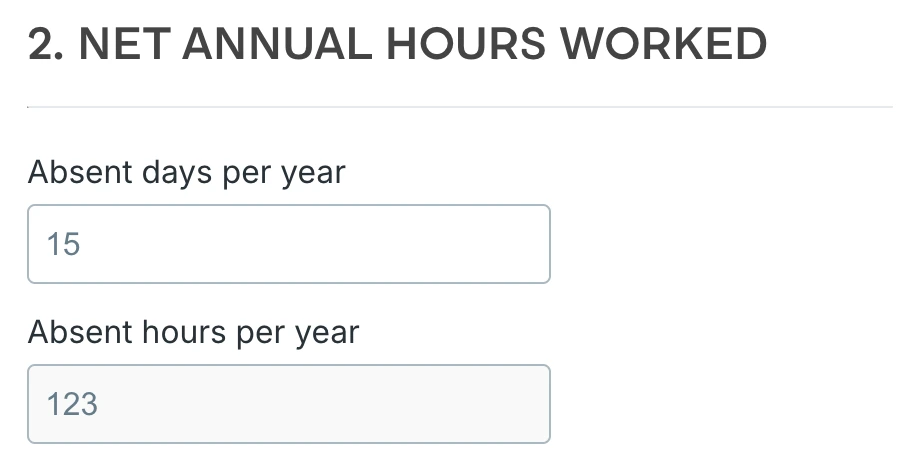
Enter the total number of their absent days per year (e.g., 15) in the Absent days per year field. As soon as you provide this information, your employee’s absent hours per year (in this case, 123) will appear in the Absent hours per year field.
NOTE: An employee’s absent days represent the total number of days an employee is absent from work due to illness or vacation.
🎓 What Is Absenteeism? Causes and Consequences
Section #3: Additional annual costs
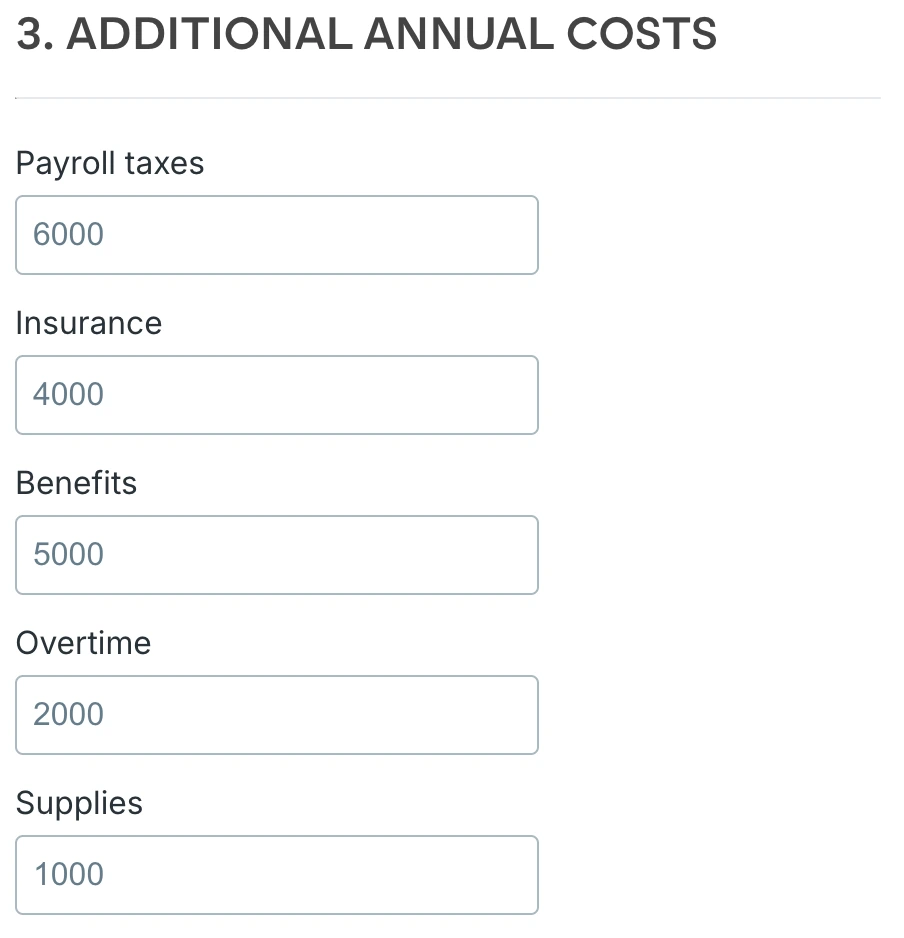
Enter the amounts of money you pay per year for other employee-related expenses, including:
Section #4: Labor cost percentage
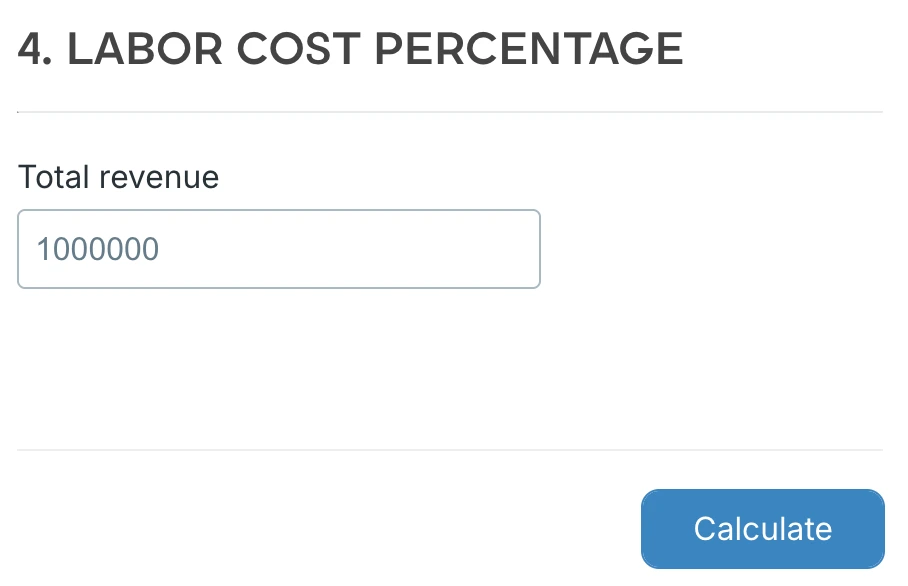
Enter the total revenue generated by your company in a year (e.g., $1,000,000) in the Total revenue field.
When you fill out the sections and click Calculate, you’ll see your:
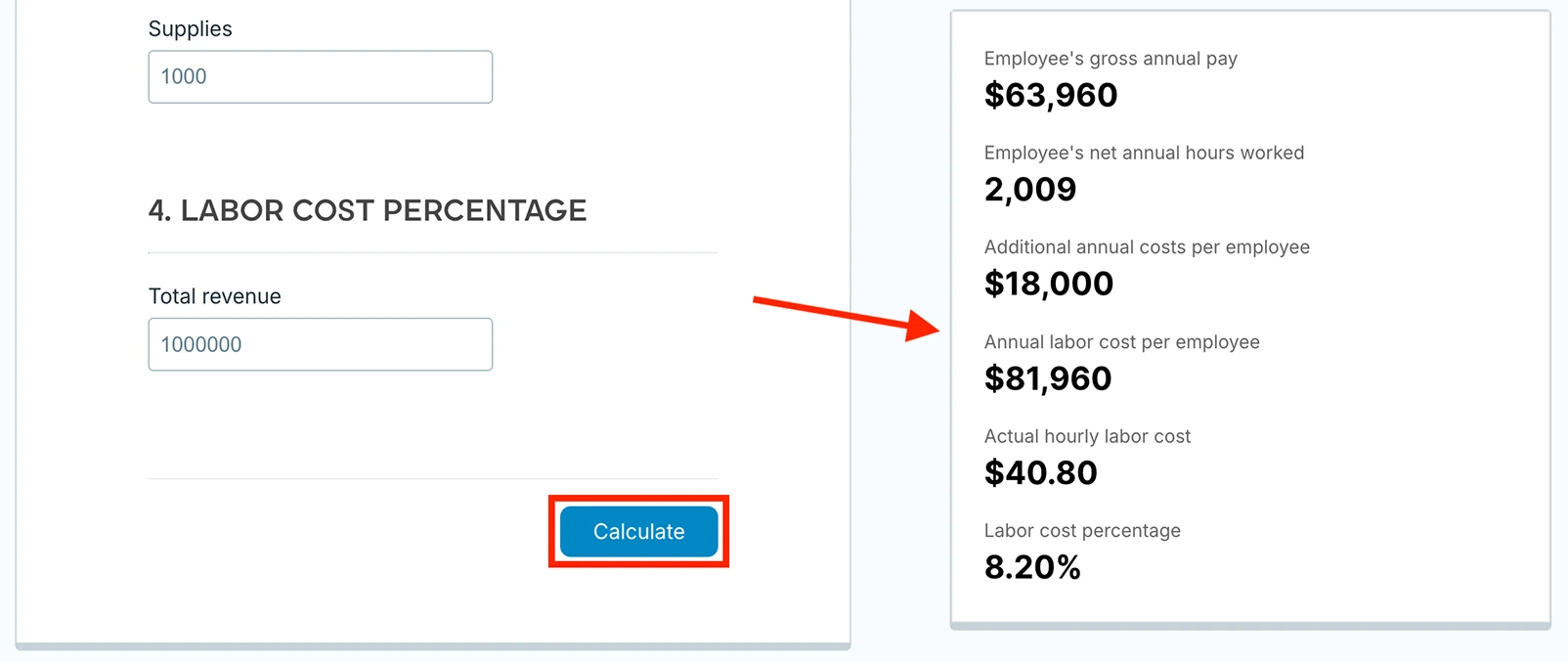
To manually calculate your annual labor cost per employee, follow the 6 steps explained below.
To determine your employee’s annual gross pay, you need to compute their gross hours per year.
Say your employee works 41 hours per week (= 8.2 hours per day x 5 days a week). By multiplying the number of their weekly gross hours by the average number of weeks in a year, you’ll get the related annual gross hours. Here’s the calculation:
41 hours per employee per week x 52 weeks per year = 2,132 gross hours per employee per year
Say this employee earns $30 per hour. To get your employee’s annual gross pay, multiply the number of annual gross hours by their hourly rate — see below:
2,132 gross hours per employee per year x hourly rate of $30 = $63,960 gross pay per employee per year
To calculate how many hours your employee actually works per year, you need to determine the number of hours they’re expected to be absent.
🎓 How Many Work Hours in a Year
Say your worker’s entitled to 10 vacation days per year. We’ll also say that they’ll be absent for an additional 5 days, due to illness and personal leave. That’s 15 absent days per year in total.
To compute their annual absent hours, multiply the number of their annual absent days by the number of daily gross hours. Here’s the calculation:
15 absent days per employee per year x 8.2 hours per day = 123 absent hours per employee per year
Now that you have your employee’s annual absence hours, you can calculate their net annual hours worked. Subtract the number of their annual absent hours from the number of gross hours per year, as shown below:
2,132 gross hours per employee per year - 123 absent hours per employee per year = 2,009 net hours per employee per year
🎓 Free 8-Hour Workday Calculator
An employee’s labor costs are more than just their wages. They include taxes, benefits, and other employment-related expenses, so you’ll need to take those into account.
Say you pay $6,000 for payroll taxes, $5,000 for benefits, and $7,000 for other expenses per employee per year. That’s $18,000 in total for additional annual costs. The calculation goes like this:
$6,000 for payroll taxes per employee per year + $5,000 for benefits per employee per year + $7,000 for other expenses per employee per year = $18,000 total additional cost per employee per year
🎓 How to Keep Track of Expenses Accurately
To compute your employee’s total annual labor cost, add up their gross annual pay and your total additional cost for that employee per year. Here’s the calculation:
$63,960 gross pay per employee per year + $18,000 total additional cost per employee per year = $81,960 total labor cost per employee per year
To find out how much labor costs per hour, divide your employee’s total annual labor cost by the total number of their net hours per year. This is the calculation:
$81,960 total labor cost per employee per year ÷ 2,009 net hours per employee per year = the actual hourly labor cost of $40.80
Calculating the labor cost percentage helps you determine how much revenue is allocated to employee compensation. This allows you to assess your workforce efficiency and whether your staffing expenses are sustainable and aligned with your business goals.
To compute your labor cost percentage per employee, divide your employee’s total annual labor cost by your total revenue in a year (e.g., $1,000,000). Then multiply that number by 100. Here’s the calculation:
($81,960 total labor cost per employee per year ÷ total annual revenue of $1,000,000) x 100 = 0.082 x 100 = the labor cost percentage per employee of 8.20%
🎓 Productivity vs Efficiency: Maximizing Performance and Output
When it comes to construction projects, the best methods for calculating labor cost include:
Which method you’ll use depends on the project type, the required accuracy, and the available data.
The unit pricing method is typically used for project design or bid estimates. It involves calculating labor costs based on specific units of work or quantities (e.g., square feet or cubic yards).
Say a worker earns $25 per hour, and it takes 0.5 hours to install 1 square foot of roofing. This means that every square foot of roofing costs $12.50 in labor (= $25 x 0.5). If a project requires 800 square feet of roofing, the total labor cost will be $10,000 (= 800 x $12.50).
This method is often used for last-minute bidding. It calculates labor costs based on the total square footage of the project area. The square foot method assumes you already know a standard cost per square foot based on past projects.
🎓 The Ultimate Handbook to Construction Bidding (+ Steps and Tips)
In a flooring installation project, if the labor rate is $10 per square foot and the project area totals 2,000 square feet, the total labor cost will be $20,000 (= $10 x 2,000).
Under this method, labor costs are assumed to be roughly equal to the cost of materials. While the rule of two method provides a quick way to estimate labor costs, it may not accurately account for site-specific factors and productivity variations.
If the project’s material cost is $5,000, the rule of two estimates the total project costs, including labor, at $10,000 (= $5,000 x 2).
Business owners should be proactive and seek ways to reduce labor costs. Here are several tips and tricks that will help you with that.
Tracking your employees’ time is a great way to boost their efficiency and productivity. Moreover, apart from motivating employees to be more productive on a personal level, it leaves less room for time theft.
According to time-and-attendance statistics, time theft costs US businesses at least $11 billion annually. So, ensuring your employees track time accurately can save you a lot of money.
The process of investigating how time is allocated to specific tasks is called a time audit. It helps managers understand their employees’ daily routine.
By regularly comparing data for different projects or employees, it’ll become easier to spot where improvement is needed. Once you determine that, you can work on the necessary steps to increase productivity andidentify time wasters and inefficiencies.
🎓 25 Ways to Increase Productivity and Do More in Less Time
Companies that don’t invest in training are at a higher risk of their employees making mistakes. In fact, proper training equips employees with the knowledge and confidence to work independently, reducing the need for constant manager support.
By training your employees, you’ll not only improve their performance but also foster loyalty and reduce employee turnover.
While benefits play a crucial role in employee retention, they’re often underutilized. That’s why you should ask your employees which benefits they actually value and use. This way, you can decide which benefits you can cut.
In addition to tracking your employees’ regular hours, it’s important to track their overtime. This can help you reduce overtime expenses and prevent your employees from being overworked.
To track employee overtime, use a reliable time tracking tool like Clockify by CAKE.com. With this tool, you get to monitor your employees’ daily attendance, breaks, overtime, PTO, and capacity.
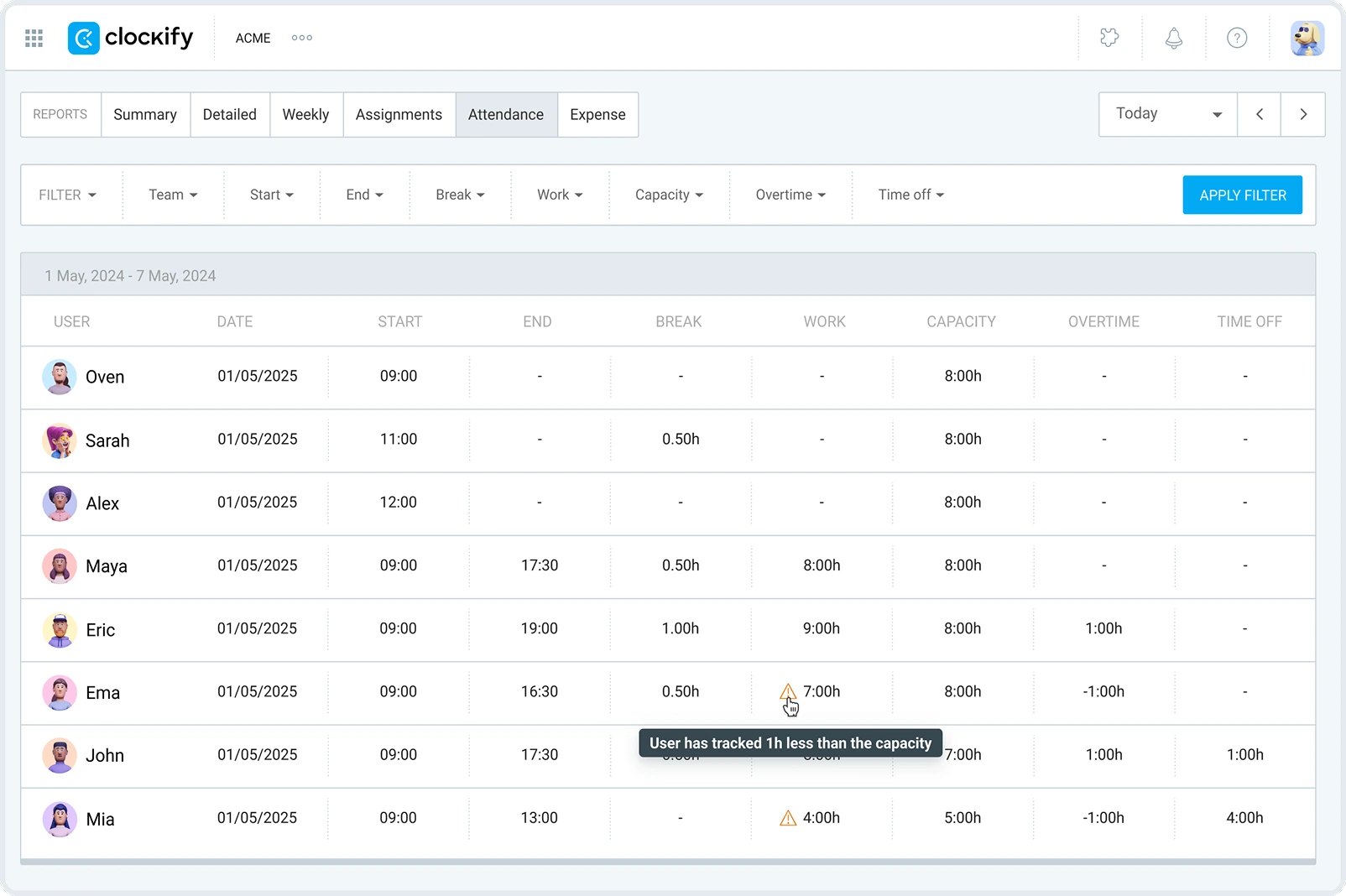
This allows you to optimize scheduling and maintain a healthy workforce.
Still have questions about labor costs? Then check out the following section.
The standard cost of labor formula goes like this:
Standard hours (the time expected to complete a task or produce 1 unit) x Standard rate (the expected cost per hour of labor) = Standard labor cost
Suppose it takes 2 hours to produce a unit of the product. We’ll also assume the worker costs $15 per hour. Here’s how you’ll calculate the standard labor cost for this employee:
2 hours per unit x $15 per employee per hour = the standard labor cost per employee of $30
Typical labor costs for a small business include:
Most small businesses aim to keep labor costs within 30% of gross revenue to ensure profitability, though this varies by industry. Moreover, in the restaurant industry, costs can vary by service model (from 25% in quick service to 35–40% in fine dining).
To calculate 7% off a price, you need to:
To calculate the discount amount, multiply the original price (e.g., $80) by 0.07 (= 7 ÷ 100). Then, subtract that result from the original price to find the final (discounted) price. Here’s the calculation:
$80 x 0.07 = the discount amount of $5.60
$80 - $5.60 = the final price of $74.40
As the US Bureau of Labor reports, total employer compensation costs (wages and benefits) for private industry workers averaged $46.15 per hour worked in 2025. For state and local government workers, average compensation costs were higher — $65.68 per hour worked.
According to the National Restaurant Association’s research, labor costs reached a median of 36.5% of sales for full-service restaurants in 2024. Labor costs accounted for a lower median of 31.7% of sales for limited-service restaurants.
It depends on the industry, but in healthcare, labor costs include wages, a night shift differential, and hospital nurse insurance.
The fully burdened labor rate is the total hourly cost of an employee. It takes into account not only their base salary but also all additional employment-related costs (otherwise known as “labor burden”).
Determining the fully burdened labor rate is crucial for operations directors as it reveals the true cost of employment (often 25–40% higher than base wages). This way, they can ensure every hour sold covers costs plus margin.
The pricing model your business will use depends on your product or service, target market, and overall business strategy. Some of the most common pricing models are:
Unlike value-based pricing (which focuses on the customer’s perceived worth of a product), cost-plus pricing relies on internal cost data. With cost-plus pricing, you determine a product’s selling price by adding a fixed percentage markup to the total production cost (materials and labor).
Many agency owners use this pricing method because it’s simple and ensures they cover all costs while earning a fair profit.
Flat-rate pricing is a model where a single, fixed fee is charged for a product or service, regardless of the time or resources required to deliver it.
A contribution margin is a financial metric. It represents the revenue remaining from each sale after covering all variable costs associated with delivering that product or service.
The variable costs are expenses that change in proportion to production volume (they rise/fall as production increases/decreases).
The biggest benefits of calculating labor costs are:
Calculating labor costs helps business owners keep their business afloat and, eventually, profitable. However, manually combining everything to arrive at a single number is challenging, given the multitude of factors involved in the labor cost calculation.
Therefore, the best thing you can do is track time spent on tasks and projects with Clockify to evaluate how your employees spend time at work. You can do that with Clockify Reports.
Clockify offers several types of time reports, including:
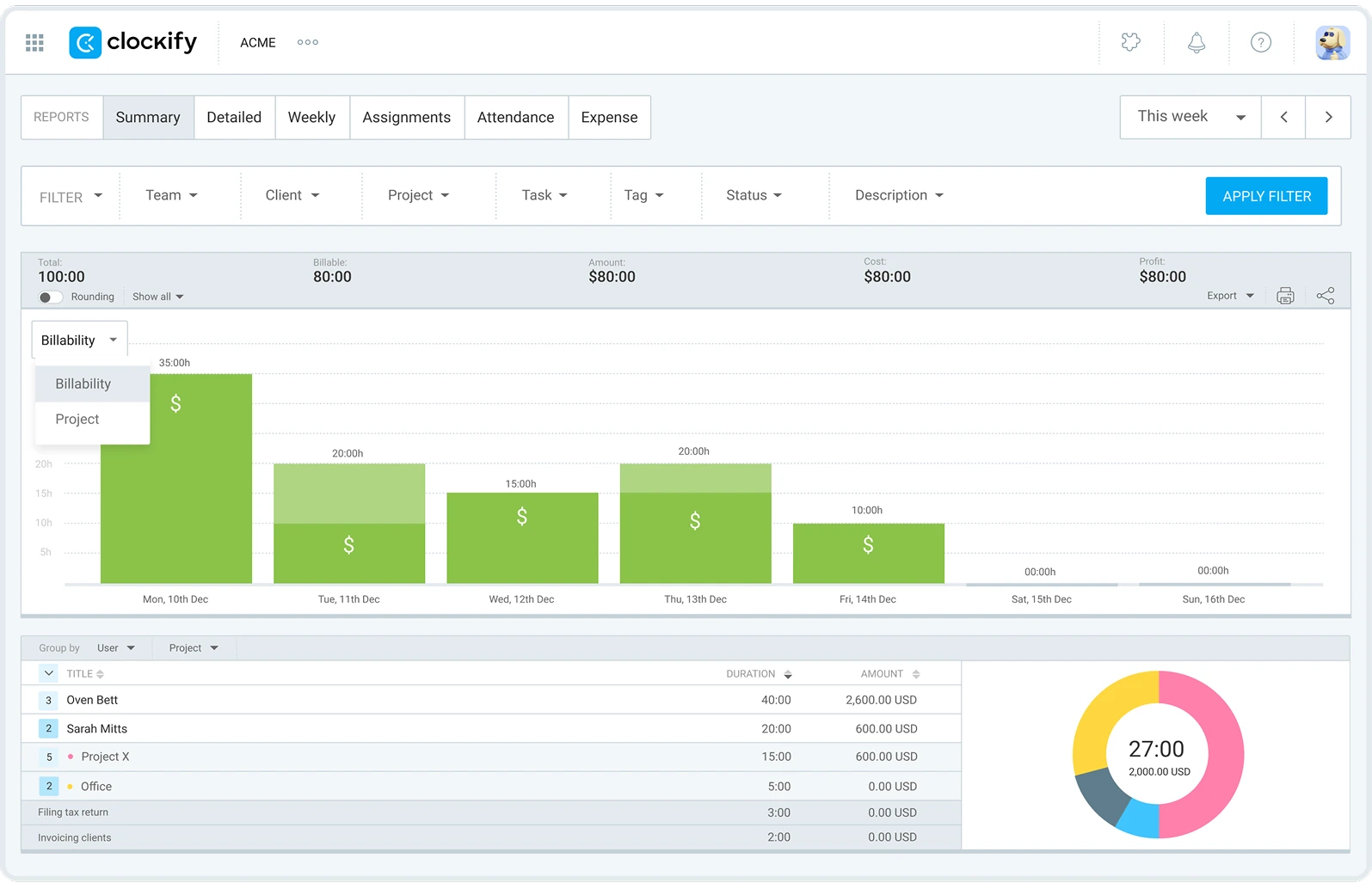
With Clockify’s Summary report, you can see the time spent on projects, billable and non-billable hours, and the total amount. Furthermore, you can filter reports by several criteria and export them in PDF, CSV, or Excel format.
Clockify by CAKE.com allows agency owners to:
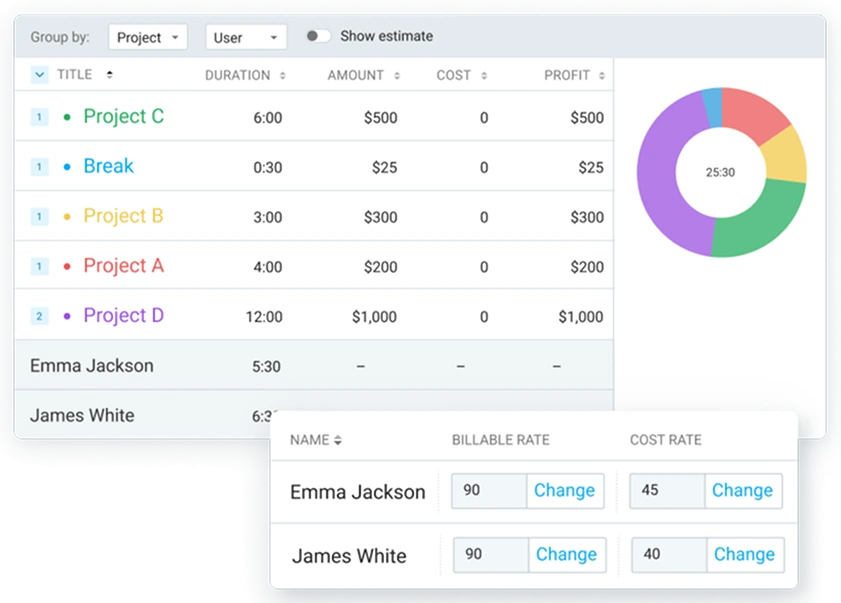
This way, you can:
Take control of your business and costs, make smarter decisions, and protect your margins — with Clockify.
To skyrocket productivity across your company, try a powerful CAKE.com Bundle. Alongside Clockify, you’ll get access to Pumble for business communication and Plaky for project management at a discounted price — $12.99 per seat/month (if billed annually).

Disclaimer: We hope this calculator/guide has been helpful. We strongly advise you to consult with relevant institutions or certified representatives before taking action on legal matters. Clockify is not responsible for any losses or risks incurred.
