Customize kiosk
2 min read
Who can use this feature?
Workspace owner or admin
Kiosk customization is a paid feature available in Standard plan or higher
Choose how long a kiosk remains open and add your company logo to it.
Session duration #
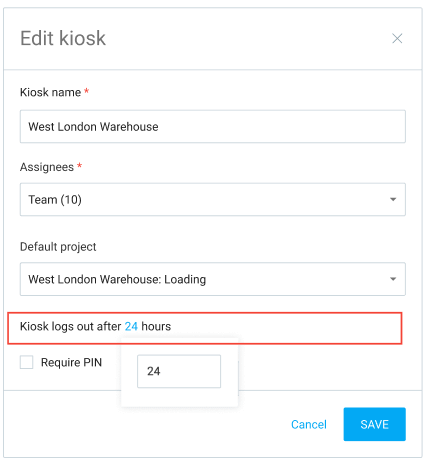
Once you open and log into a kiosk as admin, it remains open for 24h (or until you close it), after which it needs to be relaunched again.
If you wish some kiosk to remain open longer or shorter so you don’t have to relaunch it each day:
- Go to Kiosks page
- Click three dots next to a kiosk
- Click Edit
- Click on number next to “Kiosk logs out after”
- Enter any number you wish in the popup field (in hours)
- Click Save
Branded kiosk #
Each kiosk shows the Clockify logo on the homescreen by default.
To upload your company logo:
- Click on the three dot icon next to your workspace name
- Select Workspace settings
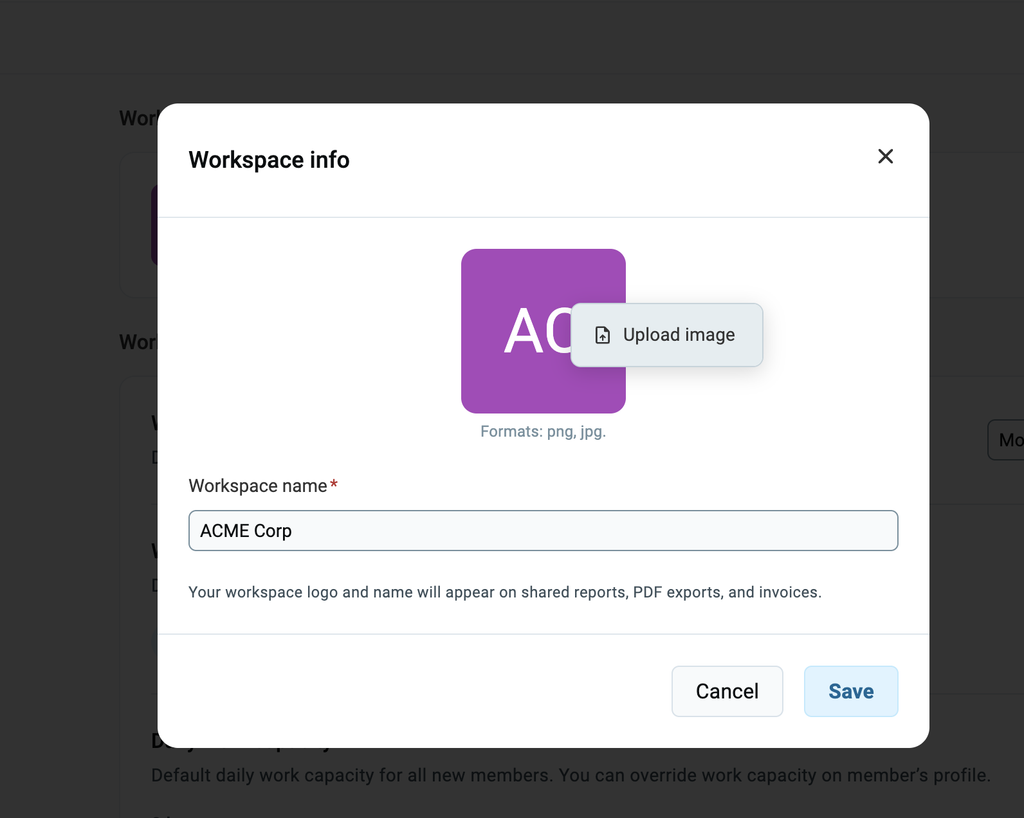
- Click Edit in the Workspace info section
- Hover over the photo and click Upload image
- Select the image you want as your logo
- Click Save
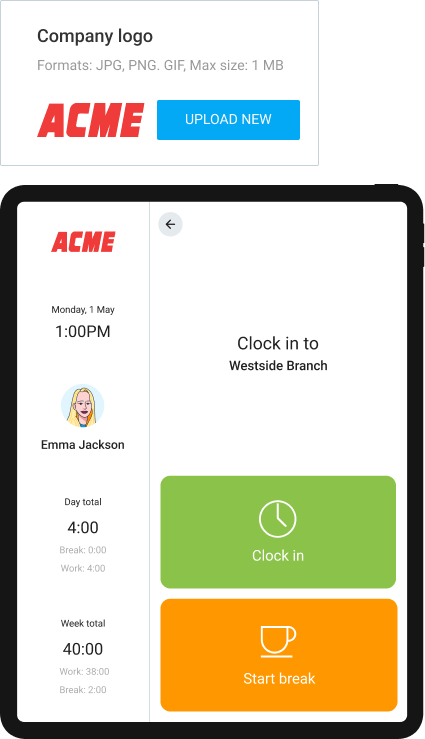
Once uploaded, your company logo will replace Clockify’s and be displayed on each kiosk (example below).
Was this article helpful?
Thank you! If you’d like a member of our support team to respond to you, please drop us a note at support@clockify.me