Required fields
1 min read
You can prevent users from adding incomplete time entries by using required fields. This will ensure that all time entries have a mandatory minimum amount of information assigned to them, so your reports are organized and accurate at all times.
Note
Required fields is a paid feature, which you can enable by upgrading your workspace to any of the paid plans.
How to enable required fields #
- Click on the three dot icon next to your workspace name
- Select Workspace settings
- Select Time tracking from the sidebar
- Check the box for the field you want to require under Time entry required fields
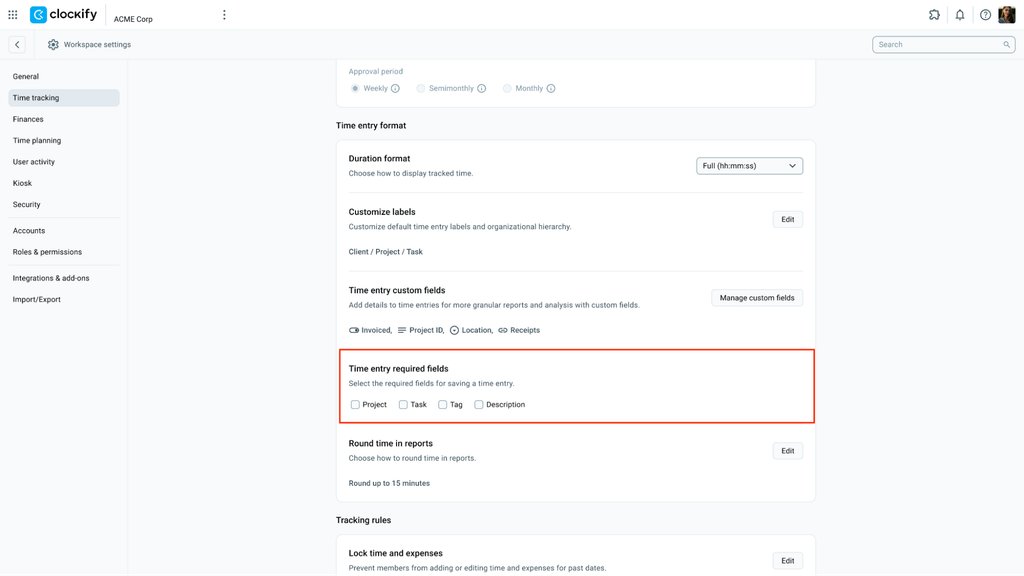
When the task is a required field, projects that don’t have tasks don’t show up in the project picker.
Note
Project is a required field when Kiosk is enabled.
How it works #
For example, if you check project and tags as required:
- No one can add a time entry without a project and tag (not even admins)
- The timer can be started but can’t be stopped until you add a project and tag
- You cannot add time in Timesheet view without selecting a tag
Was this article helpful?
Thank you! If you’d like a member of our support team to respond to you, please drop us a note at support@clockify.me