Description field missing in the Timesheet
1 min read
In the Timesheet view, you won’t see the description field by default. This view is designed for fast time input across the week.
But you can still add a description (and more details) after creating an entry. Here’s how:
Add your time normally
- Select a project and a task
- Enter your hours directly into the timesheet cells
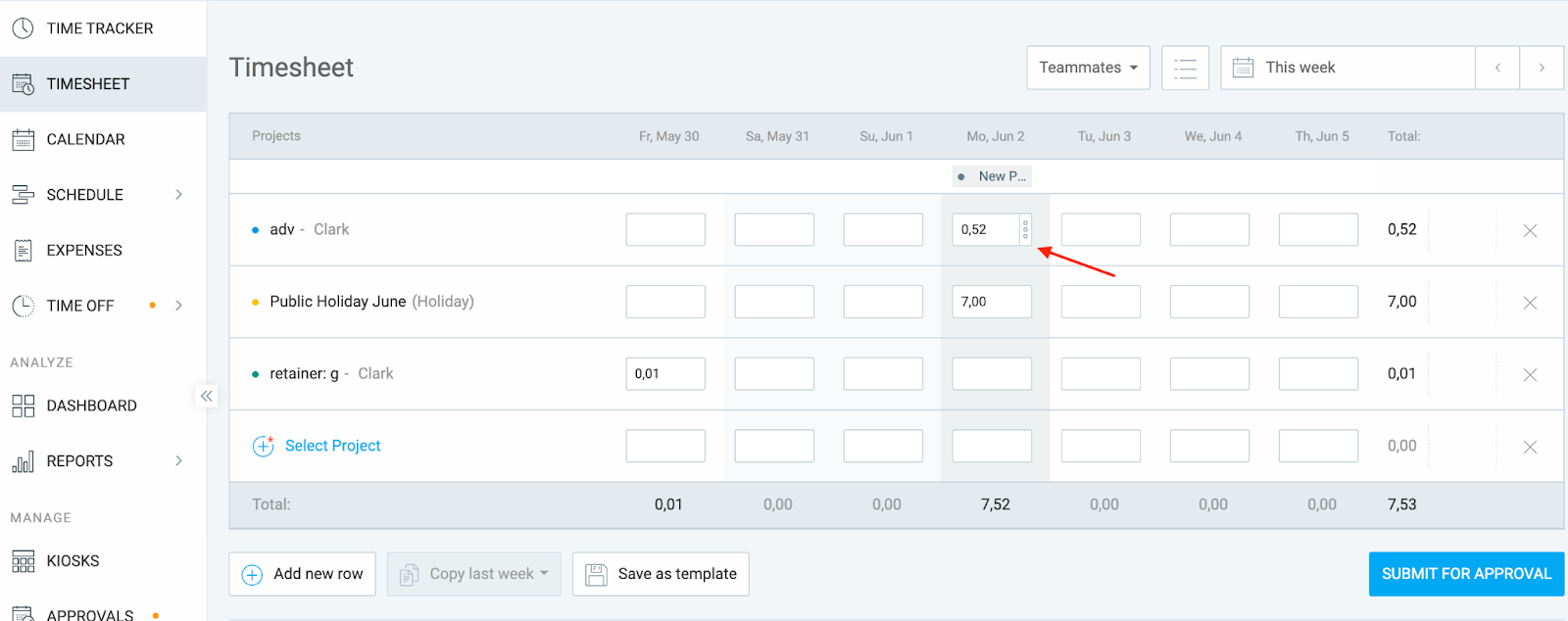
Click on the three dots in the cell
- Once the entry is created, click on the three dots in the cell
- A detailed pop-up will open
Add your description and other details
In the pop-up window, you can:
- Add a description
- Set start and end times
- Add tags
- Add other time entry details
Note
Descriptions are linked to individual time entries. If you enter the same project across multiple rows, you’ll need to add a description to each entry separately if needed. Use the Time Tracker page if you prefer to add a description when creating the time entry.
Was this article helpful?
Thank you! If you’d like a member of our support team to respond to you, please drop us a note at support@clockify.me