Kiosk URL is invalid
Sometimes, when trying to launch a kiosk, you might run into an error stating that the URL is invalid. This can happen for a few different reasons, most of them easy to fix with a quick settings check or adjustment.
Check your subscription plan #
Kiosk is a paid feature. If the workspace owner/admin downgrades the subscription from a paid plan to a free plan or your free trial has ended, kiosk URLs will be disabled. To reactivate access, subscribe to Basic plan or higher.
Deactivate the kiosk #
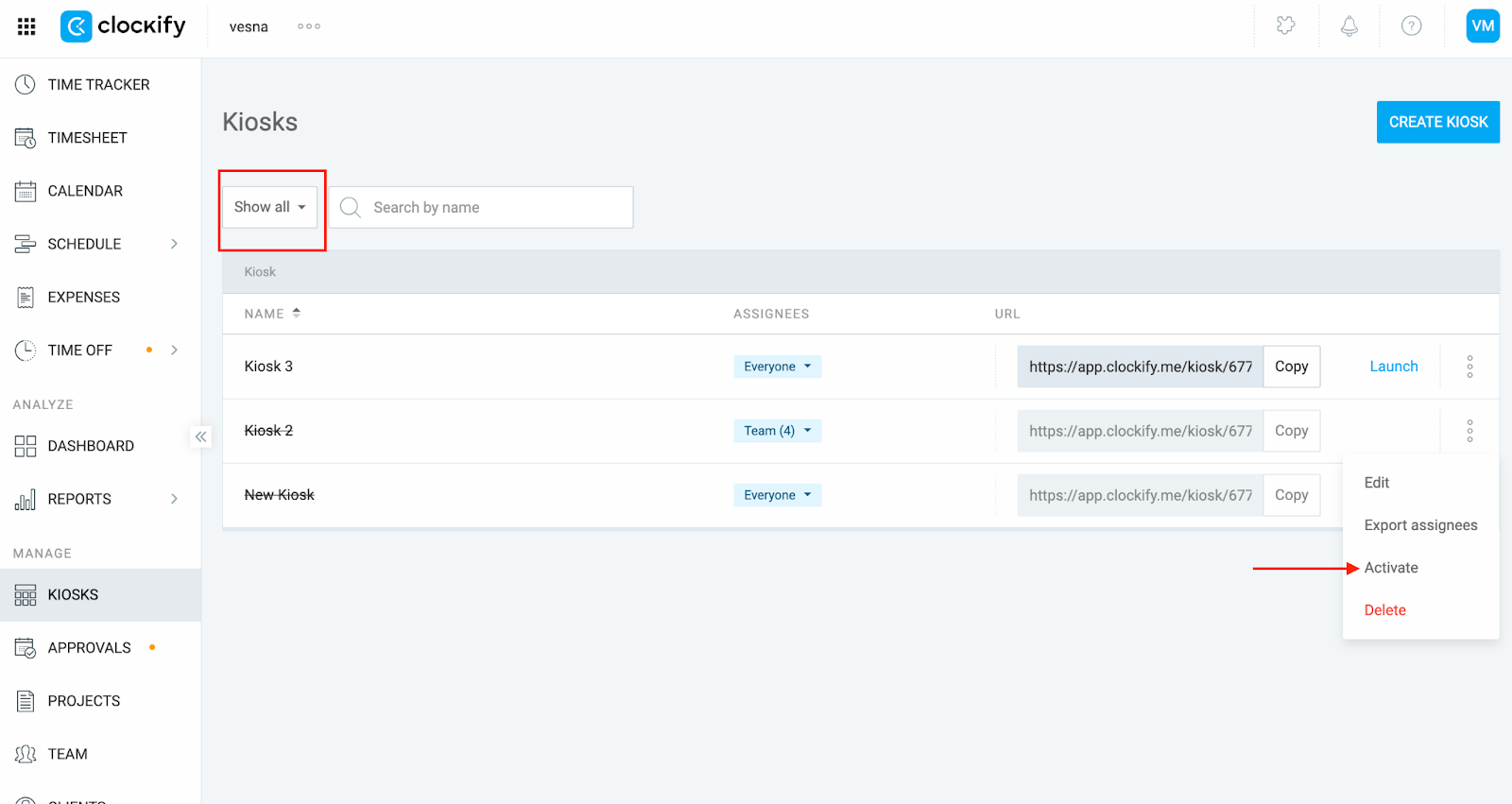
If you’re seeing an invalid URL error, try refreshing the kiosk by deactivating and re-activating it.
To do this:
- Go to the Kiosks page from the sidebar
- Click on the three dot icon next to the kiosk and select Deactivate
- Use the filter to show inactive kiosks
- Click the three dot icon again and select Activate
- Copy the kiosk link and try launching it again
Kiosk name contains unsupported characters #
Special characters like slashes (/) or symbols (! @ #) are not allowed in the kiosk name because it can break the URL.
Solution:
- Go to the Kiosks page
- Click the three dot icon next to the kiosk
- Select Edit
- Remove or replace special characters in the kiosk name
- Save changes and use the updated link
Browser issues #
Cache, cookies, or browser settings may cause loading issues even with a valid URL.
Solution:
- Try launching the kiosk in an incognito/private window.
- Update the browser and relaunch
- Clear the cache and cookies from the browser
Still having issues? The Clockify Support Team will be happy to look into it and assist you further. Please contact us at support@clockify.me and include the following details:
- URL of the Kiosk you’re trying to launch
- A screenshot of the error message you might be getting