To scale your accounting firm and keep your team productive, you need to understand how your staff spends their work hours.
Unfortunately, tracking time with spreadsheets or pen and paper is tedious and error-prone. But time tracking software for accountants has solved those issues by simplifying menial tasks.
To help you choose the right tool, I reviewed the top 4 time tracking and billing apps available in 2026.
WHY TRUST US?
The apps we talk about are selected, tested, and written about by human reviewers who follow strict review and editorial guidelines. We pick solutions that are practical, purposeful, and can offer real value for the specific use case or business context we’re covering — while also being justified in their pricing. Our methodology is transparent, clear, and available to everyone:
| App | Clockify by CAKE.com | Harvest | Hubstaff | TimeCamp |
|---|---|---|---|---|
| Ratings (Capterra) | Overall rating: 4.8 Ease of use: 4.8 Features: 4.6 Customer service: 4.6 | Overall rating: 4.6 Ease of use: 4.6 Features: 4.3 Customer service: 4.4 | Overall rating: 4.5 Ease of use: 4.4 Features: 4.4 Customer service: 4.4 | Overall rating: 4.7 Ease of use: 4.6 Features: 4.5 Customer service: 4.6 |
| Pricing | Starts at $3.99 per user/month if billed annually | Starts at $9 per seat/month if billed annually | Starts at $4.99 per seat/month (2 seat minimum) if billed annually | Starts at $3.99 per user if billed annually |
| Free plan | Unlimited time tracking, for up to 5 users | 1 seat, 2 projects | 1 seat only, limited screenshots and reports | Unlimited projects and users |
| Free trial | 7 days | 30 days | 14 days | 14 days |
| Use cases | The app has advanced invoice management features and automated visual reports that show profitability | The app has advanced expense tracking options and clean interface | The app has a simple web timer and and an idle time prompt | The app has an easy-to-install desktop app and a built-in integration with Trello |
| Available on | Windows, Mac, Web, iOS, Android, Linux | Windows, Mac, Web, iOS, Android | Mac, Windows, Web, ChromeOS, Linux | Mac, Windows, Web, iOS, Android, Linux |
#1: Clockify by CAKE.com — best for tracking team time and billable hours
Clockify by CAKE.com is one of the most popular time and billing software for accountants. Thanks to its accurate and easy-to-use time tracking features and advanced billing plus invoicing functions, the app has gained traction among thousands of accountants.
How does Clockify by CAKE.com work?
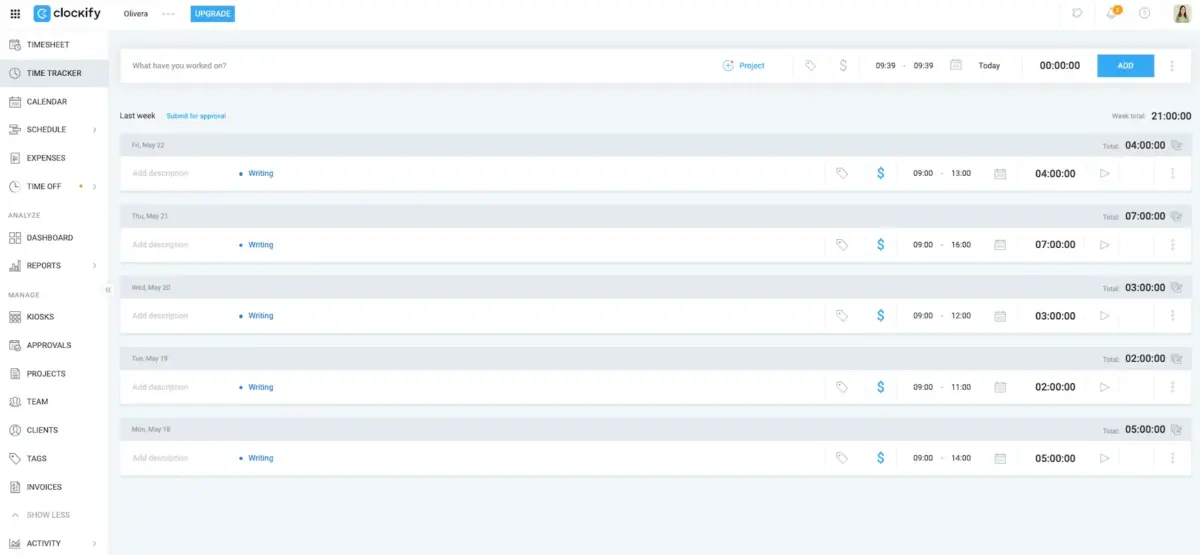
You’ll be happy to hear that Clockify provides 2 basic ways of tracking time, including:
- Timer — starting and stopping a timer while working on different tasks, and
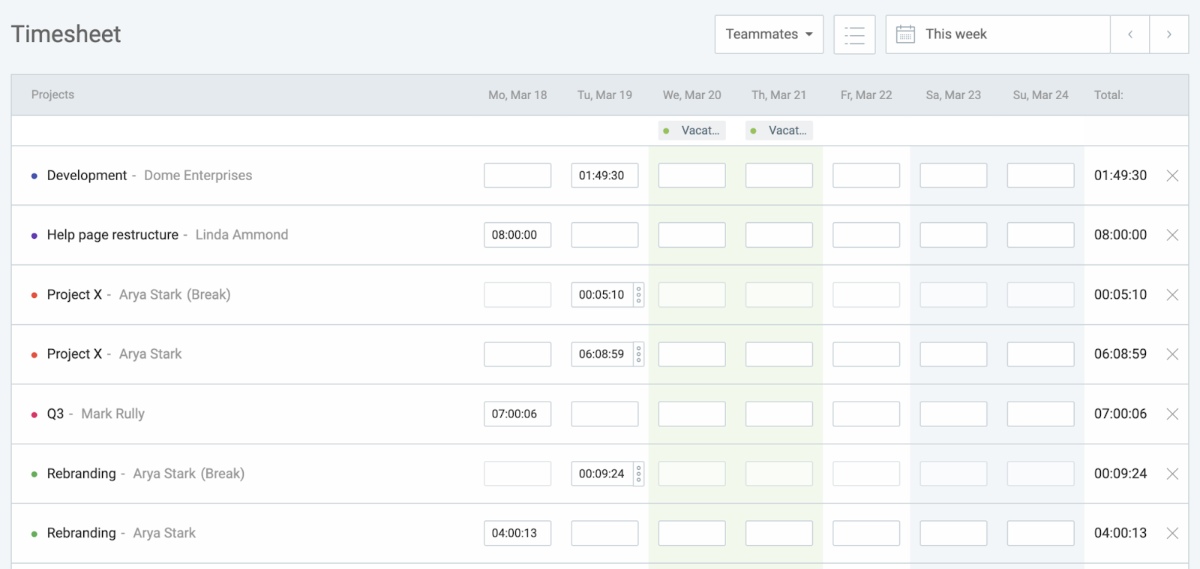
- Timesheets — manually entering time slots in a weekly timesheet.
Track time in Clockify by CAKE.com
While testing Clockify, I mostly used the timesheet option, but the timer also works great — it all depends on your personal preferences.
I found that adding new time entries is easy, as you only need to:
- Select the project you’re working on,
- Choose a weekday,
- Set the amount of time you worked on a task, and
- Add an optional description or tags.
The process was simple and intuitive, even if you haven’t used a time tracker before.
As an accountant, you can create a separate project for each client and specify tasks via descriptions and tags.
Since Clockify automatically generates visual reports based on your staff’s entries and tracked time, you get a breakdown of your work in real time.
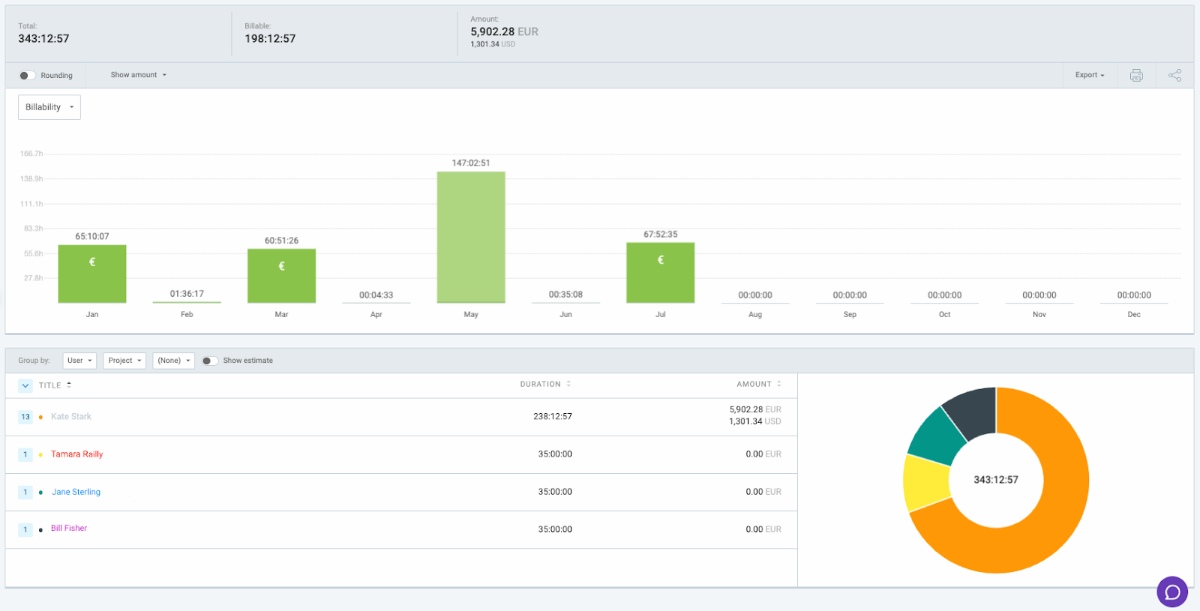
Manage your work with Clockify
With the summary report, I could quickly see:
- Which tasks took the most time,
- Who worked on different projects and tasks in my team, and
- Which clients were the most profitable in any period.
While tracking time in Clockify, I could also mark tasks as billable or non-billable.
Based on this information, Clockify automatically generates invoices and allows me to share them with clients directly from the app.
Plus, Clockify allows you to mark invoices depending on their status — including fully paid, partially paid, void, sent, and unsent. You can also see the amounts and due dates for all invoices at a glance.
As someone who has worked with their fair share of invoices, automating invoice processing and billing is a huge time saver.
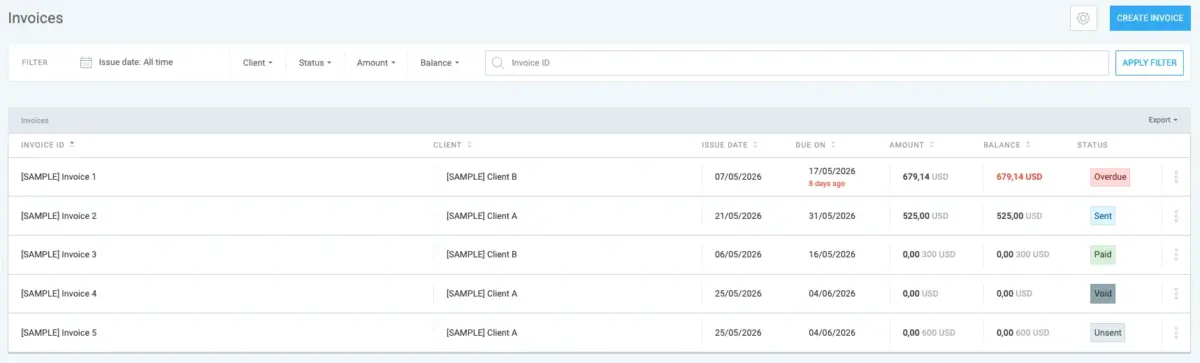
So, Clockify makes the invoicing process much easier. Also, the ability to import billable time and expenses directly into the invoice is a huge time saver.
Clockify by CAKE.com pros
The main benefits of using Clockify as time and billing software for accountants include:
✅ Easy, intuitive, no-nonsense time tracking,
✅ Automated visual reports that show profitability in real-time, and
✅ Advanced invoice management features.
Clockify by CAKE.com cons
Some of the potential downsides of Clockify are:
❌ Invoicing features not available in the free plan, and
❌ A few integrations with other accounting software require Zapier.
What’s new in Clockify by CAKE.com?
In April 2026, Clockify updated its Assignments report. The report now contains the Expected profit and Realized profit columns. This means you can compare your initial profit predictions with the actual profit.
| Type of plan and availability | Clockify by CAKE.com pricing and platforms |
|---|---|
| Free plan | Yes |
| Free trial | Yes, 7-day free trial |
| Starting price | $3.99/month per user (billed yearly) |
| Availability | Windows, Mac, Web, iOS, Android, Linux |
#2: Harvest — best for expense tracking
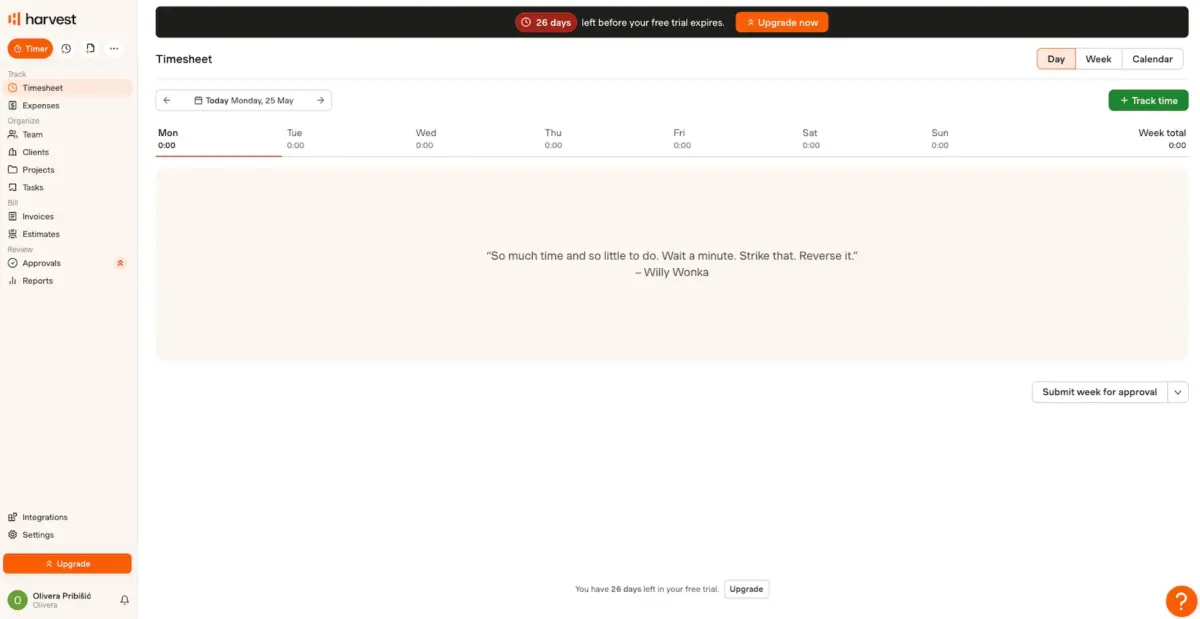
Harvest is a timesheet software for accountants and other professionals that offers advanced expense tracking options.
How does Harvest work?
When I started using Harvest, I tracked time by manually filling out entries in a weekly timesheet.
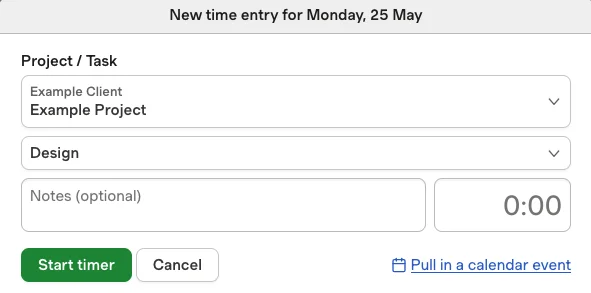
I was also able to create entries by starting a timer when I began working on a task. The app also lets me manually add time entries quite easily. I just need to select the project and add the number of hours I worked.
Unfortunately, these time entries didn’t provide a clear view of my work schedule — not even in calendar view. They only contained the number of hours I’d worked on a task — not the actual time of day.
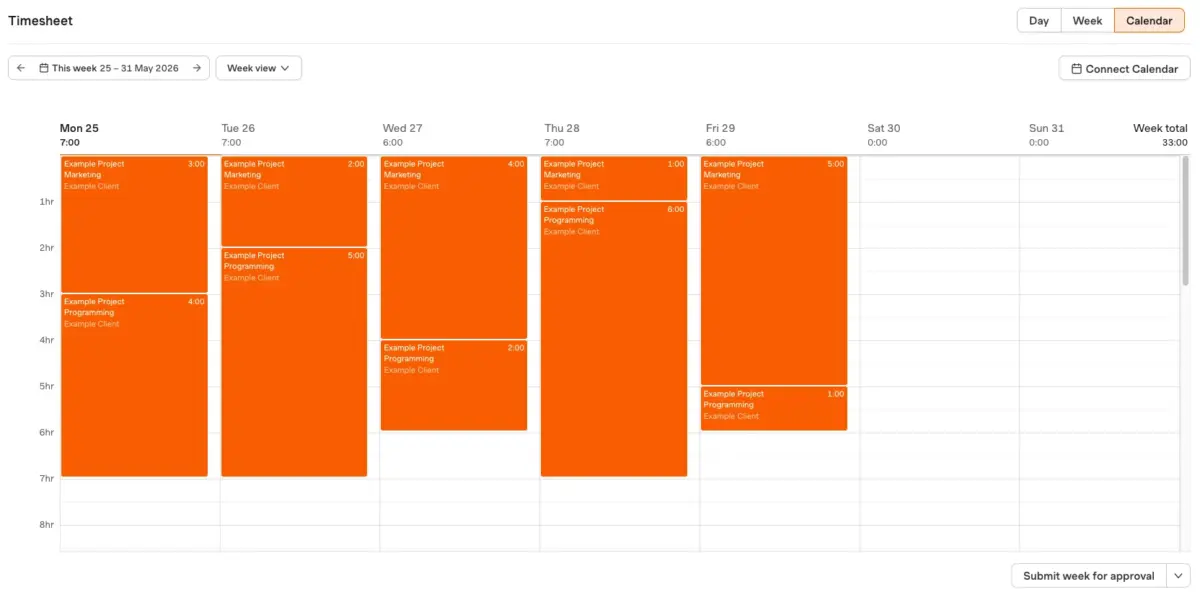
In other words, Harvest tracks time by showing you’ve done 4 hours of work on a specific task. But you won’t know whether you worked from 8 a.m. to 12 p.m. or from 1 p.m. to 5 p.m.
Based on time entries, Harvest creates a basic report that breaks down billables for a given period. After trying it out for a while, I could also see which tasks and projects different team members had worked on.
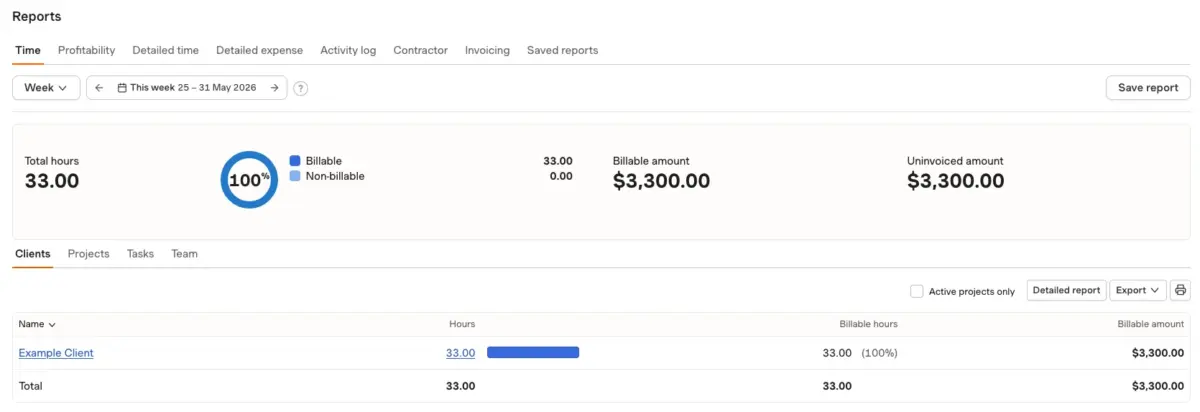
Personally, I thought that Harvest generates reports that are clean and easy to read but also quite limited. Beyond billable hours and expenses, they don’t contain much actionable information.
Speaking of which — expense tracking is where Harvest truly shines. You and other team members can add expense notes to each project, and categorize them as:
- Mileage,
- Transportation,
- Meals,
- Lodging,
- Entertainment, etc.
Besides inserting a simple dollar amount, you can attach documents (like tickets and receipts) to each expense note. This allows you to accurately bill clients and budget large projects.
Harvest pros
The main advantages of Harvest are:
✅ Clean interface,
✅ Admins can adjust timesheets in case of errors, and
✅ Advanced expense tracking options.
Harvest cons
Some of the major downsides of using Harvest include:
❌ Time entries don’t show specific times of day, and
❌ Only basic information is available in reports.
What’s new in Harvest?
In April 2026, Harvest introduced task-level scheduling. This means you can now assign specific tasks to team members, and not just projects.
| Type of plan and availability | Harvest pricing and platforms |
|---|---|
| Free plan | Yes |
| Free trial | Yes, 30-day free trial |
| Starting price | $9/month per user (billed yearly) |
| Availability | Windows, Mac, Web, iOS, Android |
#3: Hubstaff — best for a globally dispersed workforce
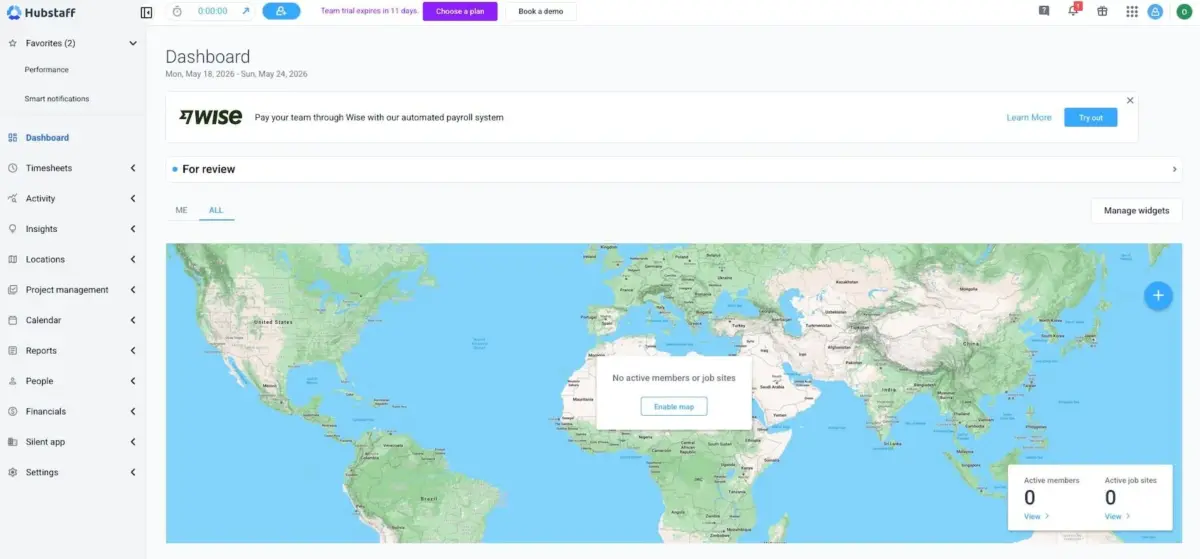
Hubstaff is a time and billing software for accountants in globally distributed teams, with productivity tracking, employee monitoring, and optional project management features.
How does Hubstaff work?
In Hubstaff, you track time via a simple web timer.
After selecting a project and task, you start and pause the timer using the play button.
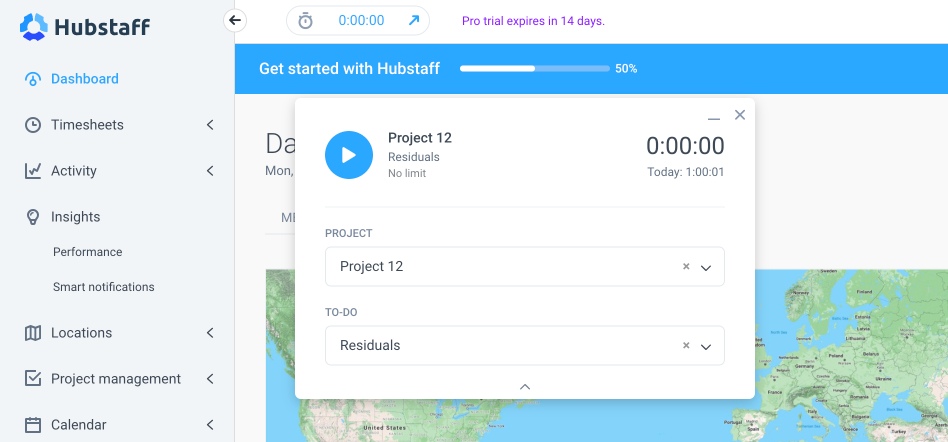
Besides the web timer, I could also record work hours by manually entering them into a timesheet.
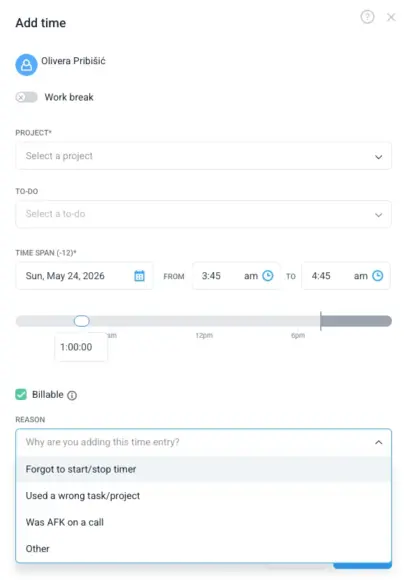
However, it’s clear that Hubstaff only expects you to use timesheets if you forget to turn on the web timer. When I added a time entry via timesheets, I noticed I had to select a reason why I didn’t use the web timer — in my opinion, an oddly passive-aggressive feature.
If you set billing rates for various tasks and accountants in your organization, you can use tracked time to generate invoices automatically.
After that, you can email these invoices to clients or export them as PDF files.
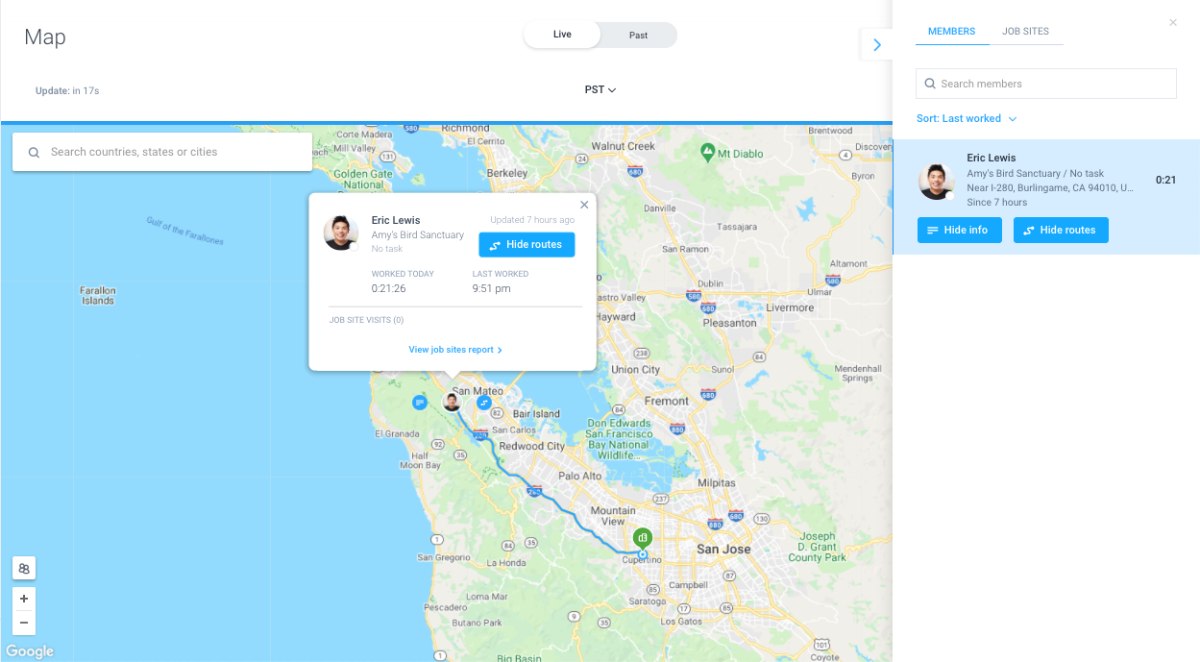
While Hubstaff has multiple time tracking options, the platform’s key features are employee monitoring tools.
A huge world map dominates Hubstaff’s dashboard. As I added team members to the platform, their live locations appeared in real time.
Besides location, Hubstaff can also track your team’s web browsing and other activities — even taking periodic snapshots of their screens.
After doing a bit more research on the platform and different discussion boards online, I found that most employees were displeased with this feature. Because of heavy monitoring, many perceive Hubstaff as an intrusive, controversial tool.
As a result, ensure your team knows about Hubstaff’s monitoring features before introducing the platform to your tech stack.
💡 CLOCKIFY PRO TIP
For a more detailed insight into Hubstaff’s functionalities, check our honest review of the app:
Hubstaff pros
One of the primary benefits of Hubstaff include:
✅ Simple web timer,
✅ Idle time prompt in case of employee inactivity, and
✅ A newsfeed about app updates on the platform’s homepage.
Hubstaff cons
Some of the primary reasons against Hubstaff include:
❌ Extremely limited free plan, and
❌ Intrusive employee monitoring,
What’s new in Hubstaff?
As of April 2026, Hubstaff supports monthly PTO accrual. So, now you can choose whether you want your employees to acquire their time off days on a monthly basis or annually.
| Type of plan and availability | Hubstaff pricing and platforms |
|---|---|
| Free plan | Yes (for a single user) |
| Free trial | Yes, 14-day free trial |
| Starting price | $4.99/month per user (billed yearly) |
| Availability | Mac, Windows, Web, ChromeOS, Linux |
#4: TimeCamp — best for organizing clients and tasks
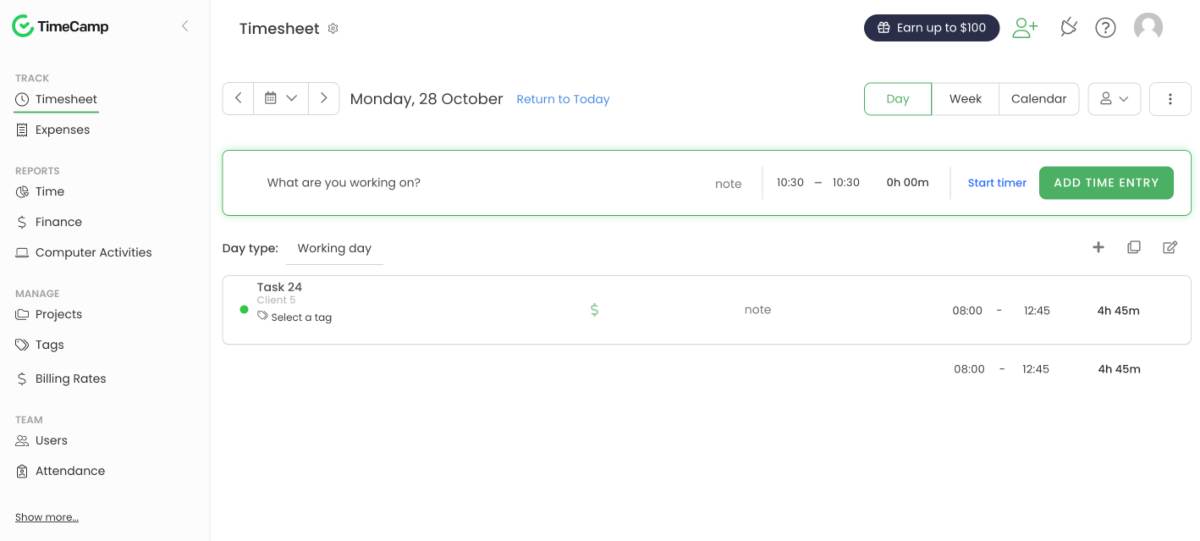
TimeCamp is another accounting and billing software solution with staff monitoring functions, including location and web tracking.
How does TimeCamp work?
As another time management software based on timesheets, TimeCamp allowed me to create time entries by entering the hours spent on each task.
Unlike with Harvest, I was able to add precise timestamps to TimeCamp. For example, I can record that I worked on Task A from 8:30 a.m. to 9:30 a.m. on a specific day. This is a common approach in most CPA time and billing software.
However, TimeCamp’s primary unique feature is its system of tags. I was able to use these tags to organize data like projects and tasks in TimeCamp. As a result, I could quickly find any information I needed without manually looking through long lists.
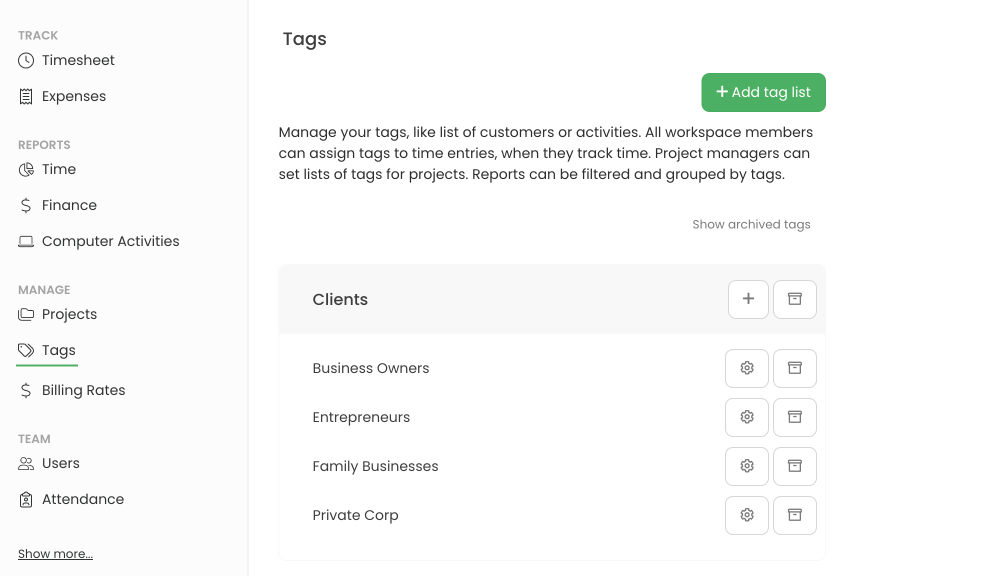
For instance, if your accounting firm services multiple clients from the same industry, you could create an appropriate tag that groups their projects — making them easy to find at any time.
Unfortunately, the platform’s intuitive UI and unique features are overshadowed by TimeCamp’s aggressive employee monitoring functions à la Hubstaff.
TimeCamp pros
The main upsides of TimeCamp include:
✅ Built-in integration with Trello, and
✅ Timesheets that show multiple weeks at once, and
✅ Easy-to-install desktop app.
TimeCamp cons
TimeCamp is far from an ideal choice because it comes with:
❌ Buggy syncing between web and mobile apps, and
❌ Exported reports don’t include all information available in the app.
What’s new in TimeCamp?
As of January 2026, TimeCamp is available in Czech. The language was fully implemented, so all parts of the app display text in Czech when you switch to it.
| Type of plan and availability | TimeCamp pricing and platforms |
|---|---|
| Free plan | Yes |
| Free trial | Yes, 14-day free trial |
| Starting price | $3.99/month per user (billed yearly) |
| Availability | Mac, Windows, Web, iOS, Android, Linux |
Time tracking software for accountants FAQ
To help you make an informed choice regarding CPA billing software, I’ve answered some of the most common questions found online.
How do accountants track their time?
Many accountants track time with pen and paper, in notebooks that contain a short description of each client next to their name and current task.
Others use Excel or Google Sheets to create time tracking tables manually. However, most young accountants use time management software that tracks time and tasks automatically.
What software do accountants use most?
Most accountants prefer non-invasive time tracking software that doesn’t record every keystroke or a video of their work activities. If there are any monitoring features, they should be transparent and optional.
Also, they don’t like complex project management tools that bog them down in tons of unnecessary features. In most cases, CPAs like simple tools that are easy to pick up and learn.
Which is the best time tracking software for accountants?
Having tested various time tracking tools, I find Clockify to be the best time tracking software for accountants.
Clockify allows you to track time automatically or via detailed timesheets, where you can add notes and specific time spans for each task.
Based on billable hours, Clockify also calculates client and employee profitability. The platform generates detailed reports in real time, which you can share with clients or use to create invoices automatically.
It’s also a transparent, privacy-friendly app — all employee monitoring features are optional and turned off by default.
Start tracking time with Clockify
Clockify by CAKE.com is the optimal time management software for accountants
After extensively testing the most popular CPA billing software, I concluded that Clockify is the most cost-effective time tracking solution with invoicing and billing options.
Clockify is more affordable than most competing options, and it provides everything you need to optimize your CPA workflow for maximum efficiency and profitability.
Through non-invasive time tracking, you can learn how your staff spends their work time and make necessary adjustments. Plus, you’ll know which clients bring the highest profits and who to focus on.
With Clockify’s automated visual reports, you’ll easily generate invoices and manage billing.
All these features are tied into a clean, intuitive interface — which is easy to use even without experience with similar software.
If you still have questions, Clockify’s customer service is available 24/7 for free and paid users — along with a collection of help pages with detailed videos and visual instructions.
Get started with Clockify today
How we reviewed this post: Our writers & editors monitor the posts and update them when new information becomes available, to keep them fresh and relevant.