There are many reasons to oversee employee workstations — from security concerns to identifying performance bottlenecks.
In this article, we’ll explain how to remotely monitor employee computer activity in a way that maintains trust, and how to use monitoring data to make business decisions.
What does employee computer activity monitoring mean?
Employee computer activity monitoring is the use of specialized software to analyze what employees do on company-owned computers during work hours.
Most activity monitoring apps can be configured to be more or less intrusive. Here’s an overview of what activity monitoring software captures.
| Activity monitoring feature | How the feature works | Main purpose of the feature |
|---|---|---|
| Mouse movement + keyboard activity | Logs mouse movements and keyboard input to calculate active vs. idle time. | To verify remote workers use their computers sufficiently during their working hours. |
| App and website monitoring | Records and sorts URLs visited, applications opened, and measures exact time spent in each. | To enforce security policies and track productivity. |
| Computer screenshots | Takes periodic screenshots of a workstation’s focused window (based on a set interval). | To create proof of work and monitor productivity. |
| Computer files and ports | Logs computer port usage, cloud uploads, file downloads, and attachments. | To ensure data security and prevent data theft. |
In Clockify, a specialized employee time tracker, you’ll also find our powerful Activity monitoring, which allows:
- Periodic screenshots (blurred by default)
- Website categorization (productive, unproductive, or neutral)
- Utilization score (calculates productive time and expected work capacity)
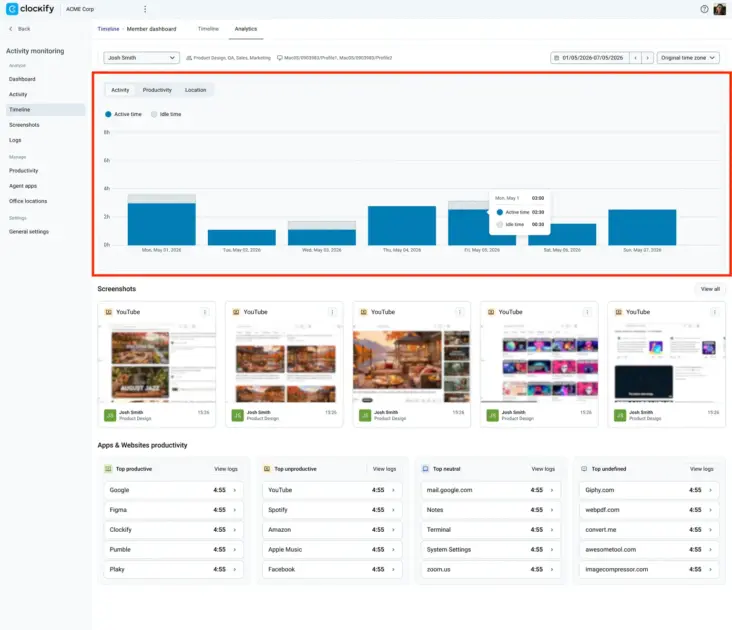
Activity monitoring is designed to ensure accountability and detect both overtime and undertime. Beyond timekeeping, this feature helps you identify and address performance and work distribution issues for remote teams.
Now, let’s look at the recommended activity monitoring approaches and their biggest benefits.
Transparent vs. invasive employee monitoring
The visibility and depth of the data you collect, combined with how you use your findings, determine whether your employee monitoring practice is invasive or transparent.
Transparent employee monitoring
Transparent monitoring means you’ve clearly explained how and why you monitor employee computer activity. Employee monitoring is considered transparent and fair if you:
- Focus on macro-metrics like weekly hours, application usage, and overall network activity.
- Use monitoring for capacity planning, identifying workflow bottlenecks, improving cybersecurity, improving processes, and accurate client billing.
- Disclose when the monitoring software is running and which data you track.
- Allow employees to view their activity score if you hold them accountable for insufficient hours worked.
- Compare monitoring results with data like meeting deadlines and work quality before confronting employees.
As you can probably intuit, this approach to introducing activity monitoring is designed to cause as little friction as possible. However, implementing this policy will still require some uncomfortable conversations and will likely cause some pushback.
Our expert contributor Friddy Hoegener, co-founder of a recruiting company called SCOPE Recruiting, states that the best way to use monitoring data is to help your employees:

“If you can see that someone is spending a lot of time on one task, you can identify that gap and ask, ‘Why is this taking so much time? Do you need help? Is there something in the process that we need to change?’ That’s different from using the data to punish someone.”
Improve Remote Employee Visibility
See how your remote team spends work time and identify top performers.

Invasive employee monitoring
Invasive workstation monitoring creates immediate distrust. Without clear communication, employees feel micromanaged and constantly surveilled. Paradoxically, this approach puts the actual substance of people’s work second, and micro-metrics first. In some regions, it’s also illegal.
Employee monitoring is considered invasive if you:
- Run monitoring software in secret, and employees either don’t know they’re being monitored, or can’t see when the monitoring app is active.
- Focus only on screen recording, keystroke logging, or mouse activity to judge productivity.
- Catch time theft, enforce strict compliance, and police employee behavior, but provide no constructive input.
- Give employees no access to their score when criticizing them.
When employees discover they’re being secretly monitored, it often results in a backlash, such as people pretending to work using tools like mouse jigglers. In fact, a 2025 Connext Global Survey found that 66% of workers said they simulated their work at least once. At the same time, only 23% of employees have clear metrics for their work — which is a major contributor to employee disengagement.
According to Rick Elmore, CEO of Simply Noted, a direct mail automation company, the biggest downside of invasive monitoring is that the top performers are the first to check out.

“I’ve seen it happen fast. Someone who was proactive starts doing exactly the minimum that shows up on a dashboard and nothing more, because that’s what’s being measured and rewarded.”
Is employee computer monitoring legal?
Depending on your business location, you may not be allowed to track all employee data, even on work computers. In some regions, you must provide formal notice or prove how you access and use people’s data. Here’s what you can and can’t monitor in the EU, US, and other regions.
| Type of data | Region | Monitoring law compliance |
|---|---|---|
| Time and attendance | EU | Allowed. Requires “documented legitimate interest” under GDPR Art. 6(1)(f) and transparent employee notice (GDPR Article 12, Article 13, and Article 14). |
| US | Allowed. Fully permitted on employer-owned systems under the Electronic Communications Privacy Act (ECPA) under the business-purpose exception. | |
| Other regions | Mostly allowed. Often recognized as a legitimate business purpose (like the UK Data Protection Act), if you meet the applicable transparency requirements. | |
| Productive vs. idle time | EU | Allowed — but only if the method is proportionate, non-covert, and strictly limited to work hours. Employee monitoring in the EU must pass a strict proportionality test. |
| US | Allowed — but states with electronic monitoring laws (New York, Connecticut, Delaware, and Maine) require a written notice for employee monitoring. California requires notice at collection, under the CCPA. | |
| Other regions | Often allowed — only if transparent. For example, the Philippine law recognizes measuring productive vs. idle time as a legitimate business interest, but mandates strict employer transparency. | |
| Websites and app activity | EU | Allowed — but only if strictly limited to what is necessary for the role, complying with data minimization (GDPR Art. 5). Covert internet monitoring is strictly illegal unless investigating a specific, documented suspicion of serious crime. |
| US | Allowed. Governed federally by the ECPA. State laws (NY, CT, DE, and ME) require employers to provide prior written notice about monitoring app and internet activity. | |
| Other regions | Generally allowed. It’s permitted under frameworks like the UK’s Data Protection Impact Assessment (DPIA), if you follow data minimization and transparency principles. | |
| Utilization score | EU | Allowed — only if the employer completes a DPIA prior to deployment. Employee scoring qualifies as “systematic monitoring” under GDPR Art. 35. |
| US | Allowed. No federal restrictions exist under the ECPA beyond baseline state-level notification requirements. | |
| Other regions | Generally allowed. However, different regions may require additional assessments and documented reasoning. | |
| Keyboard activity and mouse movement (without capturing other data) | EU | Not allowed. Even if the app tracks active or idle time without capturing content, it violates GDPR’s data minimization principle. |
| US | Allowed. Permitted under the ECPA business-purpose exception. | |
| Other regions | Partially allowed. Some regions like Canada and the UK require you to submit official reasoning for capturing this data. | |
| Keystroke logging (capturing keyboard input content) | EU | Not allowed. Keystroke logging captures private communications and violates the data minimization principle under GDPR Art. 5. |
| US | Allowed. Fully legal on company-owned devices under the ECPA business-purpose exception. | |
| Other regions | Highly restricted. Tracking keyboard input data is widely viewed as excessive. For example, the UK’s ICO lists keystroke monitoring as high-risk processing. | |
| Workstation screenshots | EU | Allowed — but only if taken periodically or randomly. Periodic screenshots require a prior DPIA and explicit employee notice. Continuous screen capture breaches GDPR data minimization principles, so it’s not allowed. |
| US | Allowed. Federally permitted under ECPA. In states that require employee notification, workplace policy should explicitly disclose screenshot frequency and retention periods (but this isn’t required by law). | |
| Other regions | Generally allowed — but only if strictly controlled. The UK ICO requires a DPIA for screen capture. | |
| Camera and microphone | EU | Not allowed for general productivity monitoring. Continuous video or audio surveillance violates GDPR data minimization and ECHR Art. 8. It is permitted exclusively for mandatory legal obligations or strict security requirements (e.g., financial trading floors). |
| US | Allowed — but only if it complies with state wiretapping laws. Using stealth audio capture in an “all-party consent” state like Illinois or California constitutes eavesdropping. Webcam monitoring is federally allowed under ECPA but faces severe legal scrutiny if it captures private home environments. | |
| Other regions | Mostly not allowed for standard remote work. Courts treat it as an extreme overreach for routine remote-work monitoring. |
Clockify offers highly customizable employee monitoring and allows you to:
- Log approved employee leave as productive by default
- Choose which employees are monitored and which aren’t
- Customize which employees have periodic screenshots and which don’t
- Prevent managers from viewing employee screenshots
This versatility enables you to monitor workstations fairly and hold remote teams accountable while complying with your region’s labor laws.
Evaluate Employee Performance
Try Clockify's Activity monitoring to transform workforce management with fair performance evaluation.

How to monitor employee work computers: Step by step
Let’s take a closer look at the best strategy to implement computer activity monitoring to improve your business without breaking morale and trust.
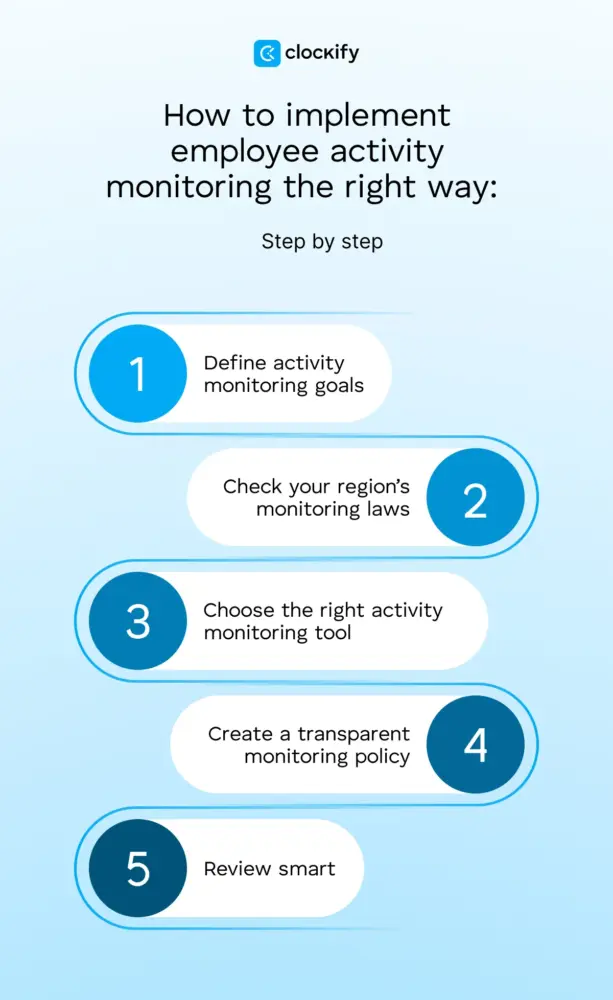
#1: Define activity monitoring goals
Identify the main reason you need employee workstation monitoring. Employers commonly implement employee computer monitoring to:
- Detect insider threats
- Prevent data loss
- Enforce work computer use policies
- Bill clients accurately and transparently
- Allow people to work 100% remotely
- Identify rarely used apps with recurring subscriptions
Make sure to avoid vague goals like ”improving team efficiency.” A goal like this will give you little in return and can cause backlash. Your monitoring approach will work best if tied to a concrete, trackable outcome that solves a specific business problem.
#2: Check your region’s monitoring laws
As mentioned, your region may be strict or lenient about monitoring employee computer activity. Before choosing the best app for your case, consult a local legal expert, relevant company staff, or other external advisors.
Unless absolutely necessary, avoid tactics like webcam recording or capturing private messages. These features severely impact trust and are highly illegal in many regions.
#3: Choose the right activity monitoring tool
The right tool for your employee monitoring needs will tick all the important boxes for your business in terms of price, goals, and legal compliance.
💡 CLOCKIFY PRO TIP
To find out more about the best activity monitoring apps, make sure to check out our detailed guide:
#4: Create a transparent monitoring policy
After choosing the best tool for your needs, take time to draft a clear employee notice. Explore how the tool works, what data it tracks, how you’ll use it, and what value it will bring for everyone in the company.
Even if it’s fully compliant, employee activity monitoring is still frowned upon. However, the more upfront you are, the less employee dissatisfaction you will face. That said, here are 3 main pieces of advice:
- Be honest and firm, but fair.
- Address all potential employee concerns and adapt your strategy if needed.
- Make sure you monitor remote, hybrid, and in-office employees fairly.
💡 CLOCKIFY PRO TIP
To learn more about how to implement a time tracking system that doesn’t compromise your team’s privacy, make sure to read:
#5: Review smart
Even if you mainly use activity monitoring tools for performance analysis, it’s still important to focus on macro metrics and trends. Avoid getting preoccupied with isolated moments — one day of low activity can’t tell you much.
Pressuring a valuable employee over one bad day can hurt the business far more than forgiving 5+ days of idle time.
Define what a standard week looks like for different departments and set clear expectations. Don’t make up arbitrary numbers: compare an employee’s data against their own historical baseline or their peers’ averages.
The main idea is to use data from your chosen app as an additional angle — never as spyware.
According to Anastasiya Shyianok, Director of Business Operations at MEDvidi, transparent monitoring can actually build trust if done fairly.

“Look at trends over weeks — things like logged hours, output delivered, or activity. Use monitoring to help you identify problems in the system, like a project that may be too much for one team member. And be completely clear about what you collect and why from the beginning.”
Assess Productivity Trends
Get employee productivity insights to identify productivity patterns in the work of your teams.

Monitor employee computers with Clockify by CAKE.com
The efficiency of employee computer monitoring depends on how you implement and use its features.
Clockify by CAKE.com is a time tracker and versatile activity monitoring app that lets you choose what data you track for your employees, whether you have 10 employees, 200, or somewhere in between.
#1: Website tracking for employee visibility
Clockify tracks website activity, so you can see how much time employees spend on tasks and breaks. Spot major gaps, redistribute, and reorganize.
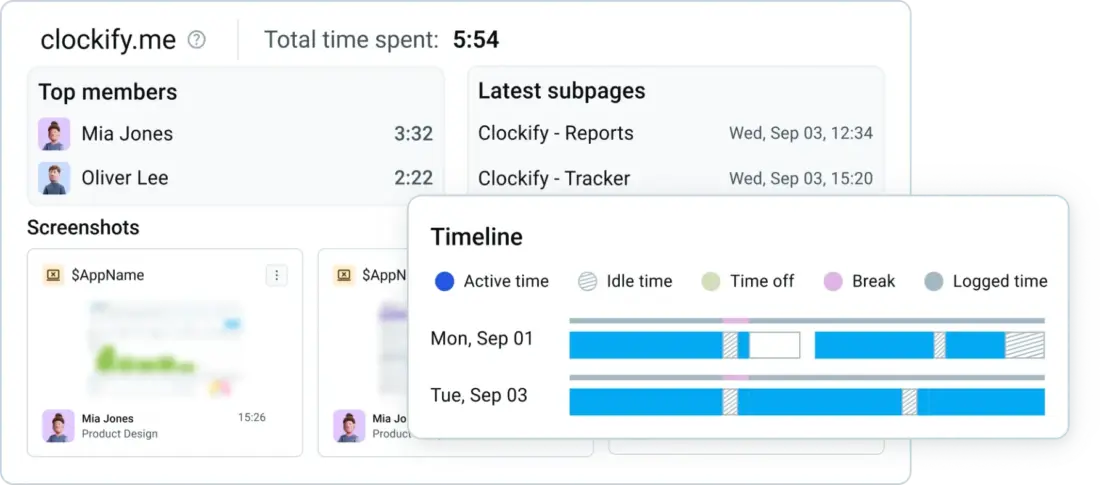
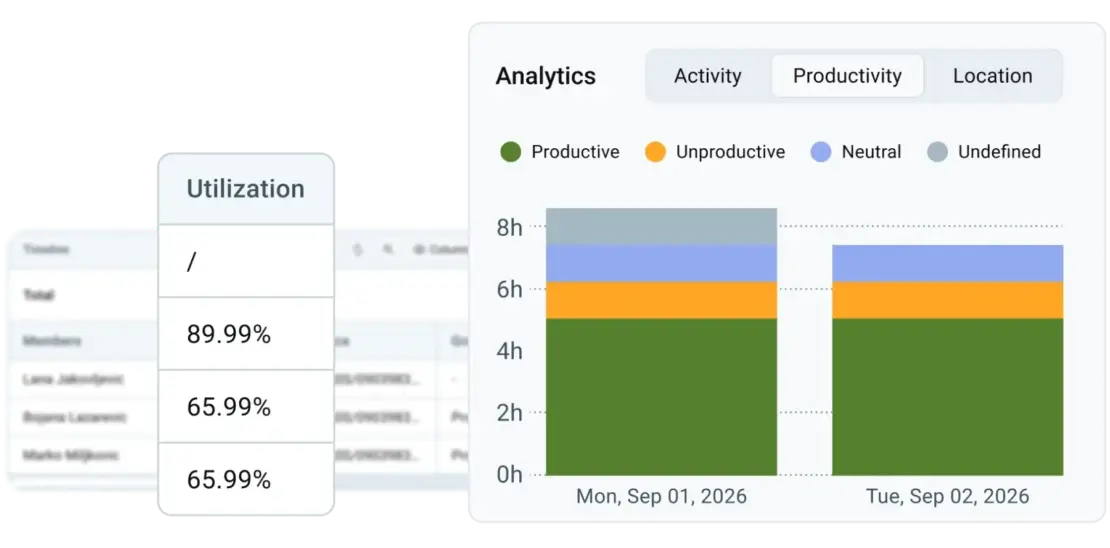
#2: Utilization score
Clockify calculates individual employee utilization based on how much time they spend on apps and websites you classify as productive or unproductive.
The utilization score gives you a quick overview of major productivity dips for employees and teams. It’s best used as an additional signal next to meeting deadlines and work quality.
#3: Optional screenshots (blurred by default)
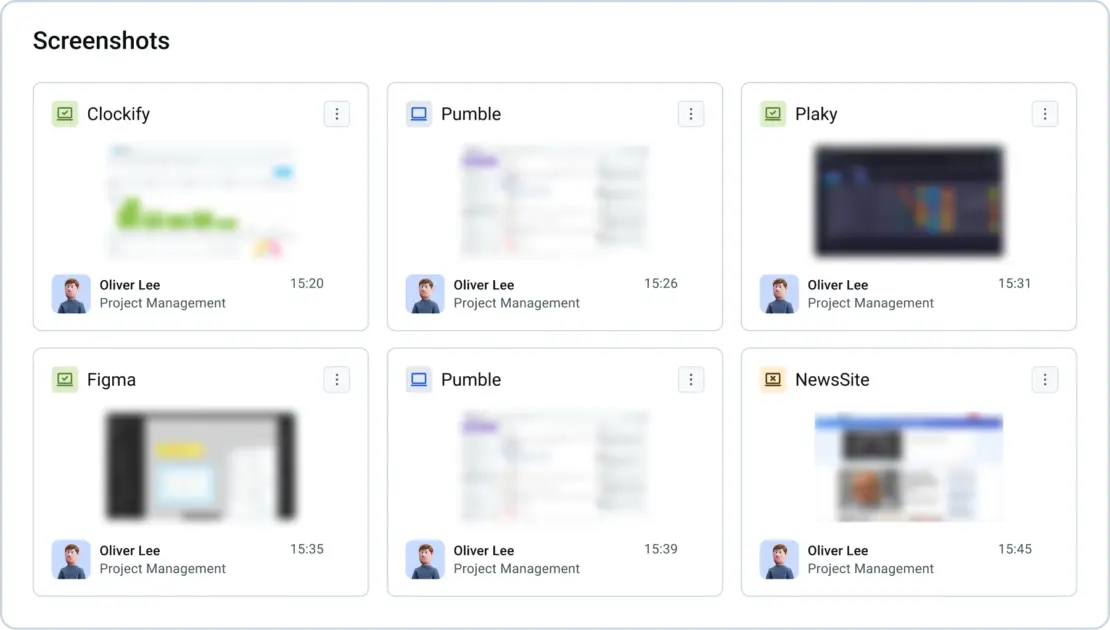
Clockify can be configured to take periodic screenshots of employee workstations.
Only system admins can unblur screenshots (often a handful of people in a workspace). This design protects employee privacy and lets a small group of top-level executives view screenshots only when absolutely necessary.
#4: Burnout detection
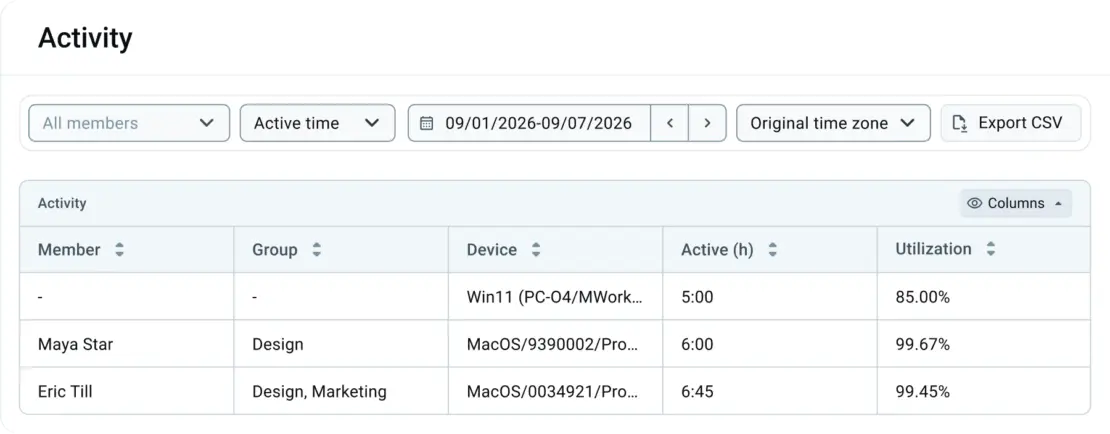
Activity monitoring data is one of the best early warning systems for exhausted employees. Instead of looking for underworkers, you can:
- Flag employees who regularly use computers on weekends or late at night
- Identify individuals who skip breaks or fail to log off
- Redistribute workloads before your top performers quit from exhaustion
Clockify is part of CAKE.com, the company behind project management app Plaky and team chat app Pumble. Right now, CAKE.com offers all 3 of its apps in a powerful CAKE.com Bundle. Get all of the features at 53% off — for just $12.99 per user per month.
Sign up for the CAKE.com Bundle
FAQs about employee computer monitoring
Finally, here are answers to some frequently asked questions about employee workstation monitoring.
Can my employer monitor my computer activity?
A US-based employer can track the following on a company-owned device:
- Work emails, direct messages, and even personal accounts if you log into them on a work device.
- Keystrokes, mouse movement, screen captures, and active vs. idle time.
- Browsing history, downloads, and file transfers.
- GPS data from company-issued laptops or mobile phones.
The EU and the UK have stricter monitoring regulations under GDPR that allow company device monitoring based on proportionality and necessity.
What software can I use to track employee activity?
You can use apps like ActivTrak, Hubstaff, or Clockify to track employee computer activity. All of these apps have optional screenshots, idle vs. active time detection, detailed dashboards, and app and website time logging.
How can I see what my employees are doing on their computers?
You need to deploy employee monitoring software on employee devices to see how they use their computers in real time. Business owners can:
- Implement employee monitoring secretly (illegal in many countries).
- Announce software rollout for tracking apps, websites, and taking periodic device screenshots.
- Disclose the monitoring approach to employees and minimize data collected to avoid being intrusive.
In practice, a transparent approach, paired with good management practices, often delivers better results than secretive data tracking.
Can my employer see everything I do on my computer?
Your employer has the right to see what you do on a work computer during business hours. However, depending on the region, laws may restrict them from accessing information deemed sensitive for the employee, even if it’s a company-owned device.
How to tell if an employer is monitoring a computer?
Detecting if an employer is monitoring a work computer depends entirely on the tools they’re using. Enterprise-grade surveillance software is often intentionally hidden from the end user. To identify secret monitoring software, try to:
- Check background computer processes in your task manager
- Inspect unfamiliar browser extensions
- Check for mobile device management profiles in your privacy settings
- Check system privacy settings for screen/audio recording permissions
Try transparent employee monitoring
How we reviewed this post: Our writers & editors monitor the posts and update them when new information becomes available, to keep them fresh and relevant.