
Alex Beadon
Founder of Together We Launch
"We use Clockify to see where our time is going and how to solve any problems. It’s just so beneficial."
More stories

Find new apps that fit you team's needs






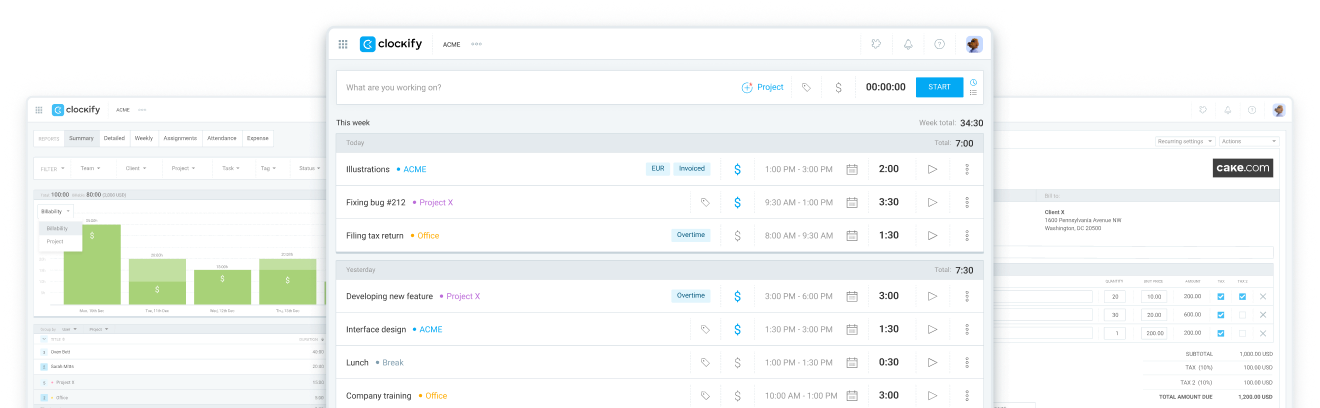
Use Clockify to track hours worked on projects — and mark that time as billable or non-billable. Then, quickly generate invoices by importing tracked billable hours.

If you still use manual spreadsheets to track team time — you know the struggle.
Being unaware of your team’s billable hours means you’re both losing money and undercharging your clients.
Clockify ensures you don’t waste time or capital by giving you intuitive, error-free options for time tracking. And best of all — Clockify calculates billable costs for you.
Start tracking billable hoursHere’s how to use Clockify to ensure you bill clients
accurately and get paid on time in 5 simple steps.
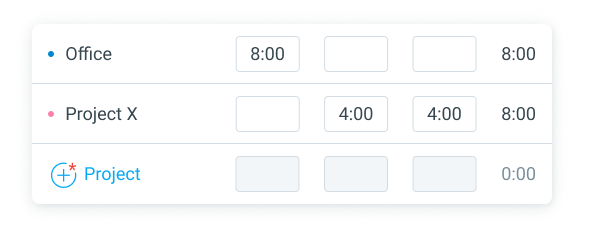
First, track time on all projects and tasks via powerful time-tracking options. As a start, use Clockify timesheets to quickly add time spent on projects for the entire week.
If you want to track work hours in real time, the Clockify timer is an ideal solution.
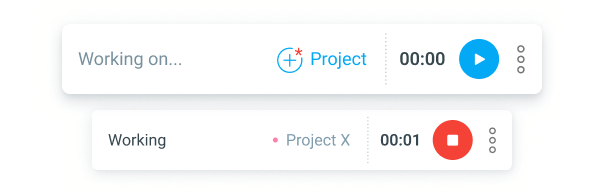
Mark your time entries as billable or non-billable — so no money falls through the cracks.
Clockify offers clear, visual time reports that allow you to see hours spent on different projects, including:

Rely on these reports to automatically calculate how much to charge your client.
After you open reports, you can customize them with filters like:
To see the charge for a specific client based on billable hours, simply use the Client filter.
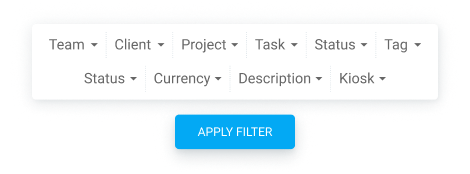
Clockify calculates everything for you, so you can rest assured you’ll bill clients accurately and avoid undercharging.
Clockify lets you quickly generate various types of invoices. All you need to do is:
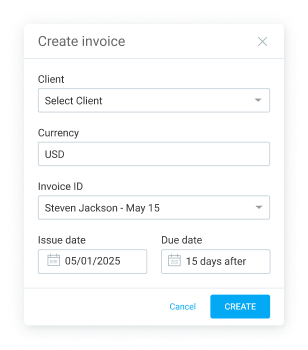
You can then send your invoice as an attachment via email directly through Clockify. Alternatively, you can export the invoice as a CSV or Excel file.
If you keep tabs on overdue invoices, you can send timely reminders and prevent late client payments. Clockify lets you add statuses to your invoices, such as:
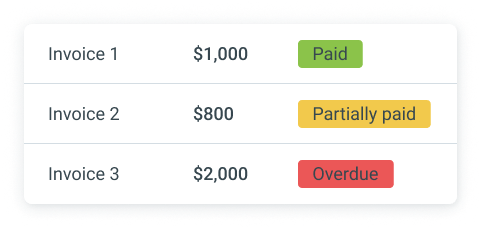
Clockify also supports integrations with tools for:
Integrations let you use time-tracking within 100+ tools — and even sync data between apps. For example, the QuickBooks integration allows you to send billable time from Clockify to QuickBooks easily.
Caroline Marshall, a VA company founder, credits Clockify for helping her business quickly grow from 1 to 18 employees. She uses Clockify in her daily operations to manage her team and clients, and monitor billing progress:
“As a VA agency owner, I check in with my team daily, review our clients, and review Clockify for our billing progress each day/week. The reporting is excellent. I need to be able to see our progress at any time — and Clockify allows this.”

Caroline Marshall
– Founder, Upsource
With Clockify's real-time monitoring, Upsource gained the visibility needed to optimize resources and scale rapidly:
 Unlocked 18x business growth
Optimized billable hours tracking
Streamlined client reporting
Unlocked 18x business growth
Optimized billable hours tracking
Streamlined client reporting
 ISO
ISO
 SOC 2
SOC 2
 GDPR
GDPR
Try Clockify today for efficient and error-free client billing. Track hours, customize reports, and generate invoices easily.
Solve billing issues with Clockify