

Alex Beadon
Founder of Together We Launch
"We use Clockify to see where our time is going and how to solve any problems. It’s just so beneficial."
More stories

Find new apps that fit you team's needs
Free daily, weekly, biweekly, semi-monthly, and monthly printable timesheet templates. Download, customize, and print time card templates.

A timesheet template is a template you and your employees can use to track the time you spend working. With timesheet templates, you can fill out:
Timesheet templates help you keep all employee timekeeping data in one place, which ensures accurate billing and invoicing. Besides, employee timesheet templates improve project management.
Depending on the type of data required, the timesheet can be completed by employees or their supervisors.
Monthly Timesheet Template Semi-monthly Timesheet Template Weekly Timesheet Template Biweekly Timesheet Template Daily Employee Timesheet Template Project Timesheet Template Electrician Timesheet Template Construction Timesheet Template Contractor Timesheet Template Attorney Timesheet Template
If you’ve been struggling to find a consistent timekeeping format for your team, timesheet templates are your solution. Just choose Word, Excel, Google Docs, Google Sheets, or PDF. Here’s how to fill out a timesheet:
Once you download the template of your choice, enter the necessary information, like hours worked, projects and tasks, overtime, and billable hours.
If you want an integrated timesheet that takes into account PTO, vacations, and holidays for payroll and invoicing, check out this video:
01 • Free template
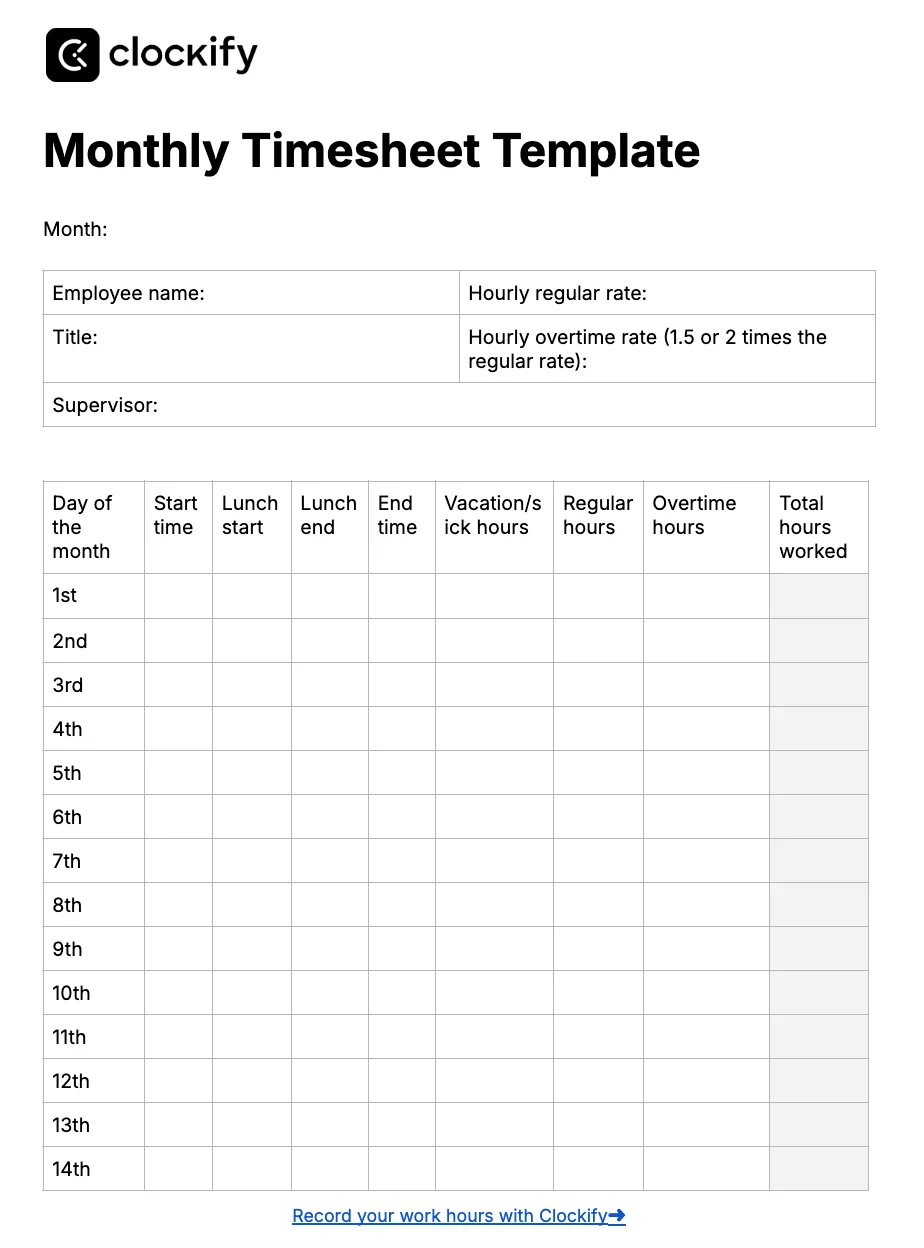
The Monthly Timesheet Template helps you calculate total hours worked for each day of the month. With this template, you can also keep track of employees’ daily:
By tracking employees’ regular and overtime hours, you’ll calculate their total monthly pay.
Best for: HR or operations managers searching for an easy way to record employee time entries for an entire month.
⬇️ Word • Excel • PDF • Google Docs • Google Sheets
02 • Free template
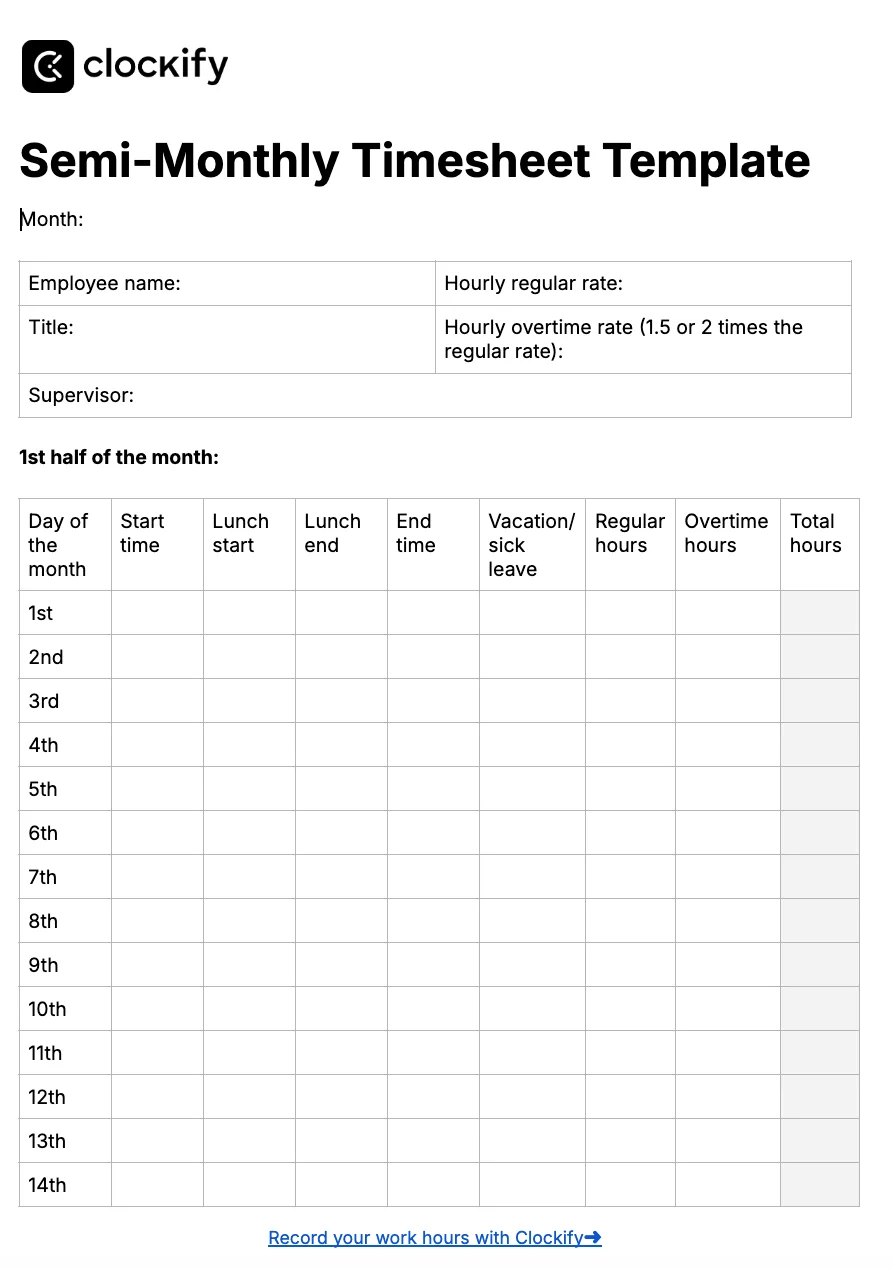
With our Semi-Monthly Timesheet Template, you can calculate your employees’ pay on a semi-monthly basis:
Employees can track their regular and overtime hours, as well as their lunch breaks.
Another valuable option this template offers is a paid time off (PTO) tracker — employees or supervisors choose “Yes” or “No” from a dropdown menu in the PTO column. When a team member takes a day off, every column except PTO remains empty for that day. Such data helps managers organize workload and delegate tasks among team members who aren’t absent.
🎓 Semi-Monthly vs. Bi-Weekly Payroll Explained
Best for: Business owners, managers, and contractors who get their payment 2 times a month.
⬇️ Word • Excel • PDF • Google Docs • Google Sheets

03 • Free template
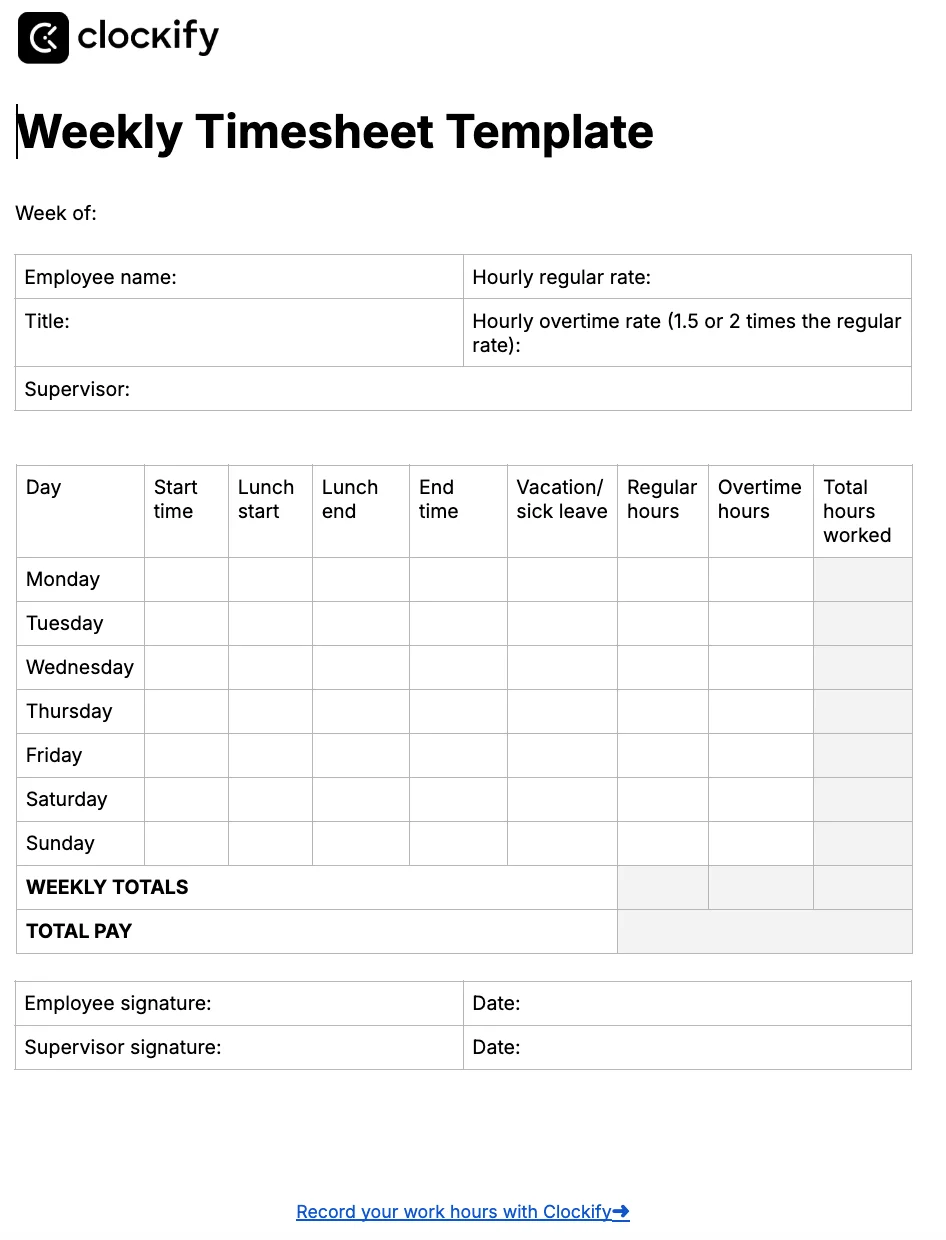
Instead of chasing employees for timesheet submissions each week, use our Weekly Timesheet Template and regain your peace of mind. The Weekly Timesheet Template lets you enter:
At the end of the template, there’s a section where an employee and a supervisor can sign.
Best for: Business owners, office or HR managers looking for a way to calculate their employees’ hours worked and pay on a weekly basis.
⬇️ Word • Excel • PDF • Google Docs • Google Sheets
04 • Free template
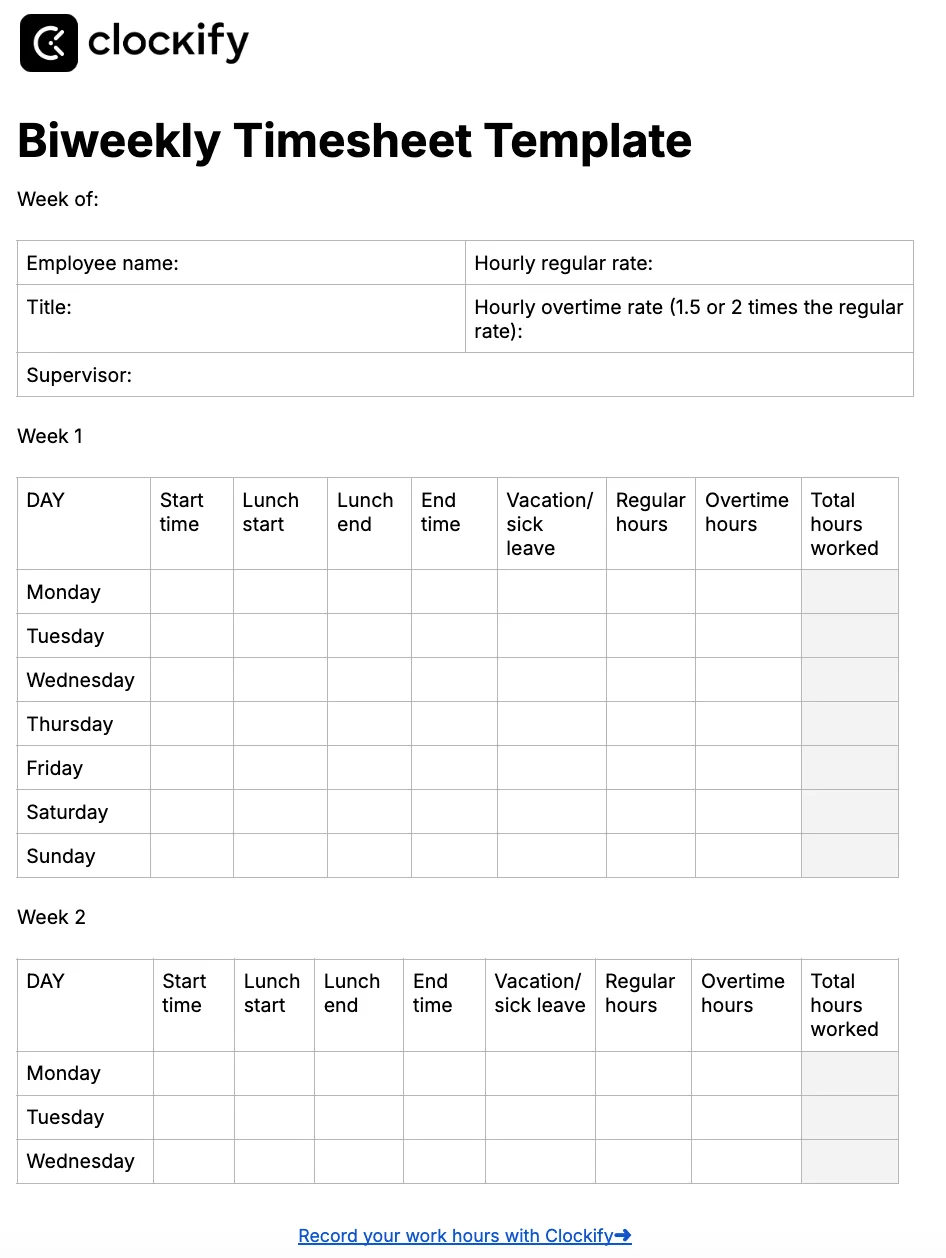
The Biweekly Timesheet Template is similar to the Semi-Monthly Timesheet Template, but the former isn’t strictly defined by dates. So, you can use our Biweekly Timesheet Template to record employee hours for 2 consecutive weeks (not necessarily starting from the first day of the month).
Apart from tracking hours, you and your employees can track the time spent on lunch breaks, PTO, and overwork.
Just like in the Weekly Timesheet Template, you can also add an employee or supervisor signature.
Best for: Business owners and managers with team members who receive biweekly payments.
⬇️ Word • Excel • PDF • Google Docs • Google Sheets
05 • Free template
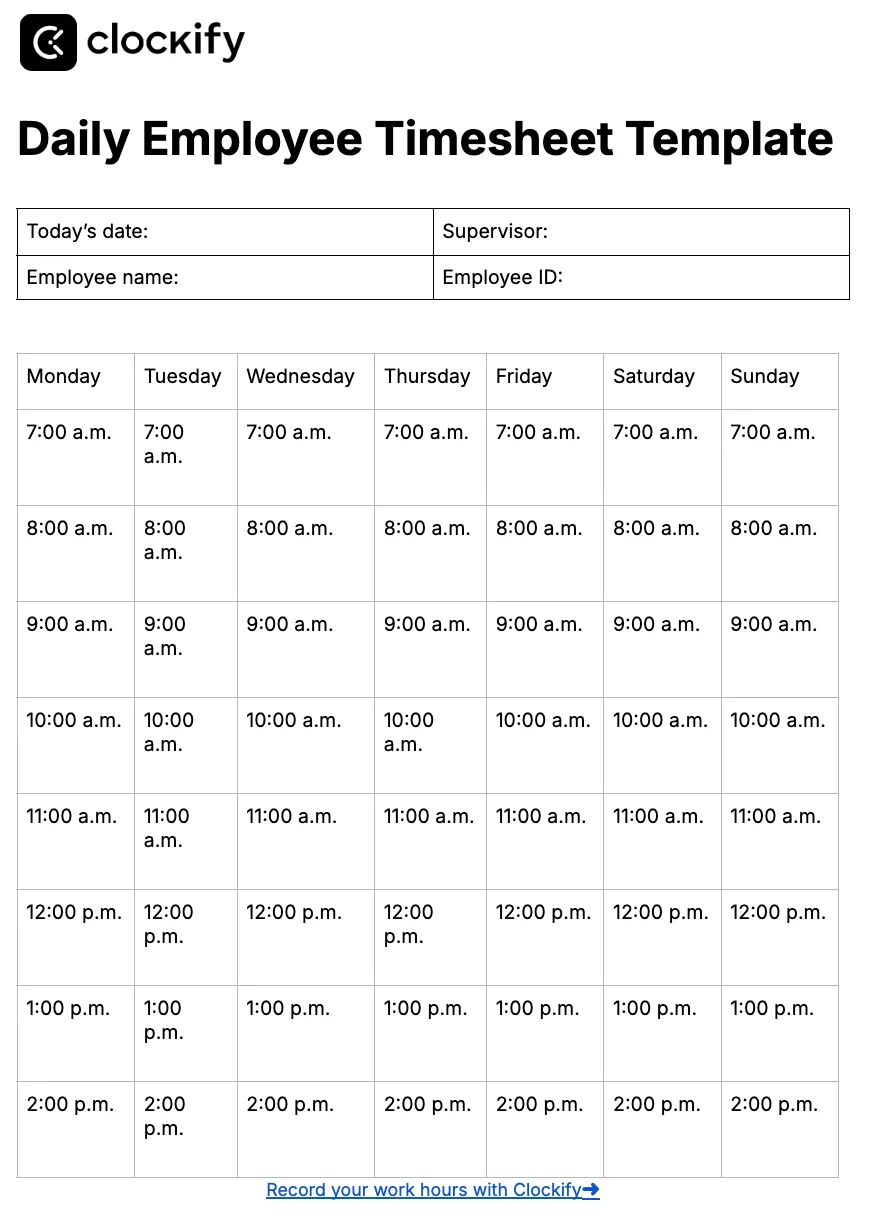
Our Daily Employee Timesheet Template is useful for tracking your employees’ daily data:
This free timesheet template also contains a column where an employee can add completed tasks and their brief description.
Best for: Business owners, managers, and contractors who want to keep an eye on daily tasks, time tracking data, and potential overtime hours.
⬇️ Word • Excel • PDF • Google Docs • Google Sheets
06 • Free template
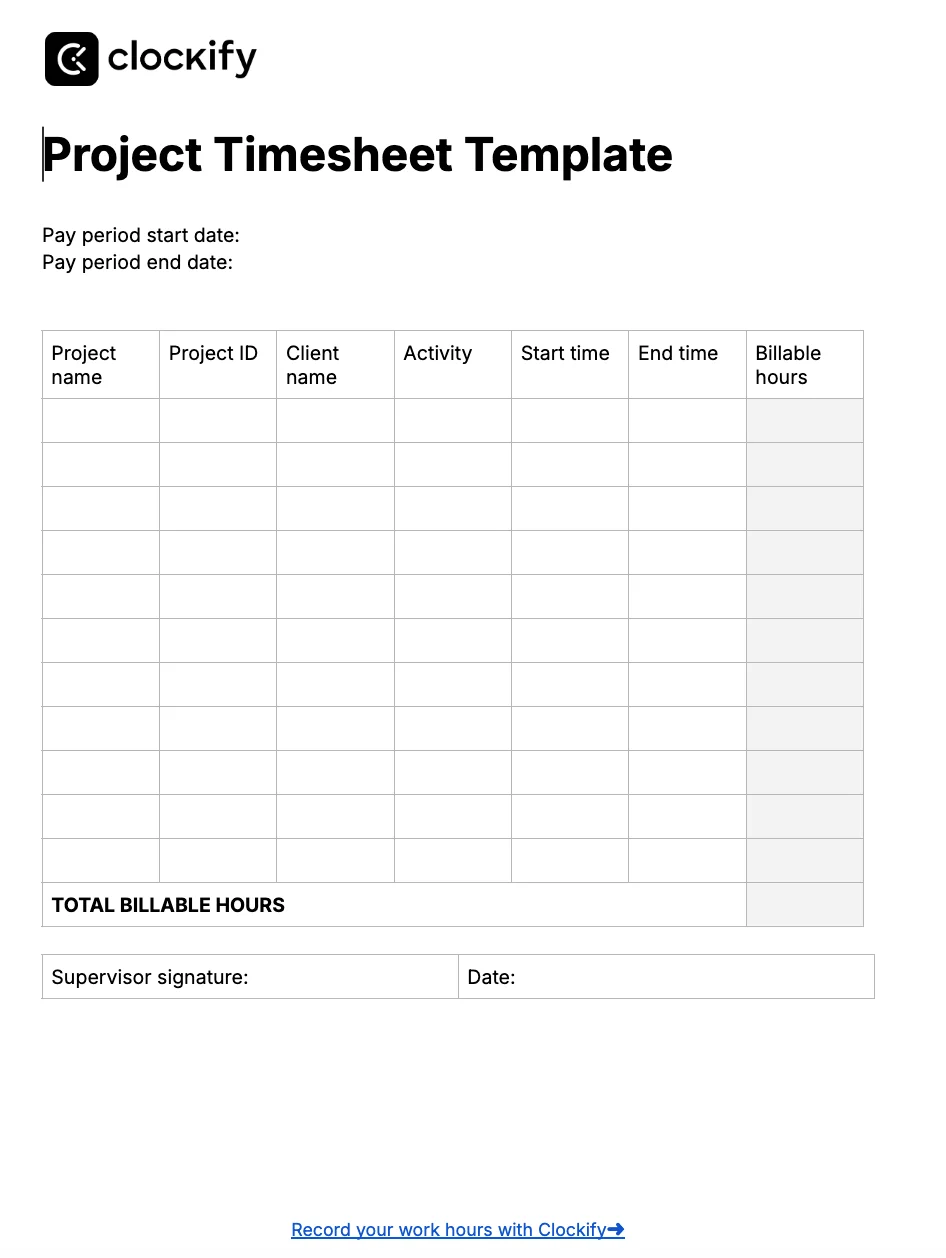
With the Project Timesheet Template, you can keep track of all details related to your projects, including:
This printable timesheet is easy to use and will help you stay on top of your project’s progress.
Best for: Project managers, business owners, team leads, or contractors working on multiple projects at once.
⬇️ Word • Excel • PDF • Google Docs • Google Sheets

07 • Free template
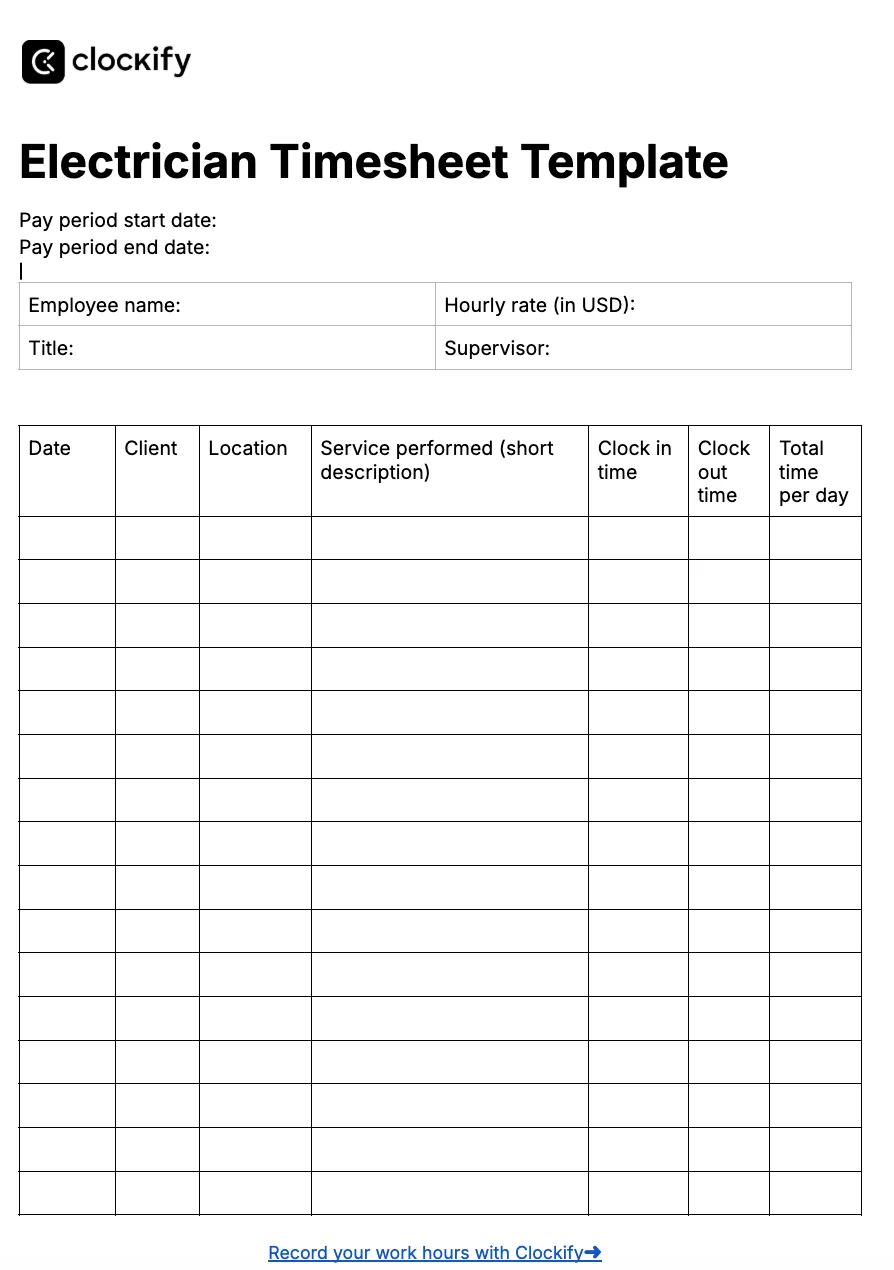
If you’re an electrician, you can use our Electrician Timesheet Template to track all your clients and tasks. This template includes data such as:
For those of you who charge by the hour, remember to add your hourly rate so you can calculate your pay based on hours worked.
Best for: Electricians who’d like to monitor all their tasks, clients, and billable hours — both for hourly employees and those who charge a flat rate.
⬇️ Word • Excel • PDF • Google Docs • Google Sheets
08 • Free template
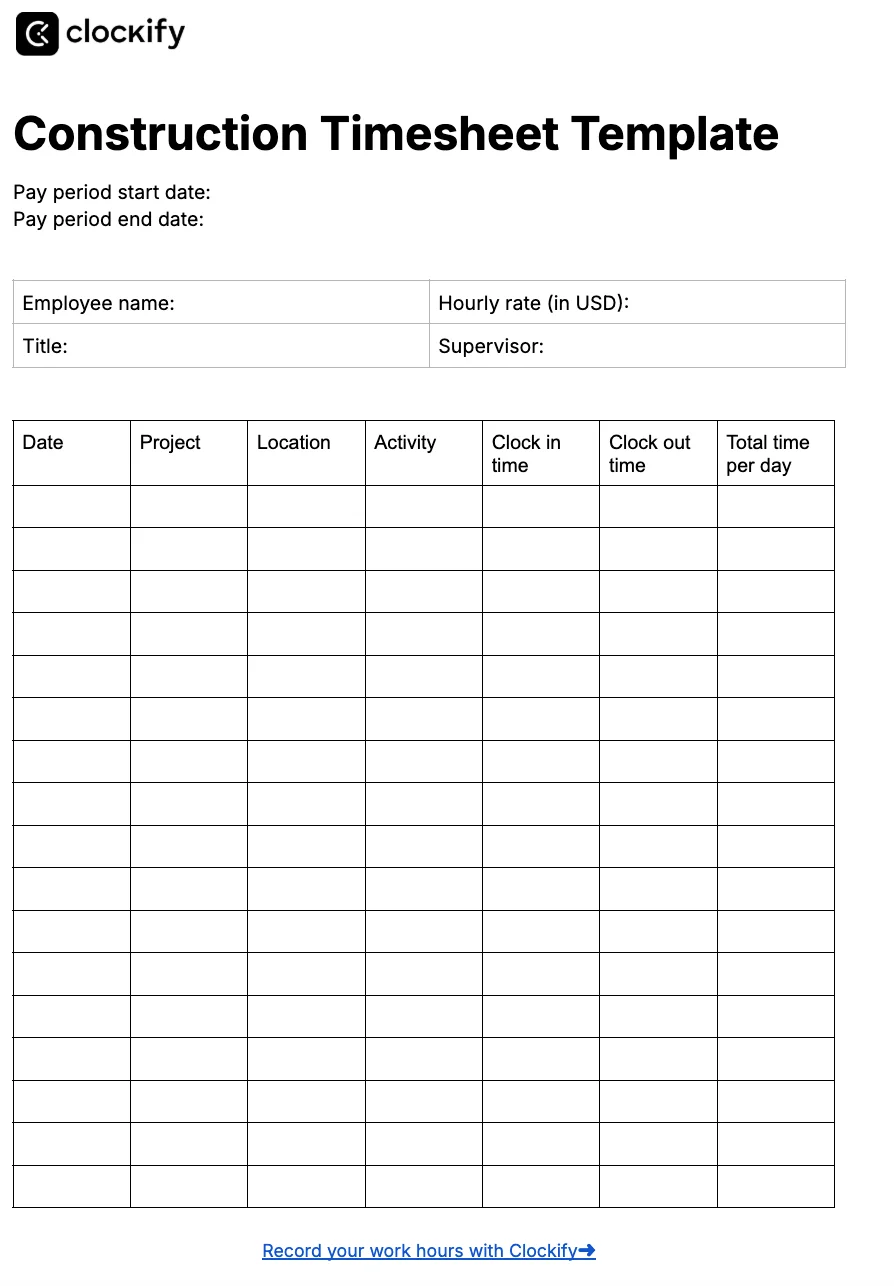
If you’re looking for an easy way to track crew hours of your field employees, try our Construction Timesheet Template.
With this construction timesheet, employees can clock in and out, add their task and project details, and select their location.
And, for payroll purposes, the Construction Timesheet Template also contains hourly rate and total pay fields.
Best for: Construction workers and their managers looking for a way to record their regular and overtime hours.
⬇️ Word • Excel • PDF • Google Docs • Google Sheets
09 • Free template
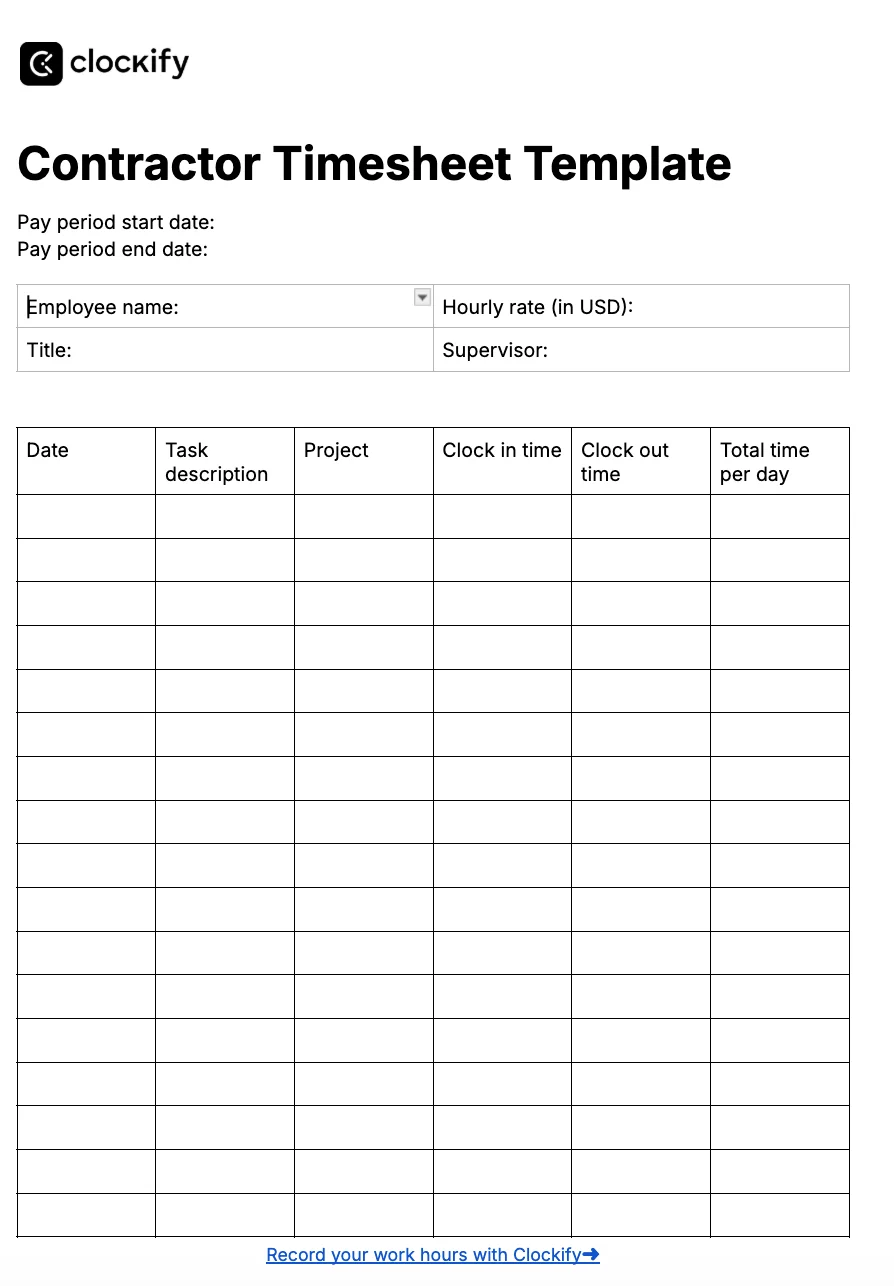
With our Contractor Timesheet Template, your employees can track their:
For pay periods, you can define them yourself in the timesheet. At the end of each template, there’s a dropdown menu for timesheet approval, which is practical for managers.
Best for: Business owners, project managers, and contractors who’d like to record their work hours, projects, and tasks.
⬇️ Word • Excel • PDF • Google Docs • Google Sheets
10 • Free template
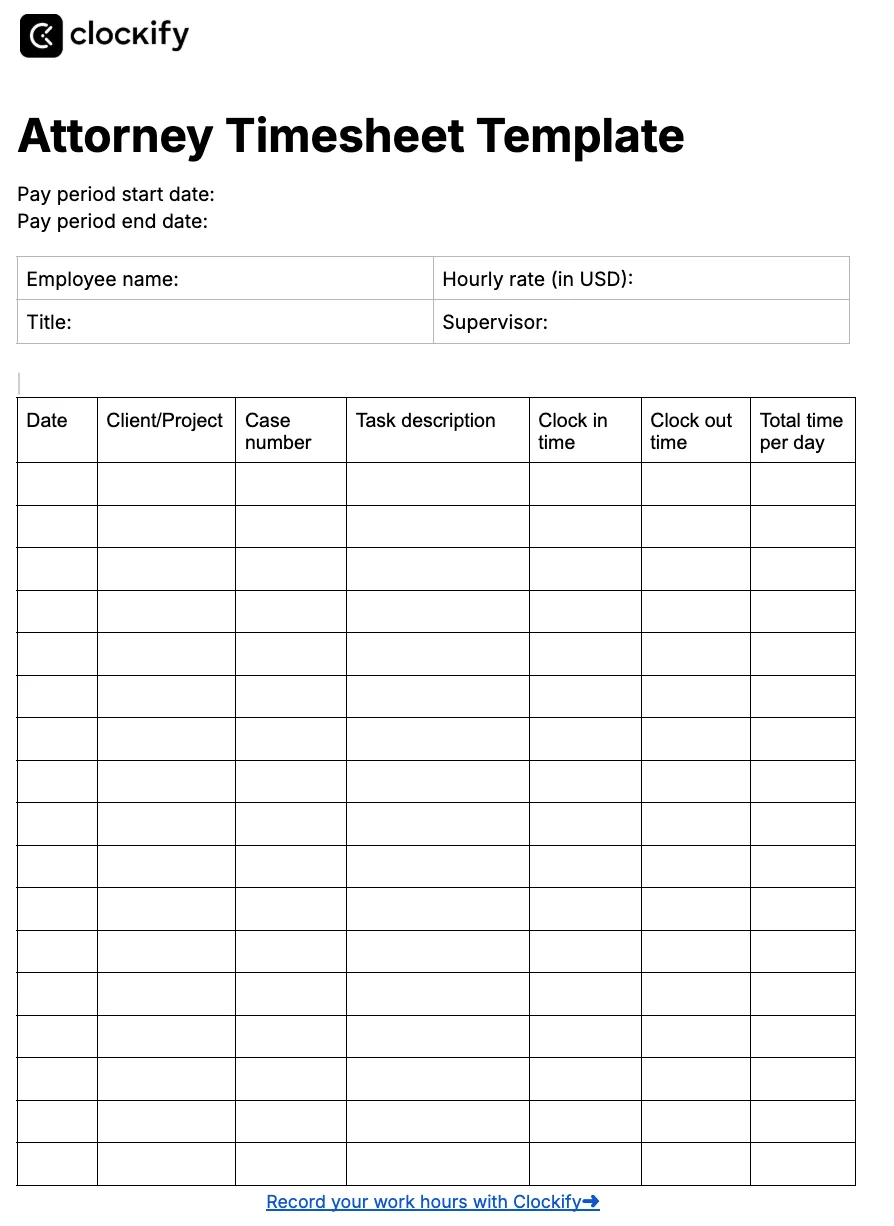
If you, like many lawyers, charge by the hour, you need a reliable timesheet solution to record all your billable hours. With our Attorney Timesheet Template, you can:
For an easy payroll calculation, add your hourly rate and total hours worked to calculate your pay.
Best for: Lawyers who want to monitor their work hours, especially those who charge by the hour.
⬇️ Word • Excel • PDF • Google Docs • Google Sheets
Timesheet templates help you monitor employees’ regular and overtime hours. Another advantage is that they come in several practical formats, like Google Docs and Sheets, Excel, Word, and PDF.
But, if you want to streamline your time tracking data even more, you should opt for an online timesheet tool like Clockify by CAKE.com.
Unlike templates, Clockify lets you select your time tracking target. Then, if any team member tracks more or fewer hours than the target, they’ll get an email reminder. As their manager, you’ll also get notified about this.
| Pros of timesheet templates | Cons of timesheet templates |
| ✅ Consistent format across the team | ❌ It takes time to get used to using templates every day |
| ✅ Free, ready-to-use within your team | ❌ You might forget to track your work hours (and there’s no reminder) |
| ✅ Reliable way to track regular and overtime hours | ❌ Not suitable for large teams |
Overall, Clockify is a powerful time tracker that allows you to:
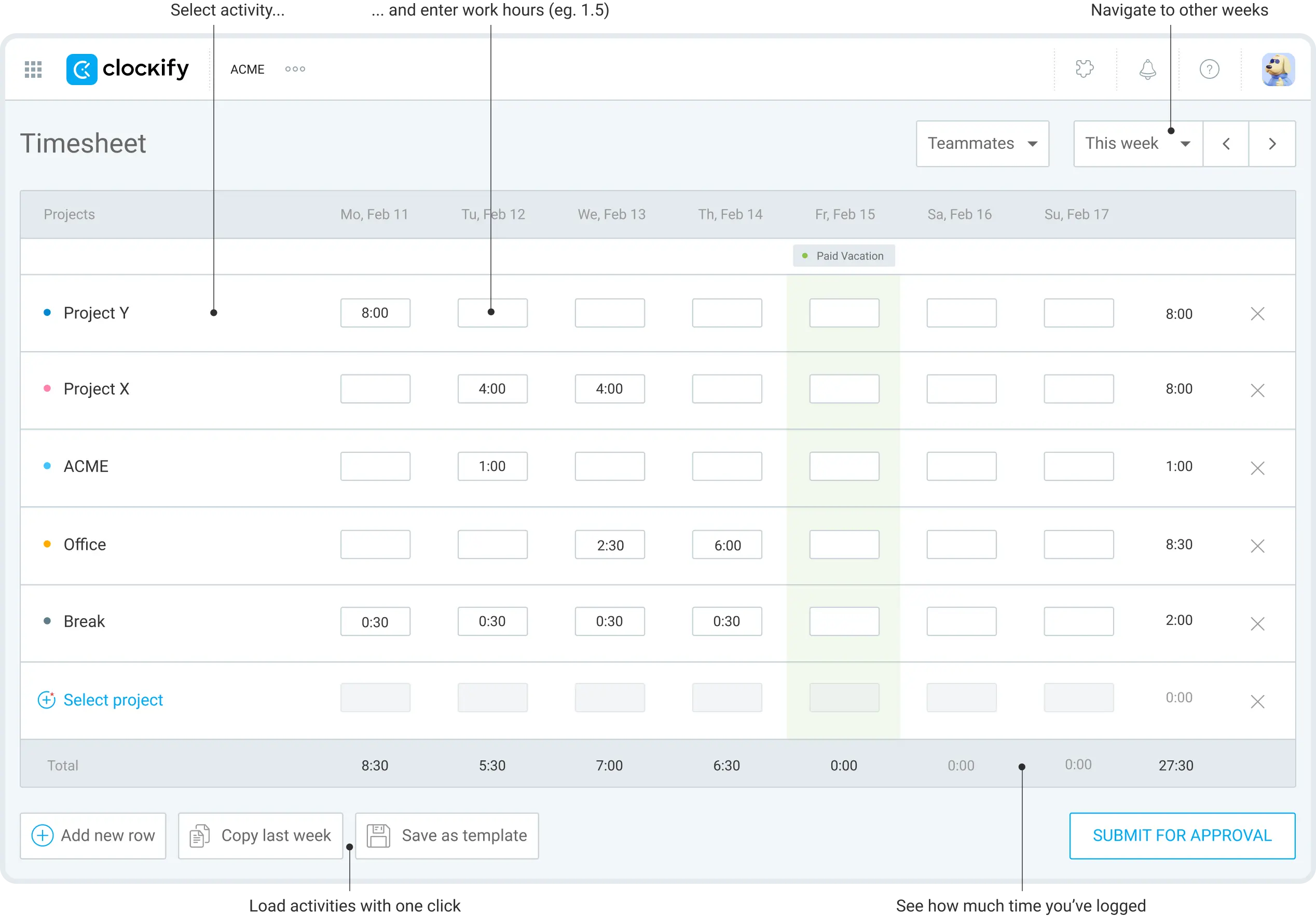
Apart from the Timer and a manual time tracking mode, you can record your hours with Clockify Timesheets. What’s great about Timesheets is that you can save your timesheet as a template. Just select the week you’d like to save as a template, and the app will keep a list of your projects and tasks. So, you’ll only need to add the total time you spent working on such tasks and projects.
For those of you who opt for a web app to record work hours, you can try Clockify’s time tracking shortcuts to save even more time.
To further organize your business operations, try our Productivity Bundle. One affordable Suite covers Clockify for time tracking, Pumble for business communication, and Plaky for project management.
For more information about timesheets and timesheet templates, read the following section.
Here are some useful fields you can include in your timesheet:
To calculate payroll, add fields for hourly rate, overtime rate, overtime hours, and total pay.
When you create your timesheet in Google Docs, you can save it as a PDF. Then, you can print out the timesheet and fill it out manually.
To use Google Sheets as a timesheet, you need to add the following key fields: Employee name, date, start time, and end time. This way, your employees can clock in and out every day.
You can also add an hourly rate, so that the timesheet can calculate total pay. The formula for calculating total pay is:
(Total hours worked * 24) * hourly rate = Total pay
An important thing is to use the “Total Hours Worked” and “Hourly Rate” cells for calculations.
The easiest way to create a PDF timesheet is to first make a template in Google Sheets or Google Docs. Then, save your Sheets or Docs template as a PDF.
Yes, Word has a timesheet template. You can access it from File > New, and search for a timesheet template. Apart from this template, you can use any Word timesheet template from this page.
Time cards contain time tracking data, such as when an employee started their workday and when they finished it.
Timesheets are more granular — in addition to start and end times, timesheets include information about tasks and projects.
