
Alex Beadon
Founder of Together We Launch
"We use Clockify to see where our time is going and how to solve any problems. It’s just so beneficial."
More stories

Find new apps that fit you team's needs







Payroll has never been easier thanks to Clockify. Use it to track regular work hours and overtime — and approve or reject time off.

Calculating payroll takes way too long and leads to errors — that is, when you don’t have the right tool to help you out. Luckily, Clockify tracks regular hours, overtime, and time off.
Once you set labor costs, you get accurate payroll data. That way, you pay your employees fairly and stay compliant with labor laws.
Start calculating payrollLearn how Clockify can help you track work hours,
manage time off, and calculate payroll — all in 5 easy-to-follow steps.
To calculate payroll, first determine your team’s wages and enter them into Clockify. To do this, enable cost rates and enter the cost rate amount — that’s the hourly rate you pay your team.
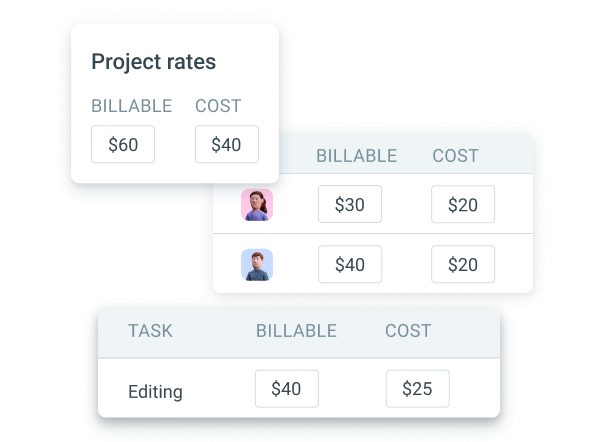
You can set cost rates for:
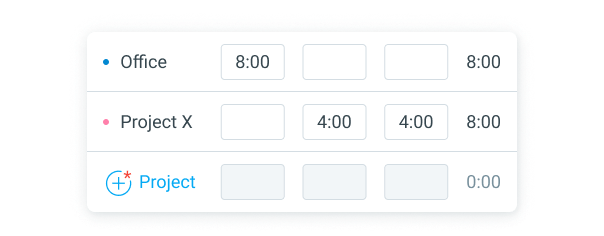
Next, have your team track work hours. They can fill out timesheets by selecting the project and entering the number of hours they worked.
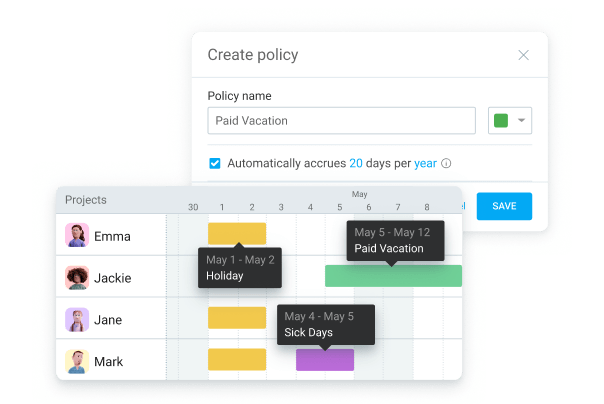
Apart from tracking work hours, Clockify lets you keep tabs on your team’s days off. Simply create as many types of leave as you need, and enter the number of days to be accrued.
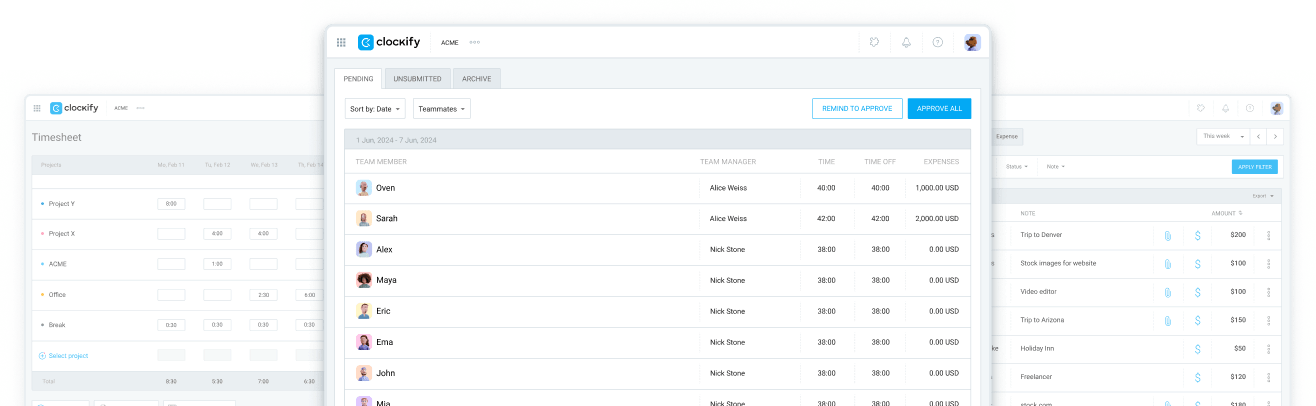
Once your team enters hours worked, they can send it off for approval directly in Clockify. Our app makes it easy to review and approve/reject timesheets — no more admin oversights.
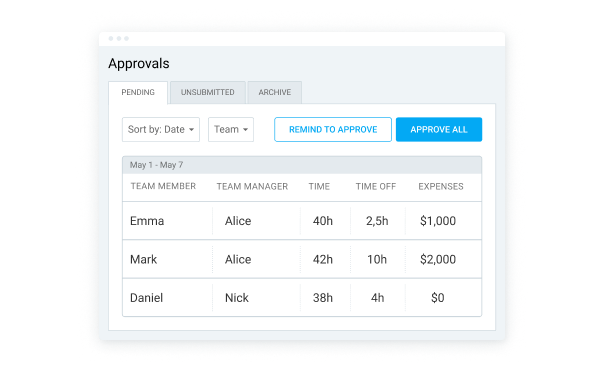
Only specific users can approve and reject timesheets:
After collecting all the time data, use Clockify to calculate payroll automatically. When you set team capacity, any hours over that limit are treated as overtime.
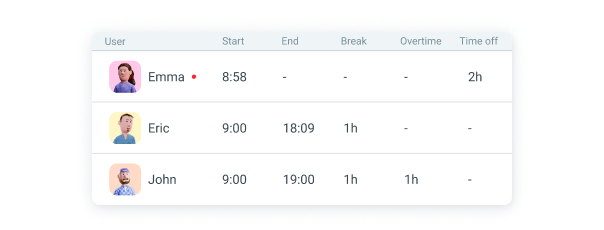
To view overtime data, open the attendance report. Then, simply calculate overtime pay — you can use Clockify’s free overtime calculator for easier and faster calculation.
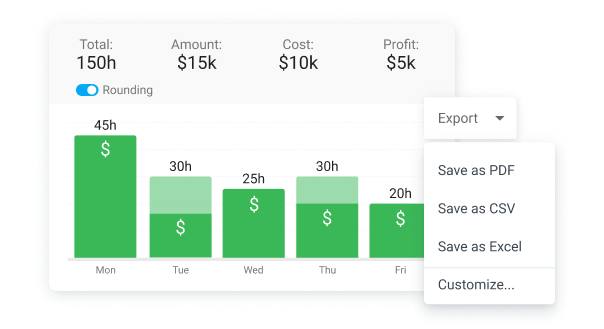
Once you have all the data, you can export reports for payroll. First, customize reports to show the information you need — open the summary time report to see total labor hours and costs for the selected time range. Then, simply export the report as a PDF, CSV, or Excel file.
Clockify also supports integrations with tools for:
Integrations let you use time-tracking within 100+ tools and even sync data between apps. For example, the QuickBooks integration allows you to sync employee hourly data to calculate payroll and labor costs easily.
Founder of SEO agency Zlurad, Bojan Cincur, relies on Clockify to simplify the company’s time tracking and payroll management:
“For us, Clockify has been a reliable way to track time, manage workloads, and speed up billing and payroll. It helps us keep things organized while saving time for more important tasks.”

Bojan Cincur
– Founder, Zlurad
That’s how Clockify helps Bojan (and millions of others) effortlessly track time and calculate payroll:
 Accelerated payroll processing
Streamlined client billing workflows
Optimized team workload distribution
Accelerated payroll processing
Streamlined client billing workflows
Optimized team workload distribution
 ISO
ISO
 SOC 2
SOC 2
 GDPR
GDPR
Never struggle with paying your team again! Track work hours, approve timesheets, and export accurate data for payroll instantly.
Stop payroll errors with Clockify