
Alex Beadon
Founder of Together We Launch
"We use Clockify to see where our time is going and how to solve any problems. It’s just so beneficial."
More stories

Find new apps that fit you team's needs







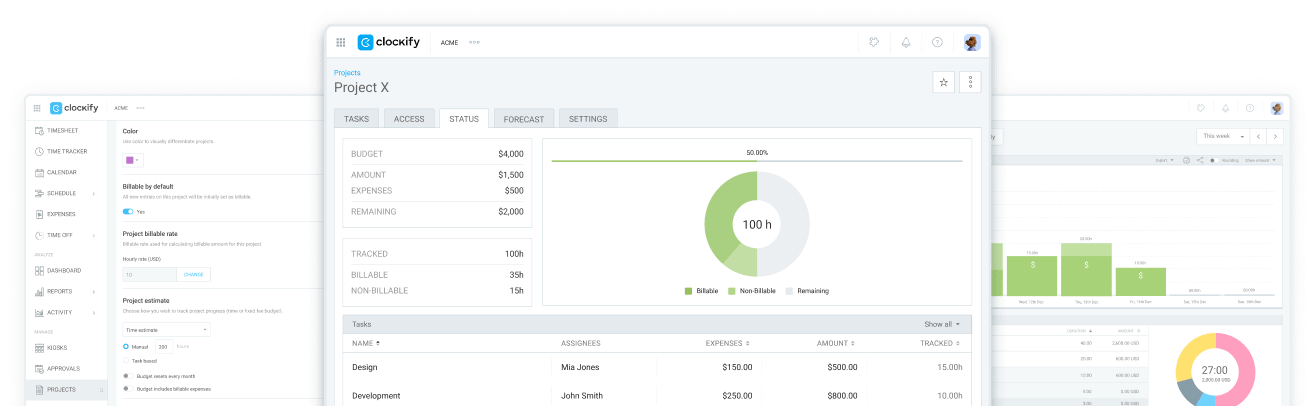
Use Clockify to stay on budget and supercharge your profit. This powerful app makes it easy to track billable hours and expenses — and analyze your earnings.

Suppose you made poor budget estimates for your projects and ended up undercharging the clients.
That’s the quickest path to cost overruns and losing client trust.
You can avoid this scary scenario with Clockify, a powerful time and expense tracker. The app lets you set your initial budget and monitor how it stacks up against actual billable hours and expenses in real time.
Start monitoring budgetsHere’s how to use Clockify to never run into a major cost overrun
that could put you out of business — 5 simple steps is all it takes.
First, enter your project budget estimate into Clockify. You have 2 options:
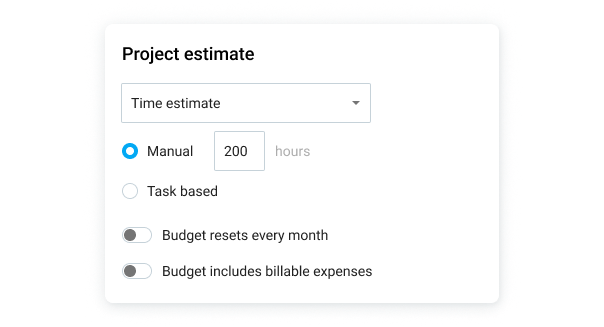
You can choose whether to include billable expenses in your budget. Enabling this option means that all costs you add will be counted toward your budget.
Use Clockify’s powerful cost-tracking to log billable hours and expenses. Select the time tracking method that suits you (e.g., timer or timesheets) and mark the time as billable.
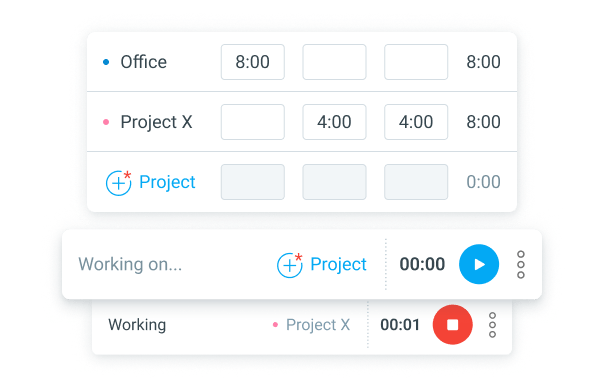
You can also add expenses associated with the project — such as material and business trip costs.
After logging time and expenses in Clockify, you can instantly compare actual costs to your estimates. Simply, take a look at the budget forecasting chart that shows you:
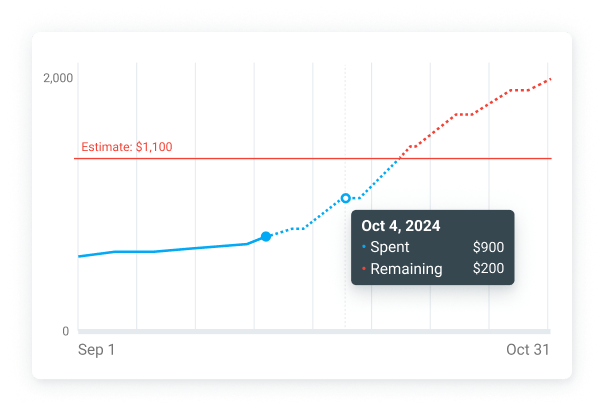
Clockify also lets you set up alerts that notify you when you’re heading over budget.
For effective resource allocation, use Clockify’s scheduling. This option allows you to assign tasks to team members for the greatest transparency.
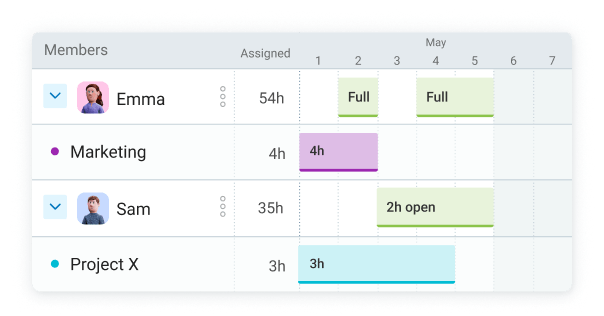
Specifying the number of hours per task lets your team know what’s expected of them. Thus, they’re less likely to take more time than needed to finish projects — which means you cut unnecessary costs.
Clockify’s powerful reporting allows you to analyze profitability with ease. View project duration, costs, and profit in your time report. All you need to do is set up:
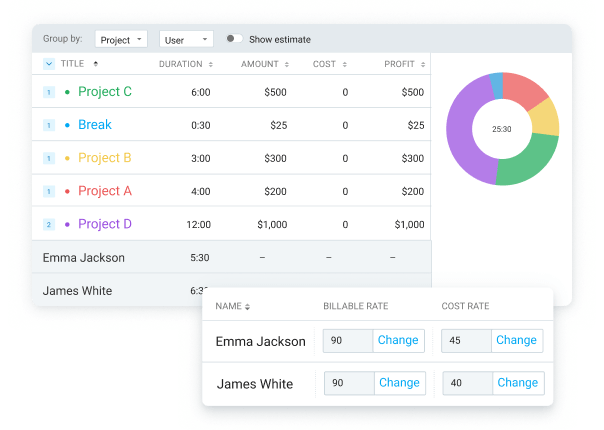
Clockify also supports integrations with tools for:
Integrations let you use time-tracking within 100+ tools and sync data between apps. For example, the Jira integration allows you to track time directly on tickets to monitor real-time project profitability.
Project coordinator at an iGaming company, Weronika Mazur, revealed that using Clockify helped them speed up budget monitoring by 80%. She credits Clockify’s project and task tracking for improving their profitability:
“This functionality has been valuable when evaluating which actions are profitable and worth continuing. It also helps us assess whether our resources are being used efficiently.”

Weronika Mazur
– Project Coordinator, iGaming
With Clockify’s real-time monitoring, Weronika gained the visibility needed to optimize resources and prevent cost overruns:
 Accelerated budget monitoring by 80%
Optimized resource allocation efficiency
Identified profitable vs. unprofitable actions
Accelerated budget monitoring by 80%
Optimized resource allocation efficiency
Identified profitable vs. unprofitable actions
 ISO
ISO
 SOC 2
SOC 2
 GDPR
GDPR
Manage budgets and control costs with a reliable tracking app. Don’t let unnecessary expenses overwhelm your business!
Improve profitability with Clockify