

Alex Beadon
Founder of Together We Launch
"We use Clockify to see where our time is going and how to solve any problems. It’s just so beneficial."
More stories

Find new apps that fit you team's needs
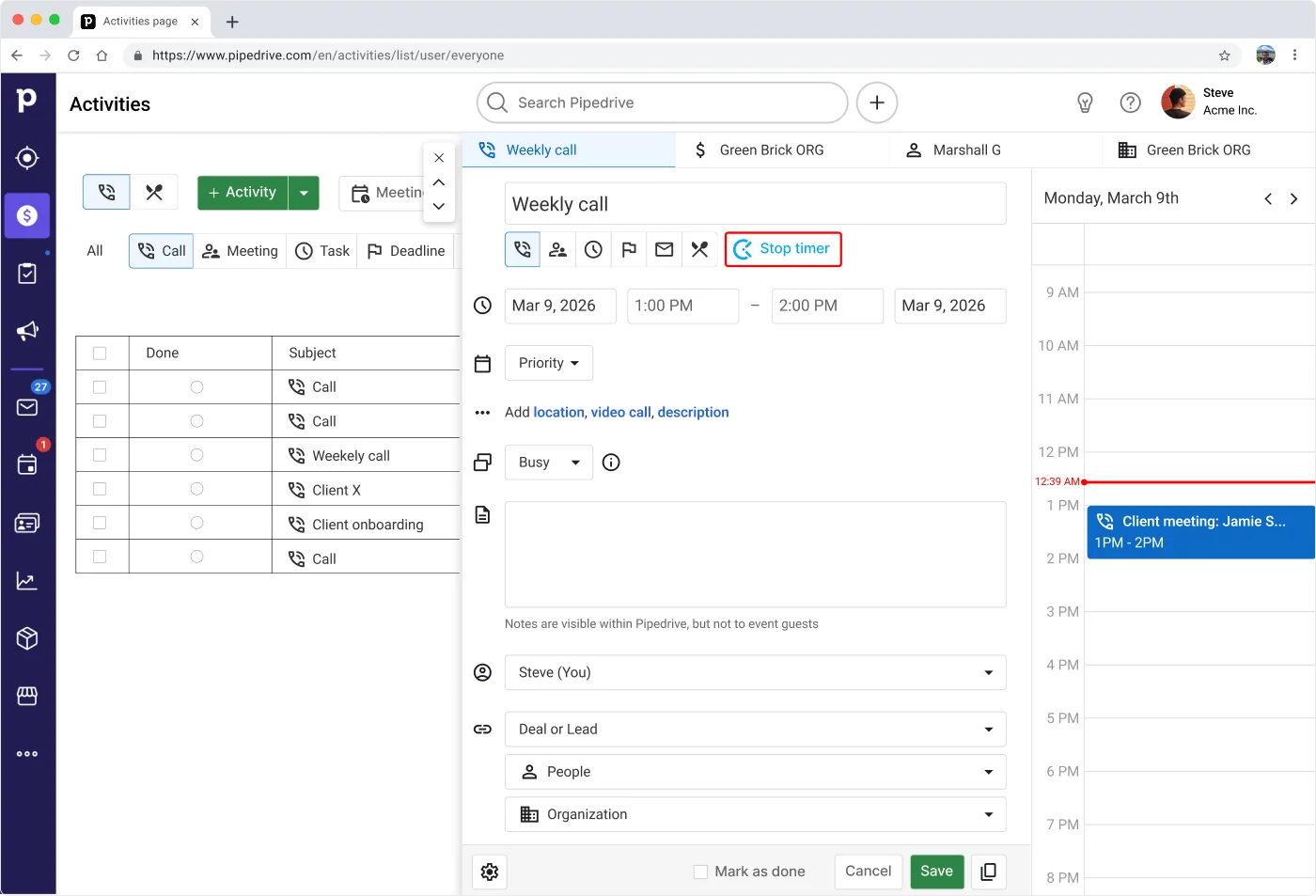
Track time on CRM activities in Pipedrive with 1 click. Then, head to Clockify to analyze your recorded data and improve profitability.



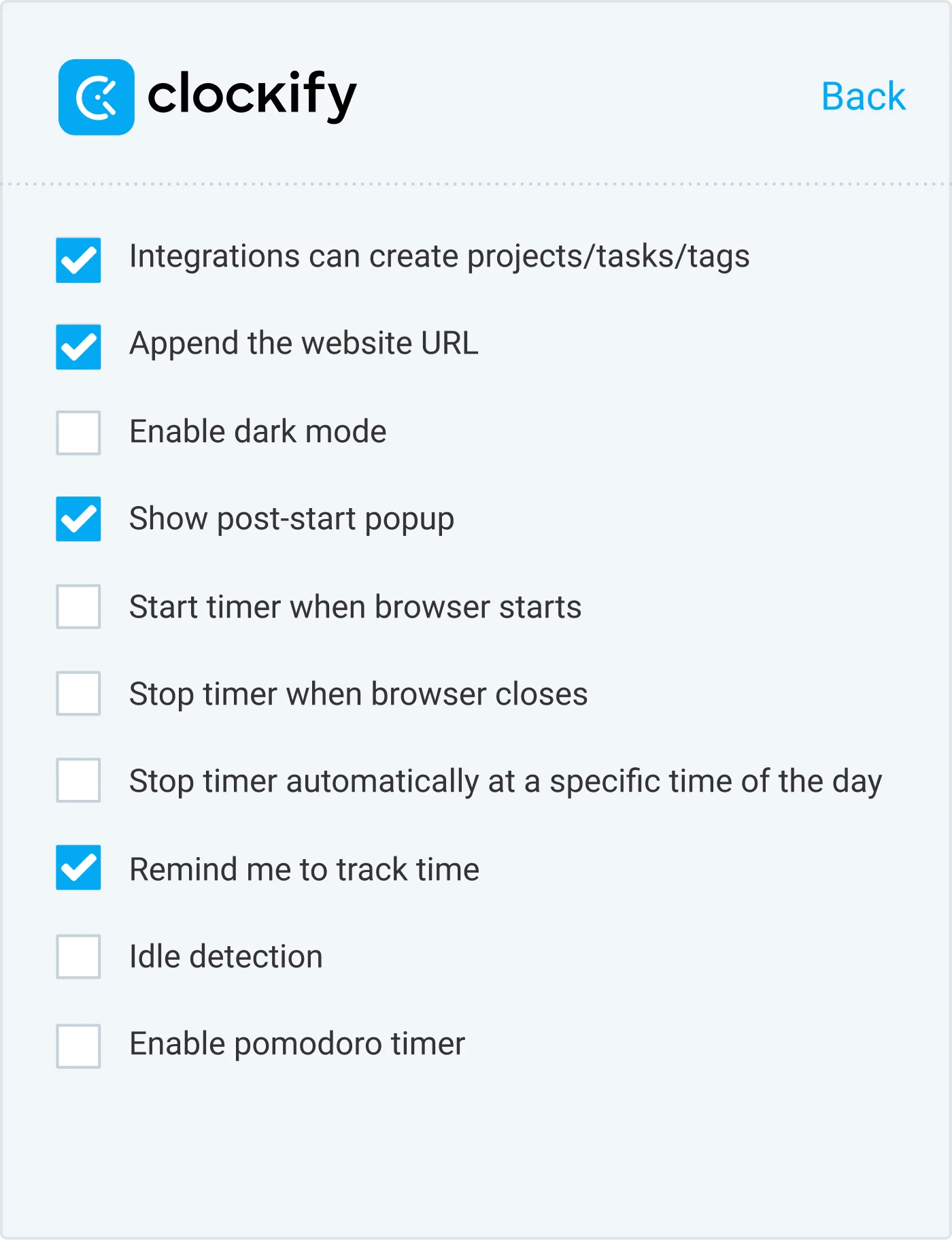
To start Pipedrive time tracking, open the Clockify extension and enable the following options in settings:
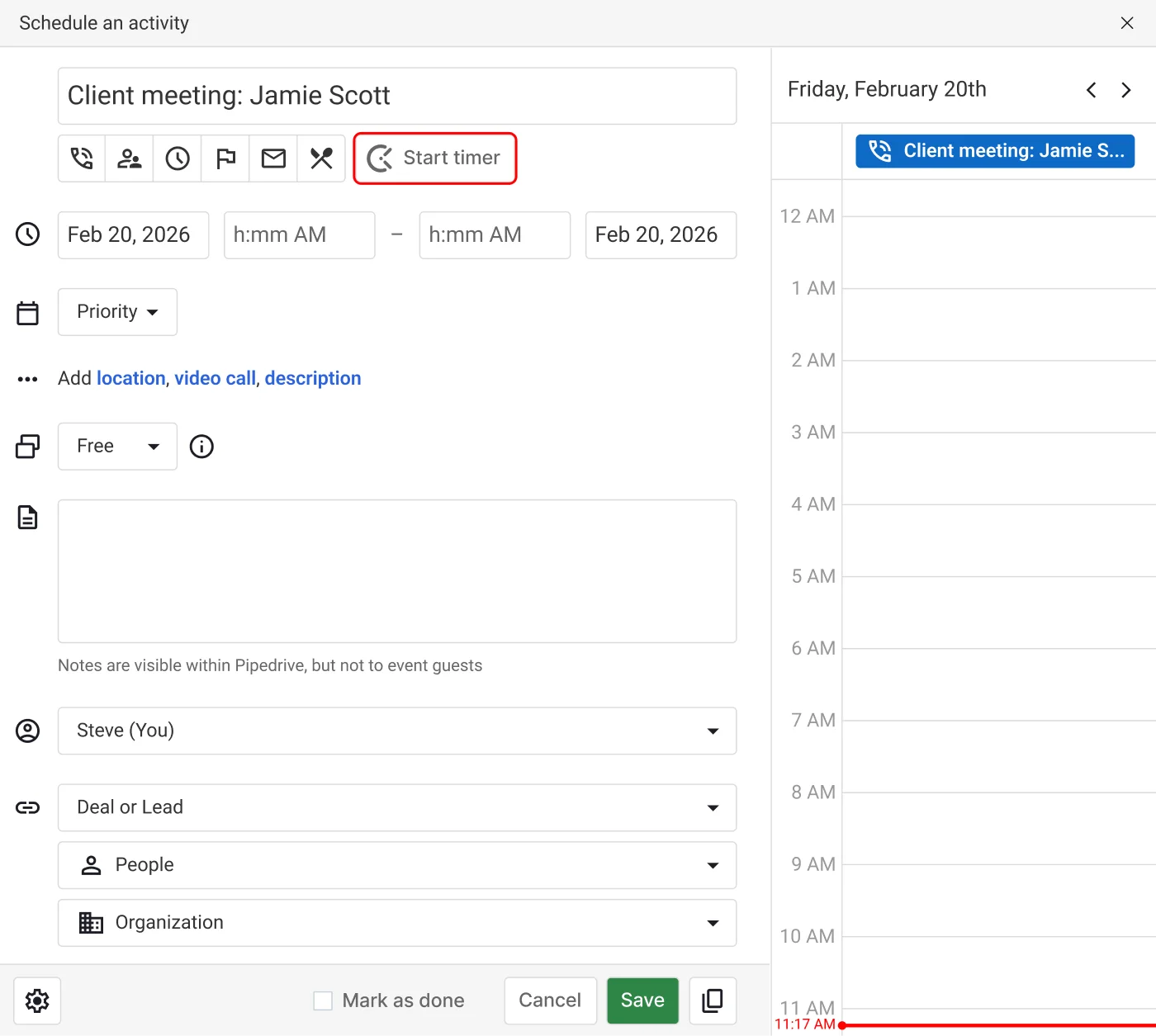
Clockify Timer button automatically appears in all Pipedrive activities. Clockify picks up Pipedrive’s activity name, and the Timer starts ticking. You can stop the Timer from anywhere (browser, mobile, or desktop).
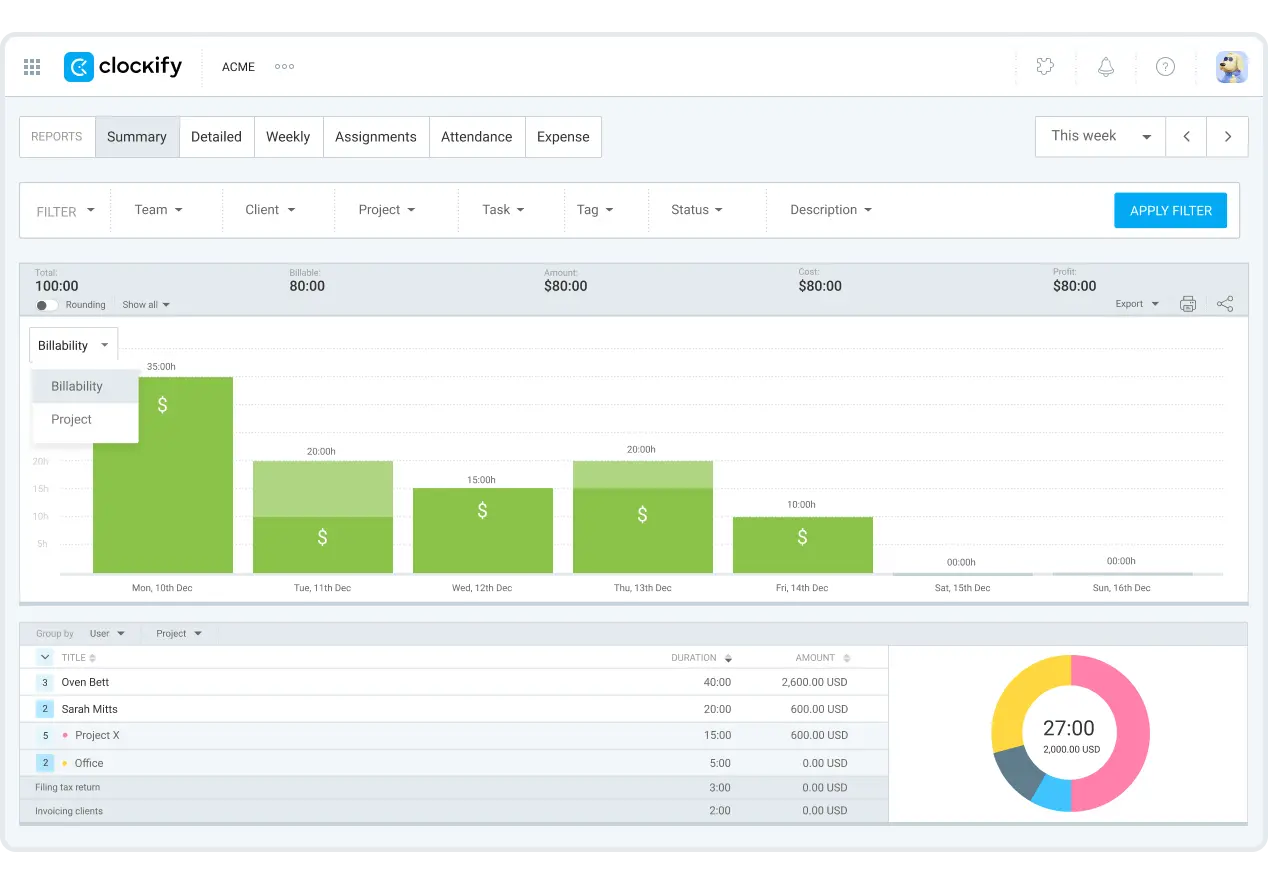
Tracking the time you spend on activities and deals in Pipedrive lets you have a clearer picture of where your time goes. To keep an eye on client profitability, go to Summary reports in Clockify for:
This way, you can better plan your resources and simplify project-related decisions.
Yes, you can track time per deal in Pipedrive. Create an account in a CRM time tracking software like Clockify by CAKE.com and record your activities in 1 click. This removes too much admin work and manual tracking of time spent on deals.
Absolutely! You can try out all PRO features for free for 7 days, no credit card required. You can activate the free trial on the Upgrade page. If you need more time, be sure to contact our sales team for an extension and a demo.
No, Pipedrive doesn’t have time tracking. However, you can use this Clockify-Pipedrive integration to manage CRM and time tracking.
