

Alex Beadon
Founder of Together We Launch
"We use Clockify to see where our time is going and how to solve any problems. It’s just so beneficial."
More stories

Find new apps that fit you team's needs
– Gil Samara

Tamir Avrahamov and Shay Somech, 2 musicians turned business partners, founded Gini-Apps 16 years ago. The company first started as a mobile app development firm.
Today, they’re a software development company that works with leading tech companies and provides customers with software development, outsourcing, and talent recruitment.
We sat down with Gil Samara, VP of R&D at Gini-Apps, to discuss how they use Clockify and their favorite Clockify features.
Before Clockify, the team used other time tracking tools.
As Gil says, they decided to switch to Clockify because it better suited their needs:

“We discovered Clockify while looking for a tool to manage and track working hours. Its time tracking capabilities were exactly what we needed, making it an easy choice for our team.”
Let’s see what benefits the Gini-Apps team has experienced from Clockify.
Gil says that they use Clockify in 2 ways:
Gil explains how Clockify has become an essential part of their workflow:
“All of our employees who provide services to our clients log their work hours in Clockify. It is an integral part of our daily operations, ensuring accurate time tracking for client billing and internal reporting.”
Accurate time tracking helps the Gini-Apps team maintain transparency across all projects, Gil continues.
To bill clients efficiently with Clockify, start by tracking hours and marking time entries as billable or non-billable. Then, create an invoice by selecting your billable time. Clockify’s Invoicing lets you add payment due dates and set currency. You can even add your company’s logo.
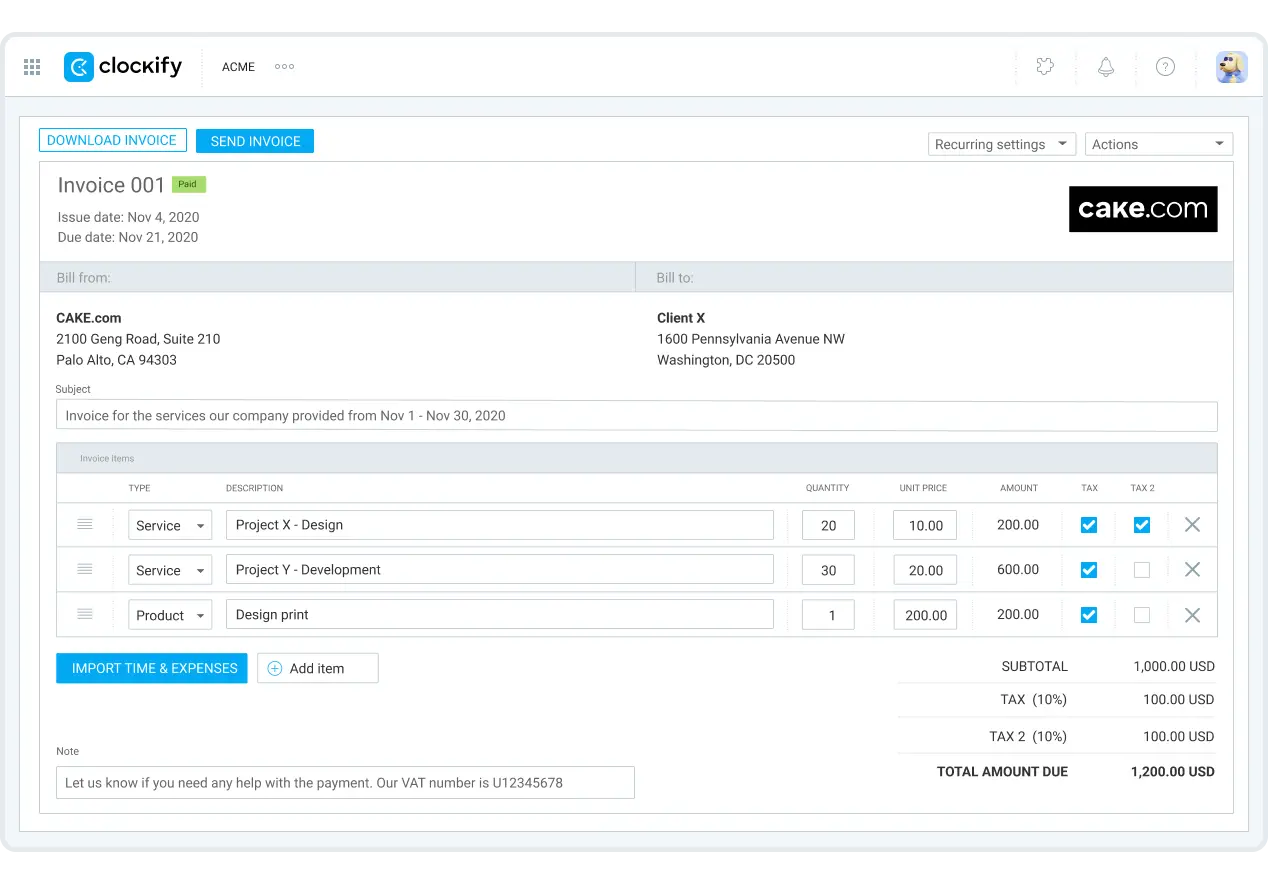
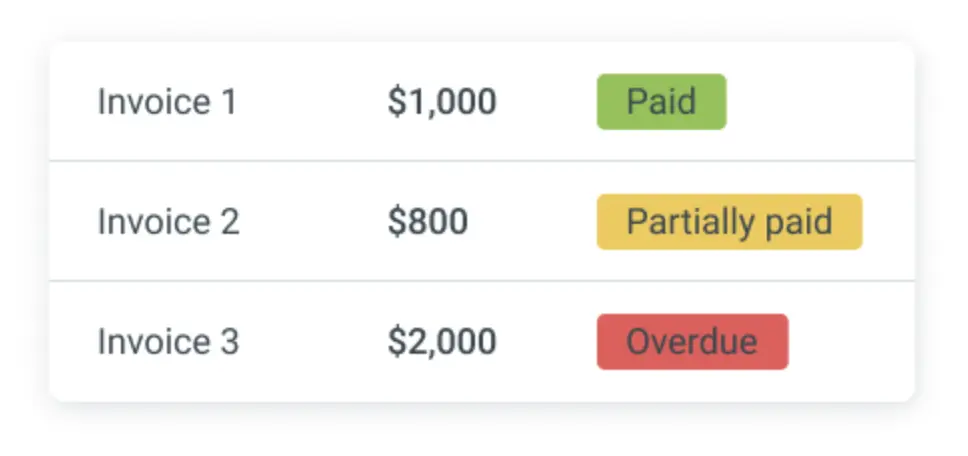
Finally, track your payments and select which invoices have been sent, paid, overdue, or void.
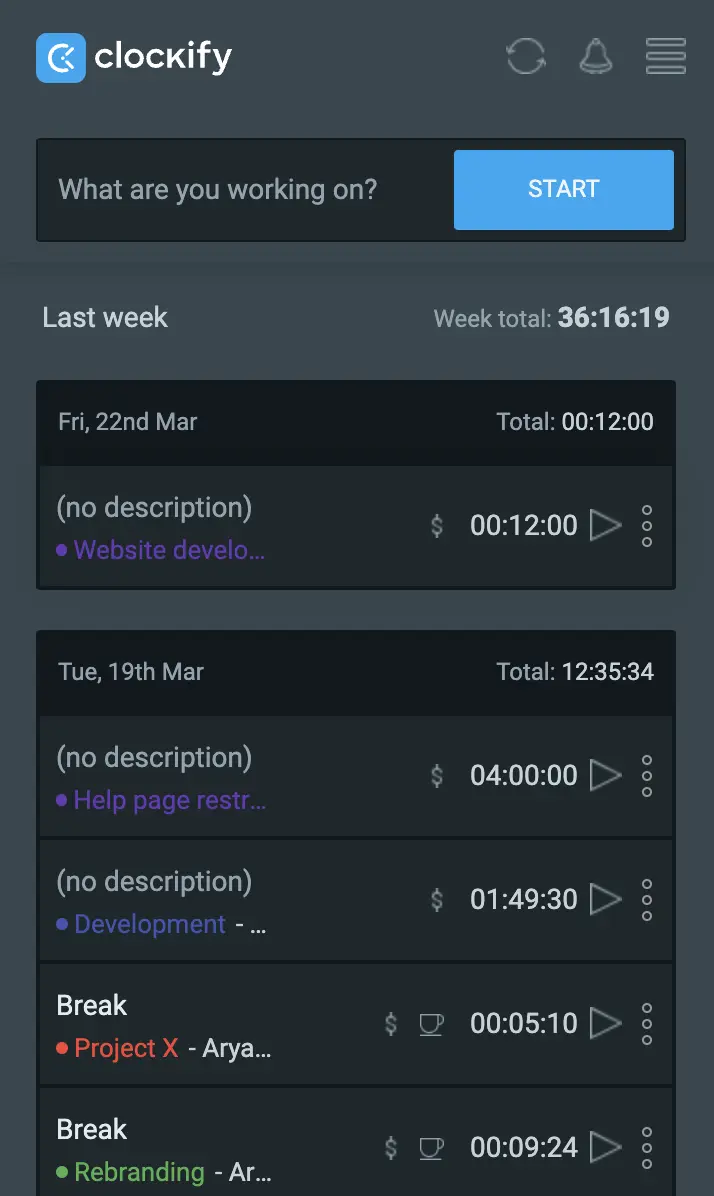
Another Clockify feature the Gini-Apps team likes is Dark mode, as Gil says:
“My pro tip is to use Clockify in Dark mode. It's more comfortable for the eyes, especially when working long hours in front of a screen.”
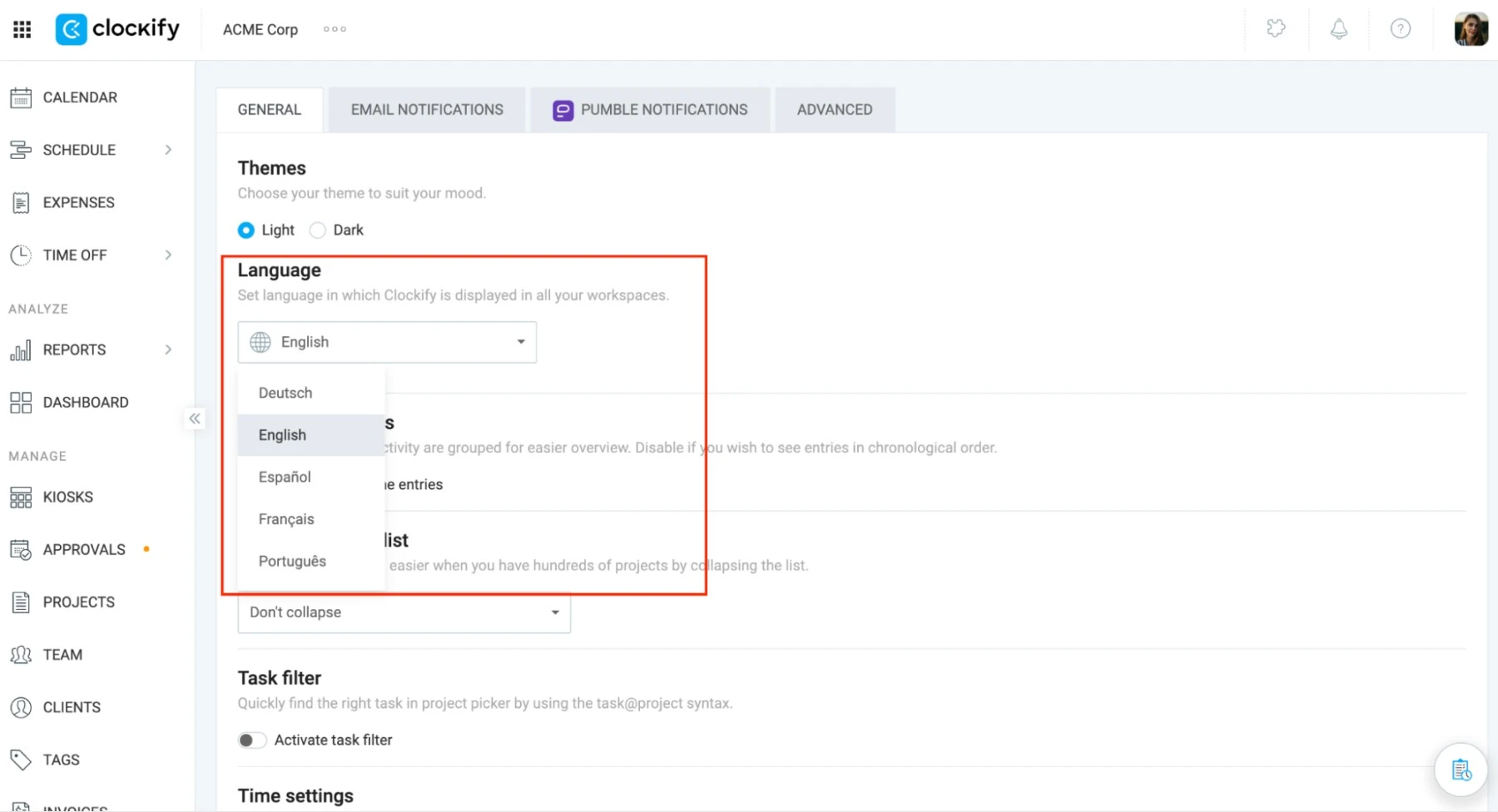
To switch between Dark and Light mode, go to Preferences in Clockify General settings in the upper right corner. Dark mode is available in the mobile and desktop apps, as well as in extensions.
In General settings, you can also choose your time zone and change your language. Clockify supports English, French, German, Spanish, and Portuguese.
Gil says that Clockify will continue to help their business grow “by ensuring accurate client billing and correct payroll for our employees.”
He also adds:
“Clockify remains a key part of our operational workflow and supports the day-to-day management of our business.”
Clockify is a part of the CAKE.com Productivity Bundle. The CAKE.com Bundle also includes Pumble for internal communication and Plaky for task and project management.

