

Alex Beadon
Founder of Together We Launch
"We use Clockify to see where our time is going and how to solve any problems. It’s just so beneficial."
More stories

Find new apps that fit you team's needs
Find out how much an employee costs by using this simple employee cost calculator.
This calculation includes Social Security, Medicare, and Unemployment Insurance taxes (FUTA and SUTA).
Social Security and Medicare are typically paid monthly or semi-weekly, while FUTA and SUTA are usually paid quarterly.
Also, this calculation is done based on the assumption that both the employee and the employer are within the same state.
Employee benefit expenses may include the costs for health, dental, and vision insurance, paid time off, and a retirement plan.
Estimated annual employee cost:
$0.00
Employee costs are the total expenses a business incurs to employ and maintain its workforce, including:
Besides employer contributions to Social Security, Medicare, and federal unemployment taxes, workers’ compensation is a mandatory expense for most employers in the US.
Workers’ compensation is a type of insurance that provides payment to employees who are injured or become ill due to their job duties.
Employee benefits, on the other hand, are any form of perks that an employer offers to their employees beyond their base pay. These include:
🎓 How to Keep Track of Expenses Accurately
Some factors that impact employee costs are the following:
Large companies tend to offer comprehensive benefits packages, leading to lower per-employee costs. According to research on the impact of employee benefits on job satisfaction and retention, offering a range of benefits leads to higher employee retention, thereby reducing recruitment and training costs.
Furthermore, global companies typically have higher payroll costs than domestic ones. This is mostly due to currency fluctuations and diverse tax and regulatory requirements in different countries.
Market dynamics also affect employee costs. In the tight labor market, you’ll need to enhance employee compensation and benefits to attract talent. If the market is loose, costs may decrease.
Roles with specialized skills and leadership responsibilities often demand higher pay. For instance, a director of engineering will typically command a higher compensation than a software engineer.
Moreover, industries like healthcare and finance require highly educated personnel that can’t be replaced by machines, resulting in higher labor costs.

A cost-of-an-employee calculator, also known as a payroll cost calculator or payroll budget calculator, is a tool that helps you determine the total expenses associated with hiring and retaining an employee.
Calculating employee costs helps businesses adhere to federal, state, and local tax laws and labor regulations.
Additionally, knowing the total employee costs helps leaders in project-based firms make better financial decisions, enabling:
Our fully loaded employee cost calculator consists of 4 sections. To determine the cost of an employee, fill out these sections one by one, providing information about the employee’s pay, taxes, benefits, and overhead expenses.
Section #1: Pay information
You need to choose a pay type, depending on how you compensate your employee.
If you pay your employee hourly, click on the Hourly tab. Then enter the employee’s hourly rate (e.g., $20) and their weekly work hours (e.g., 40) in the appropriate fields.

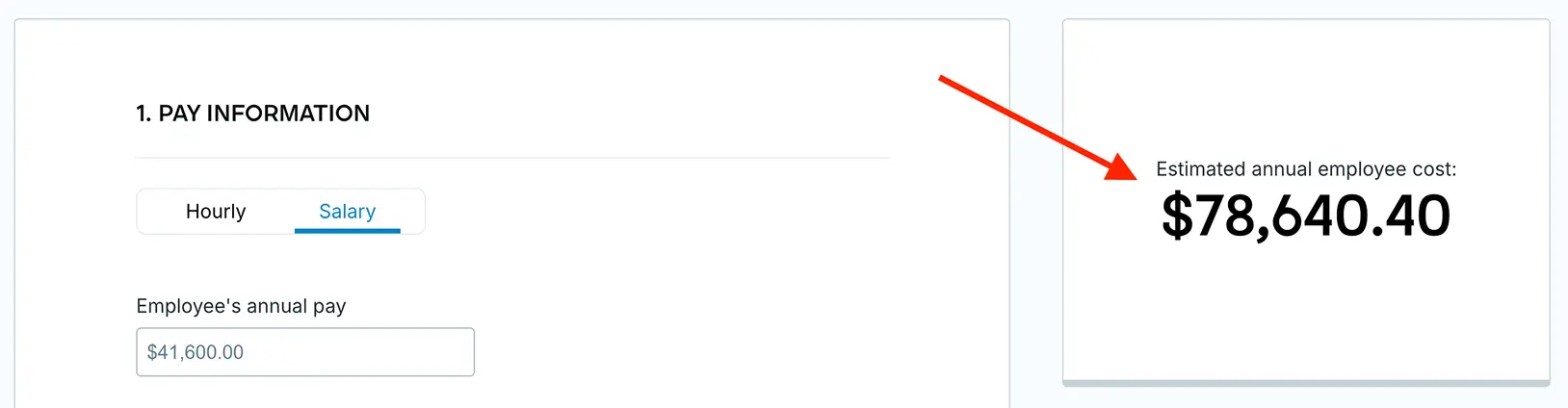
If you pay your employee on a salary basis, click on the Salary tab. Then, enter the employee’s annual gross pay (e.g., $41,600) in the appropriate field.

Next, proceed to the following section to continue the employee cost calculation.
Section #2: Tax information
Select the US state where your business operates. To choose a state, click the State dropdown menu and select the correct state (e.g., Alabama). After that, enter your SUTA tax rate (e.g., 2.7%) based on your industry or experience rating in the appropriate field.

Section #3: Benefits information
Enter your employee benefits expenses per month (e.g., $2,000) in the right field. These expenses depend on the benefits you offer to your employee, which may include:

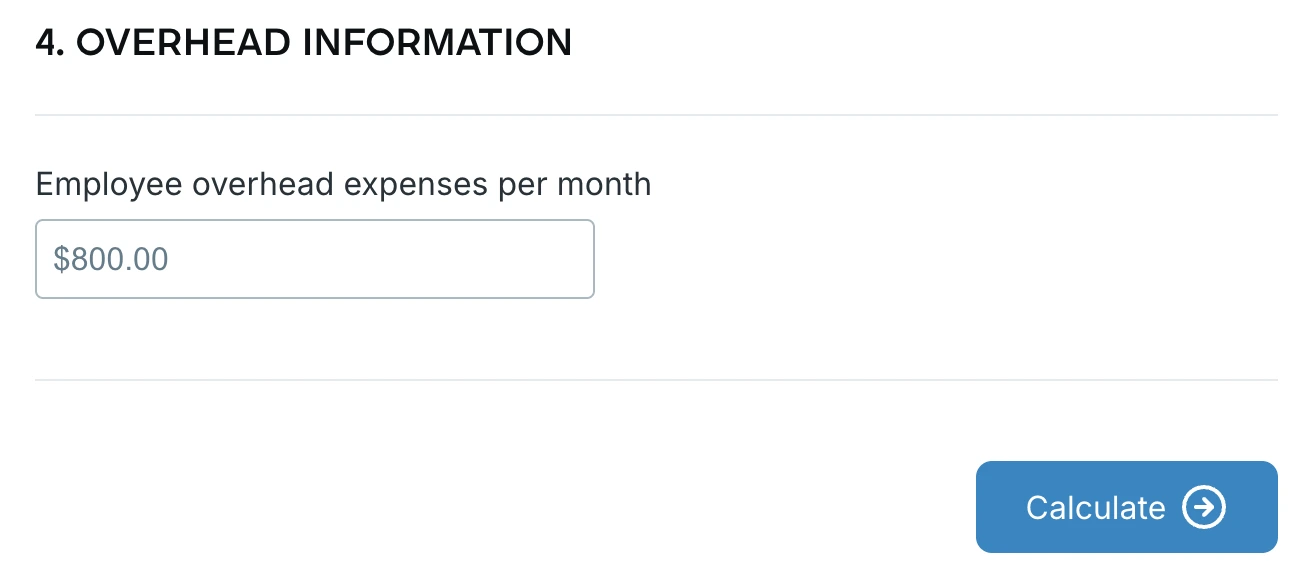
Section #4: Overhead information
Insert your employee overhead expenses per month (e.g., $800) in the corresponding field. Then click the Calculate button to get the result.
When you fill out the sections and click on Calculate, you’ll see the estimated annual cost of your employee (e.g., $78,640.40) under the Estimated annual employee cost.
🎓 Smart Ways for Monthly Expense Tracking
The key advantages of using a fully loaded employee cost calculator to calculate labor cost include:
In the next section, you can find answers to some frequently asked questions about employee costs.
The cost of an employee in the US varies by location and industry.
According to the 2025 US Bureau of Labor Statistics report, the total employer compensation costs for private industry workers averaged $45.65 per work hour. On the other hand, the costs for state and local government employees averaged $64.00 per work hour.
As per another 2025 BLS report, payroll costs among the 4 US regions (Northeast, West, Midwest, and South) ranged from $39.71 per hour in the South to $56.31 in the Northeast.
A weekly salary of a $20-an-hour employee who works 40 hours per week is $800. That’s $41,600 for annual employee compensation (gross pay).
For a more precise calculation, you also need to consider the expenses for payroll taxes, overhead, and employee benefits (depending on the benefits you offer).
A good staff/cost ratio (or a payroll-to-revenue ratio) is typically between 15% and 30%. However, the staff/cost ratio varies by industry.
Service industries, such as hospitality, finance, and healthcare, depend heavily on human resources, so they usually have higher ratios (30% to 41%).
Conversely, manufacturing and retail industries have lower ratios (10% to 20%) because they utilize automation and technology, reducing labor needs.
The fully loaded cost of an employee includes not only the employee’s salary but also benefits, payroll taxes, and overhead expenses.
In most cases, the fully loaded cost of an employee is 1.25 to 1.4 times their base pay. In other words, an employee earning $35,000 would cost you $43,750-$49,000.
To determine your minimum hourly rate, add your desired annual salary (e.g., $80,000) and your total annual operating costs (e.g., $20,000), and then divide that sum by the number of your work hours per year (e.g., 1,864).
The calculation goes as follows:
($80,000 + $20,000) ÷ 1,864 = $100,000 ÷ 1,864 = minimum hourly rate of $54
Maintaining the financial health of projects is crucial for businesses as it ensures sustainable profitability. However, preventing budget overruns is a nightmare without precise labor cost data.
Luckily, Clockify by CAKE.com lets you accurately calculate labor costs, making your life easier — whether you’re an operations manager or a leader in a project-based firm.
With Clockify time tracker, you get to:
Employees can track time by starting/stopping Clockify’s Timer when they begin/finish working on a task. To track billable hours, they simply mark their time entry as billable by clicking the dollar sign. The process is simple and efficient.

Once your team members complete their tasks, you can check their total billable time and amounts in Clockify’s Summary report. There, you can also see who worked on what and for how long.
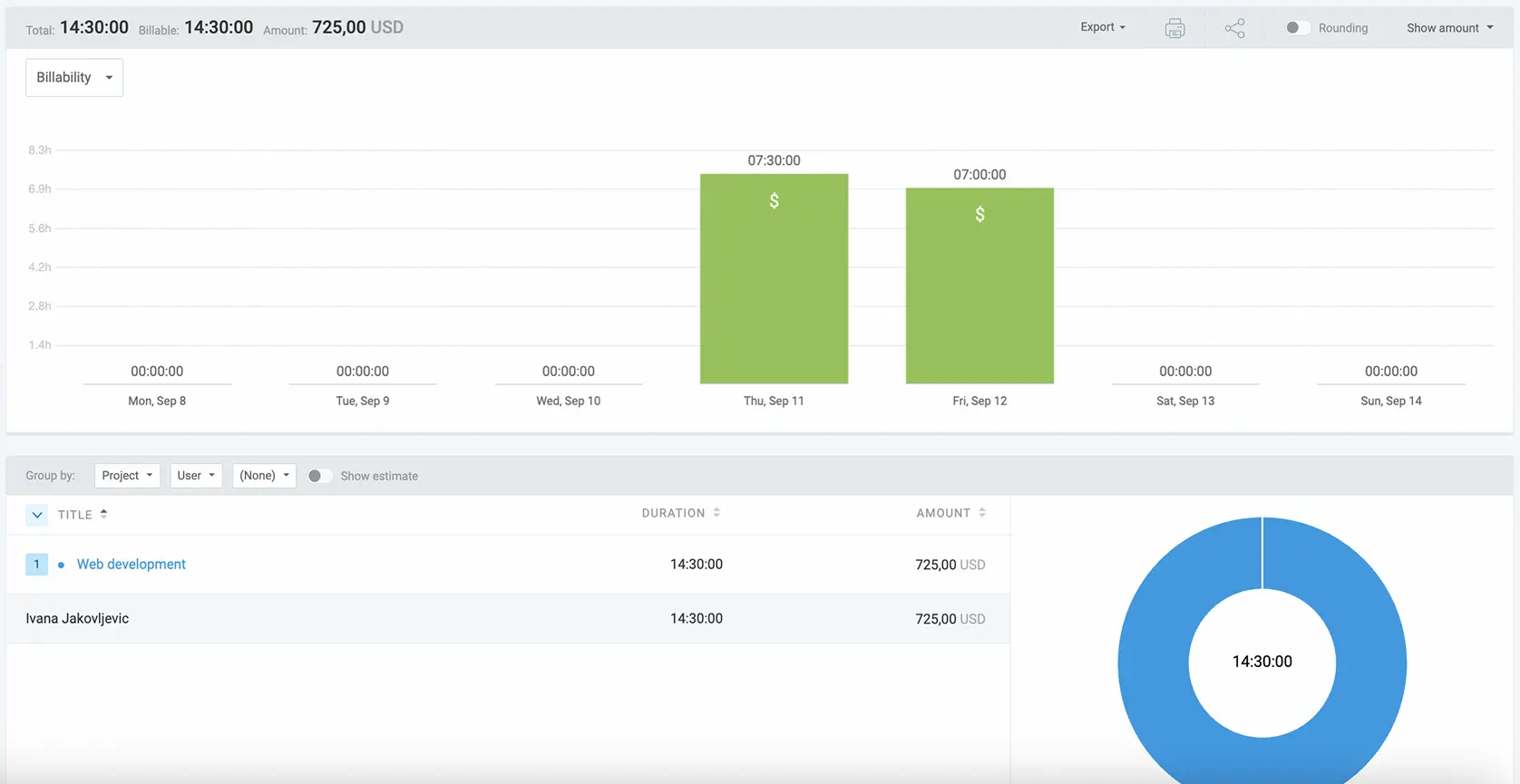
Analyzing your team’s time data helps you understand if they’re spending their time effectively. This allows you to eliminate any inefficiencies and optimize resource utilization.
Moreover, you can monitor project progress in real time and compare estimated and tracked time in Clockify. This way, you get a better sense of how long a project like that takes, which helps you make better future estimates.
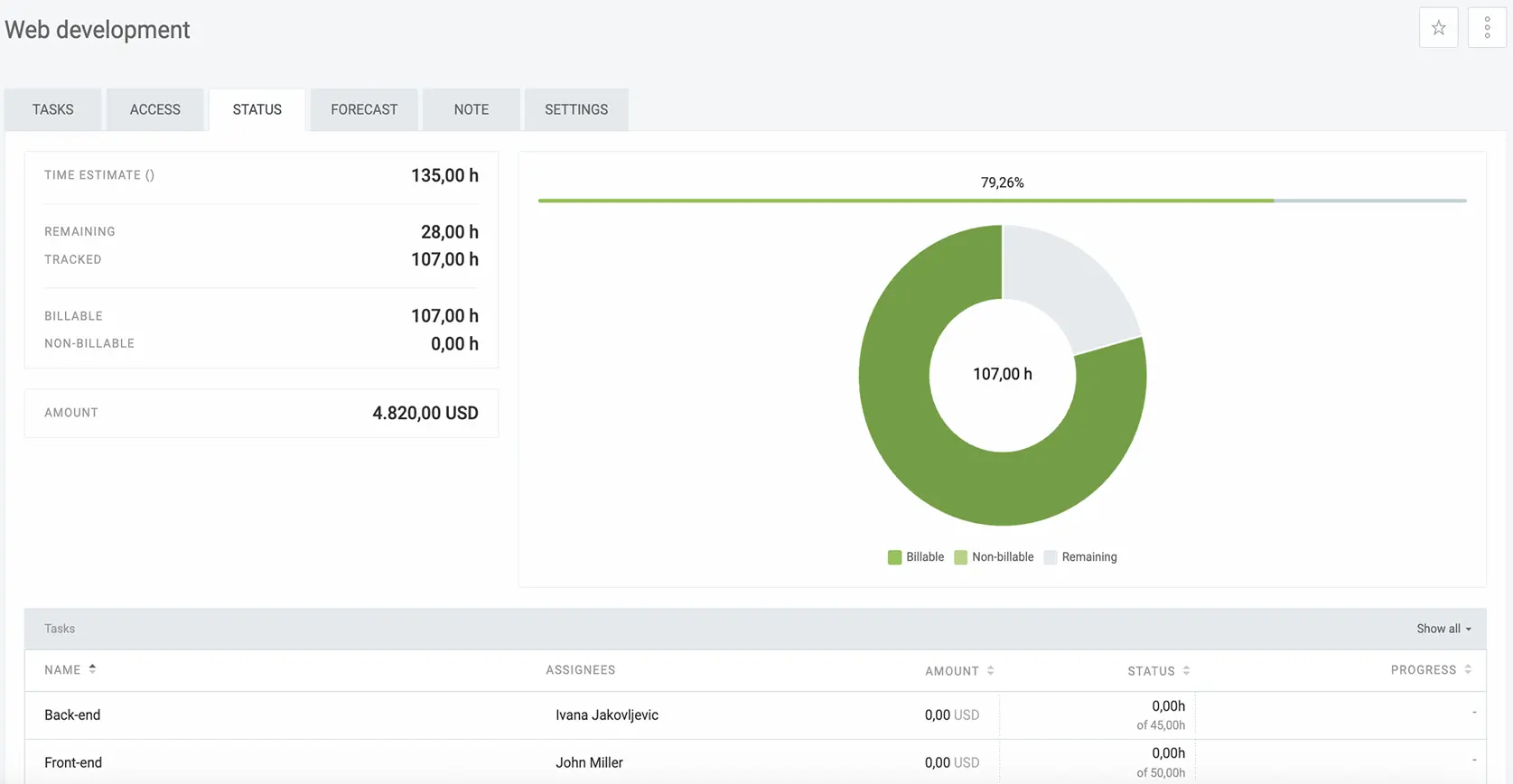
By comparing estimated and tracked time, you can also:
Want to grow your business?
Accurately track billable hours and use our free Employee Cost Calculator to stay on top of your hiring and budgeting.
Disclaimer: We hope this calculator/guide has been helpful. We strongly advise you to consult with relevant institutions or certified representatives before taking action on legal matters. Clockify is not responsible for any losses or risks incurred.
