
Alex Beadon
Founder of Together We Launch
"We use Clockify to see where our time is going and how to solve any problems. It’s just so beneficial."
More stories

Find new apps that fit you team's needs
– Robert Šinko

Three Croatian visionaries and a German market expert shake hands. They start 4ofthem, the software house behind Ihre Apotheken — one of Germany’s biggest online marketplaces, with 7,000+ pharmacies.
This project kept things moving since 2018, but fast growth called for a system upgrade.
To learn how Clockify powers current operations at 4ofthem, we spoke with:
While their team scaled up, 4ofthem struggled with cost overruns, as Marko recalls:

“When we started using Clockify, we had about 30 people. Now we have 80+. As a company grows, the productivity drops a bit due to high overhead. But Clockify allows us to easily monitor changes.”
Before introducing Clockify by CAKE.com, Petar would stress over disorganized data in messy spreadsheets:

“We used a Google sheet to put in the work hours, descriptions, and tickets from Jira. There was never a week when someone didn’t mess up the table. We also had a sheet to put in vacation days for all employees.”
So, they started looking for a more efficient timekeeping solution. Marko says they picked Clockify because it “could integrate with Jira and had options, like time off management, reporting, and other handy features.”
Going into detail, the crew dishes about the biggest perks they enjoy with Clockify.
Thanks to the Clockify-Jira integration, the team at 4ofthem can focus on ticket work while time tracking runs in the background. Pero describes the workflow:

“Jira and Clockify work really well together. Whenever we create or use a ticket in Jira, we see the Clockify integration. Simply start the timer in Jira and you can see your time in Clockify. Or you can manually add how much time you spent on a ticket.”

If you want more convenient time tracking solutions, our tool offers:
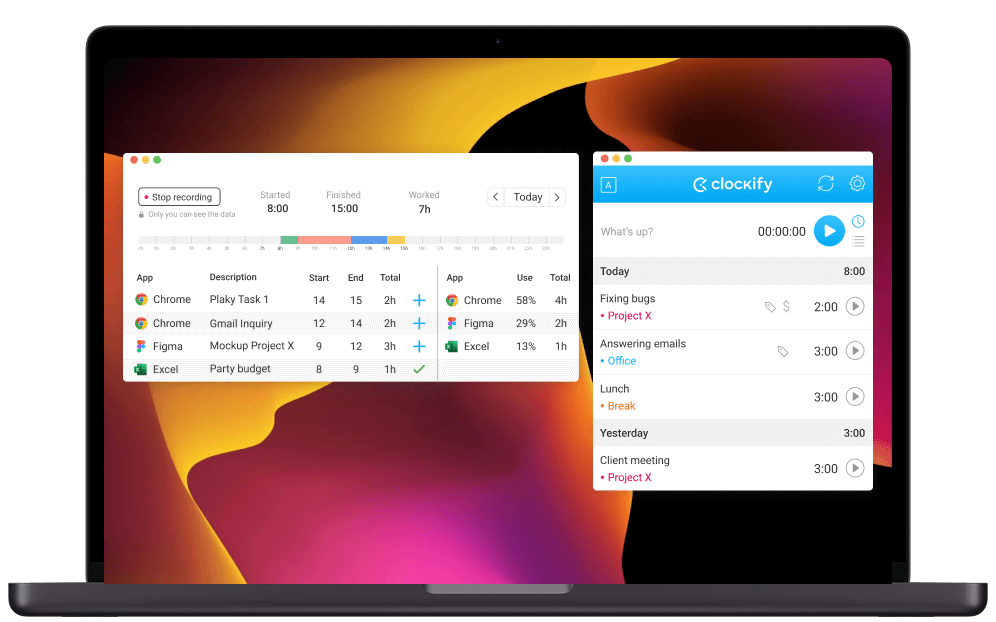
NOTE: To try the Auto tracker and Mini timer, install the desktop app for macOS, Windows, or Linux.
In Marko’s words, his team relies on Reports in Clockify to plan resources without guesswork. Marko says that “Clockify’s reporting helps us better understand where our time went and on which parts of projects or tasks. It also helps us see how good our estimates are.”
Robert praises our time tracker for its clear reporting on profitability. He emphasizes that Clockify is “the billable vs. non-billable benchmark. In a second, we can see if we’re in the red or green zone.”
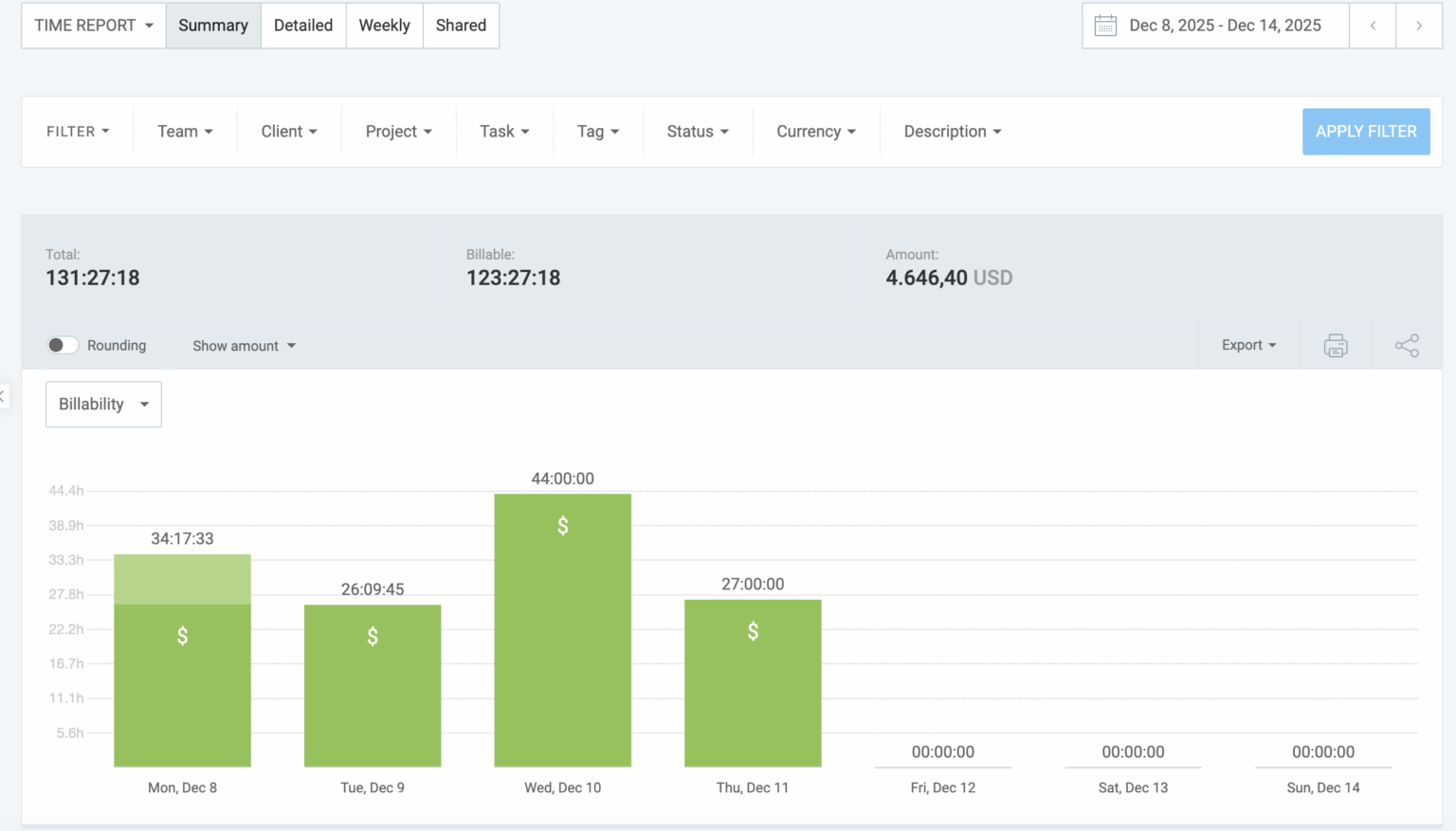
But what Petar finds most useful is “exporting all the time entries to report to the client [because it] saves a lot of time.”
As our customers already know, Clockify’s reporting system offers more than crunched numbers and filtered data — you can also:
As the team lead, Hana uses the time off view in Clockify to delegate tasks confidently:

“I have a clear picture of when someone’s going on vacation. Then, I go ‘Okay, I will need 2-3 people here, but this person isn’t available.’ That gives me a good idea of how many resources I have.”
For Hana, managing absences is as streamlined as it gets. She says that her “developers send time off requests directly through Clockify, so I can have a full view of the requests and approve or reject them.”
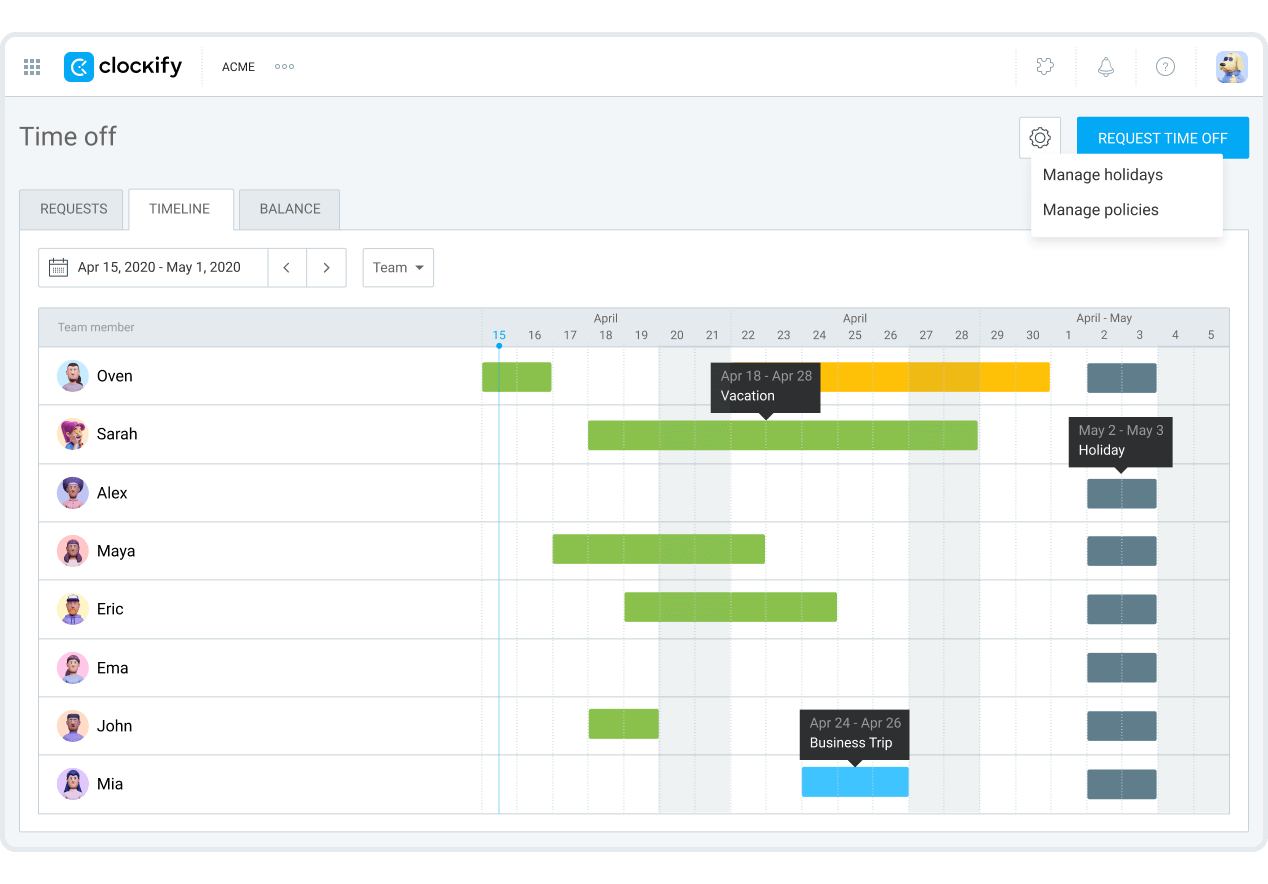
To monitor PTO in Clockify, you’ll need to create a time-off policy. Let’s map out the steps:
Millions of customers rely on Clockify to balance their workflow and cash flow. Robert credits Clockify’s plugin for Jira for simplifying the developer’s job:

“Clockify’s integration with Jira is straightforward and makes life for developers much easier.”
Indeed, our time tracker kickstarts your growth! To keep the ball rolling, try our CAKE.com Suite, which links Clockify with 2 other must-have tools: