

Alex Beadon
Founder of Together We Launch
"We use Clockify to see where our time is going and how to solve any problems. It’s just so beneficial."
More stories

Find new apps that fit you team's needs
Powerful mechanic time clock for attendance tracking, with scheduling and profitability metrics.



What is Clockify? (11:05)

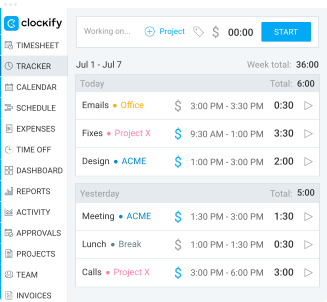
Clockify is a powerful app for auto shop time tracking, as it lets you:
You handle repairs at your shop. Let Clockify handle time tracking as a reliable auto mechanic time tracking tool.
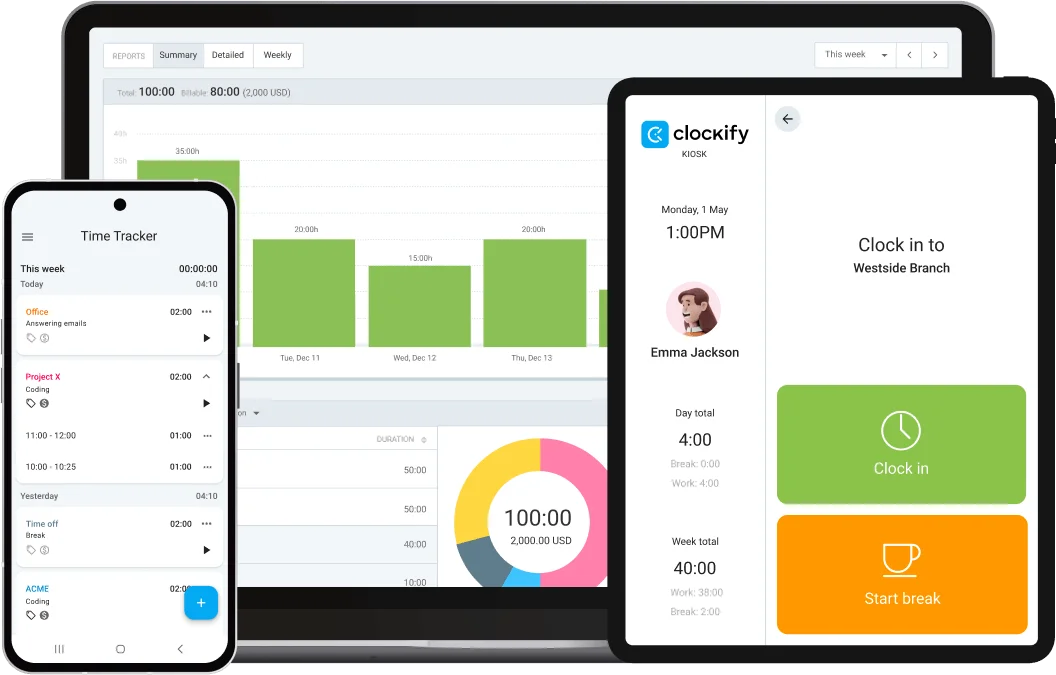
No more trying to memorize hours worked or writing them down on spreadsheets that can get lost or damaged. Clockify by CAKE.com offers a simple way to clock in and out. Your team can use the Kiosk or Timer for automatic time tracking.
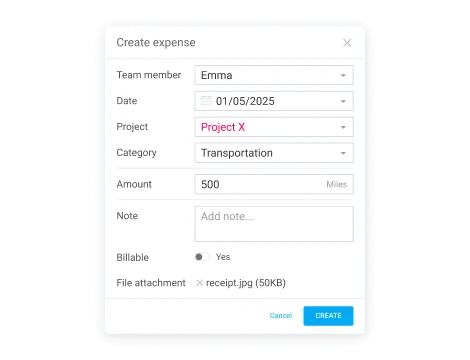
Avoid losing profit due to inaccurate timesheets or expense reports. Clockify lets you mark hours as billable or non-billable and add expenses — so you know precisely how much to bill your clients.
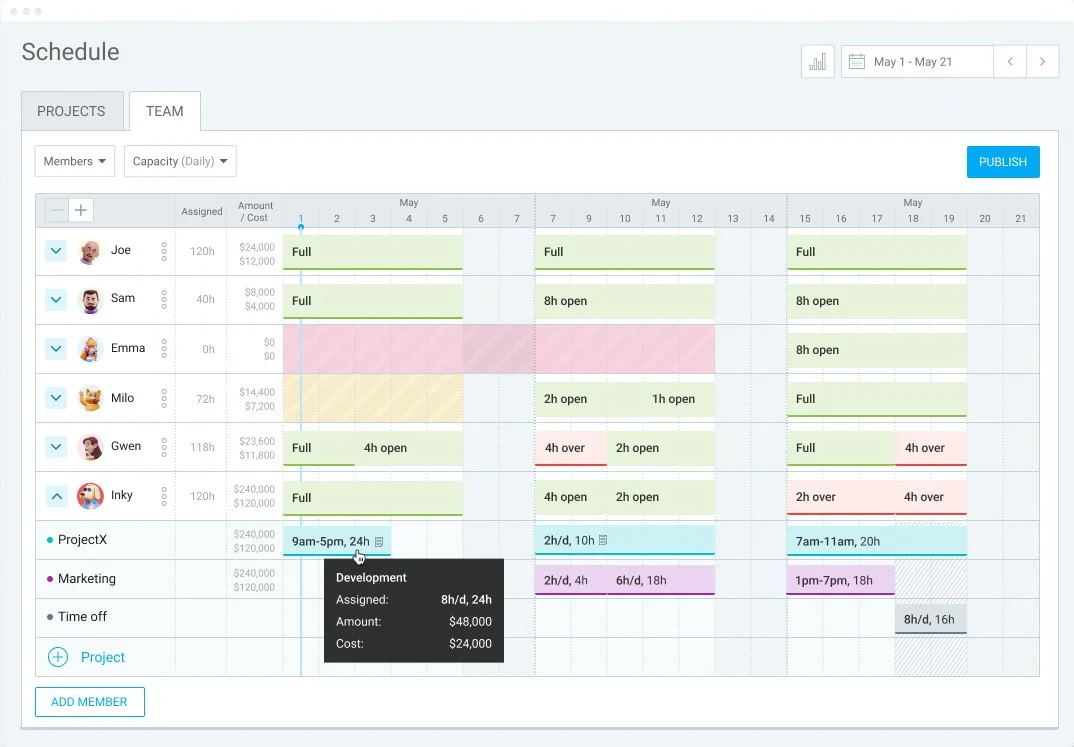
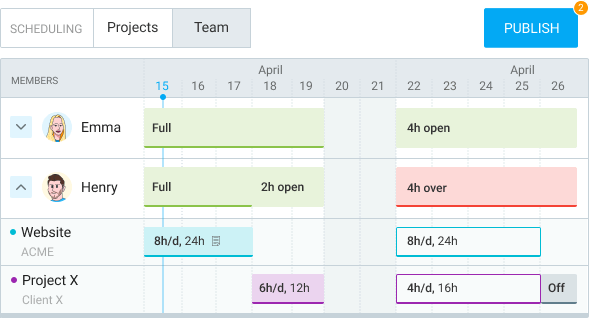
Poor resource planning means you lose a lot of time and money. Clockify is great for repair shop time management, as it lets you see your team’s capacity. Simply set your team’s daily work capacity and assign tasks to team members. In the Team view, you’ll see who has open time slots, whose day is full, and who’s overbooked.
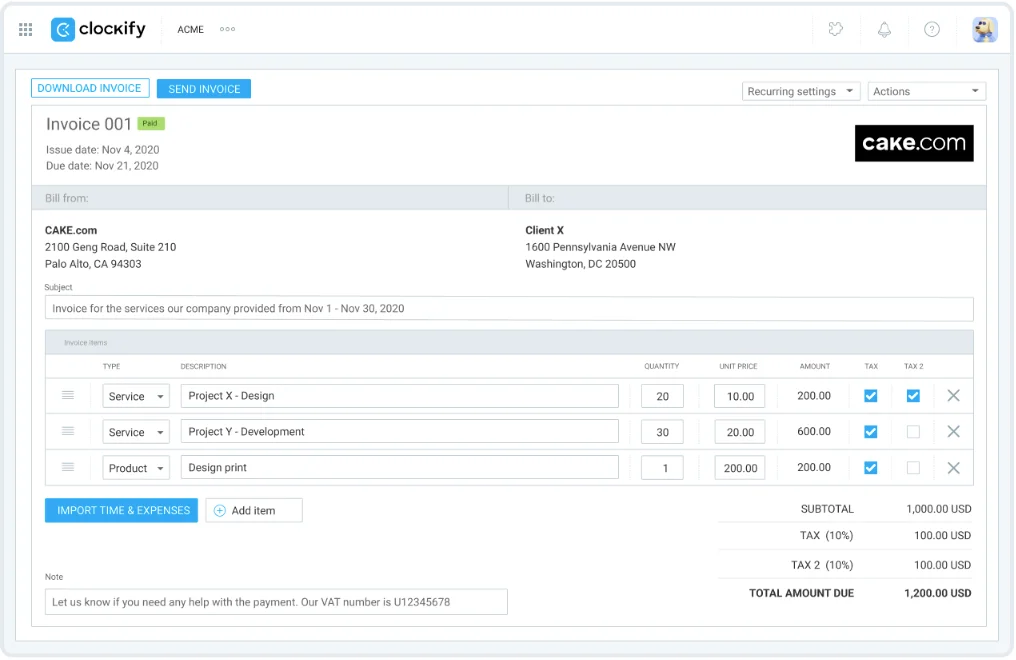
Clockify keeps all billable hours and expenses in one place. You can create invoices in minutes by importing tracked time and expenses — no more daunting manual calculations.
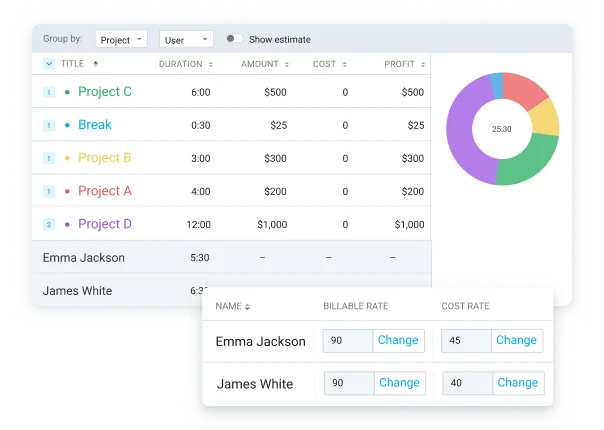
Clockify lets you enter billable rates and labor costs. The app gives you a clear overview of costs and profits, so you can monitor them in real time to avoid surprises.
Clockify gives you insight into team productivity and lets you invoice clients with ease. Here’s a quick step-by-step guide on how to get started.
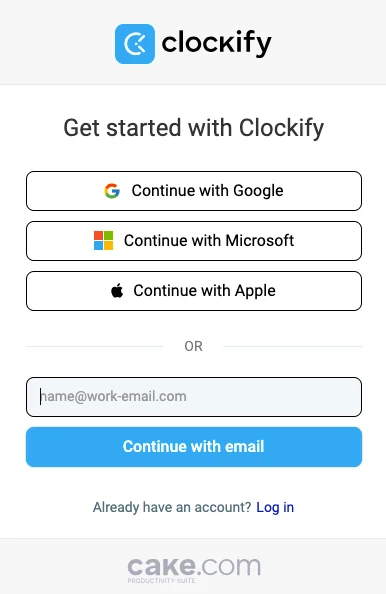
Sign up for Clockify using your Google, Microsoft, or Apple account — or enter your email and create a unique password.
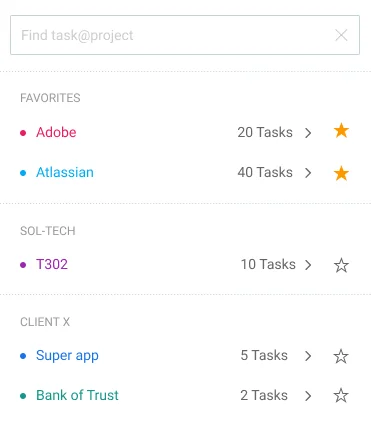
Create different projects and tasks so you know exactly what your team worked on.
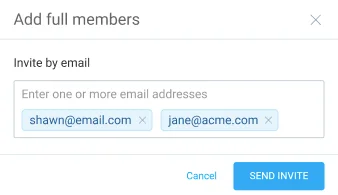
Invite team members to your workspace using their email addresses.
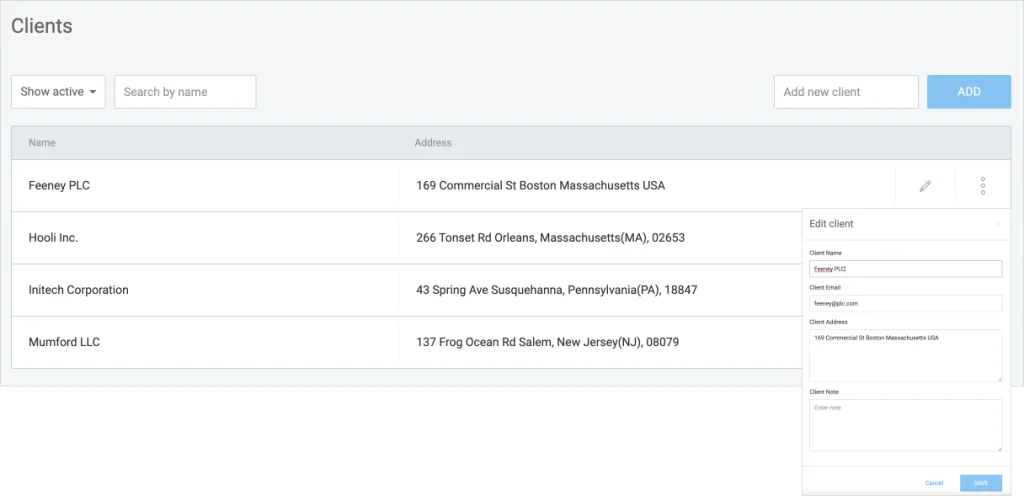
Create clients and add them to specific projects. This way, you’ll know how much to bill each client once billable hours and expenses are tracked.
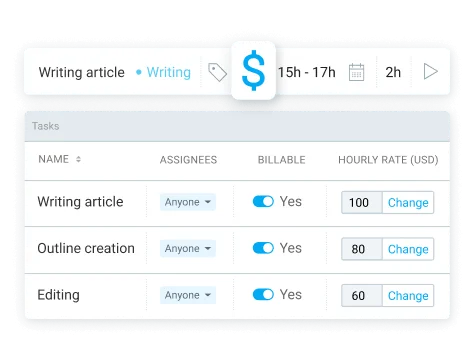
Define billable rates so that all billable costs are calculated automatically.
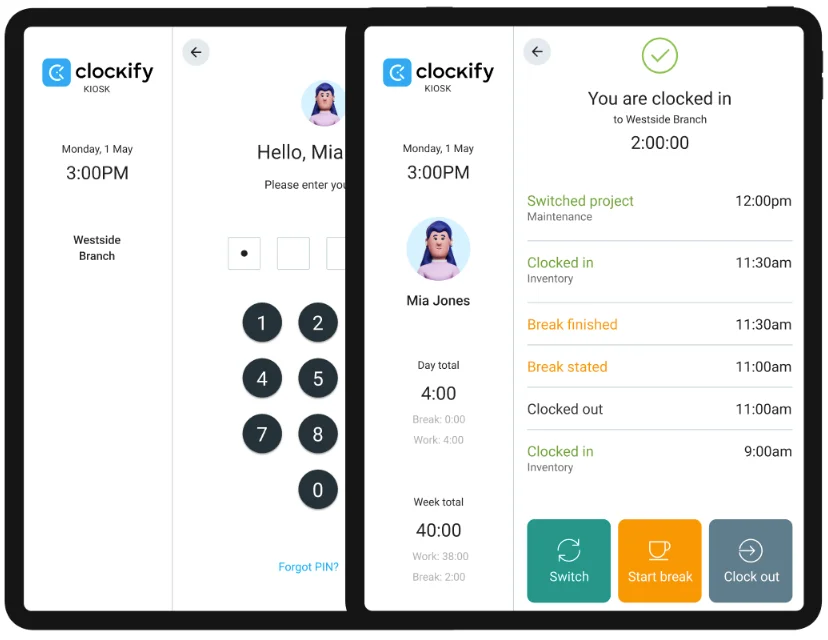
Your team members can use the Timer to track hours worked in real time. Alternatively, they can clock in and out using their PIN through a shared device.
BASIC
Administration
$
3.99
USD
per seat/month
billed annually
(or
$4.99 if billed
monthly)
Watch tour
All FREE features, plus:


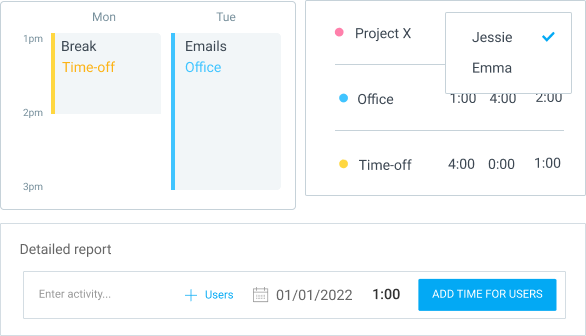
See your teams' timesheet or calendar and directly add time for them. Or, add time for multiple people in a report.
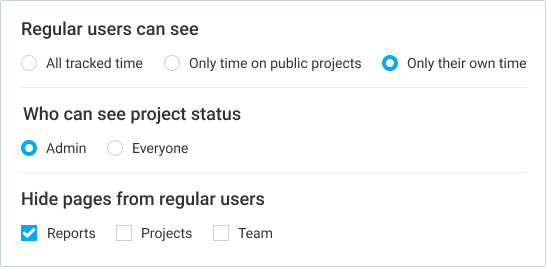
Hide Projects, Team, and Reports from regular users. Prevent people from seeing other people's time entries.
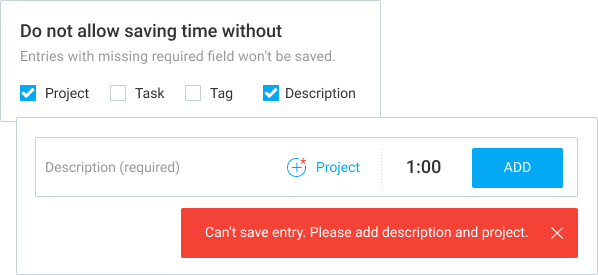
Don't allow saving time that's missing a project, task, tag, description, or custom field.
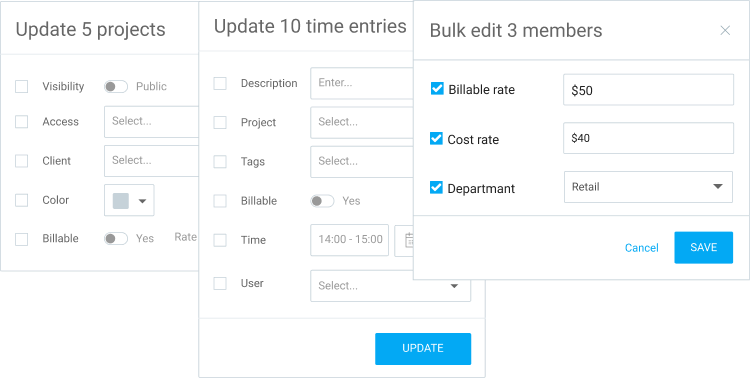
Update multiple time entries, users, and projects at once, or archive or delete clients and tags with just a few clicks.
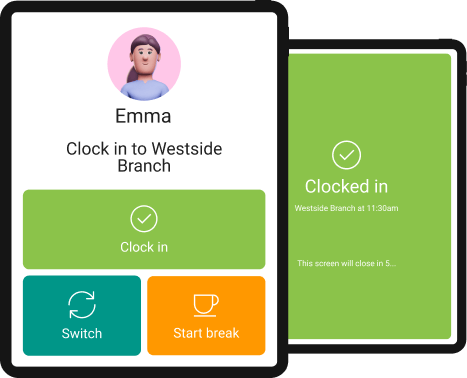
Use a simple clock-in/clock-out system from a shared device to log time.
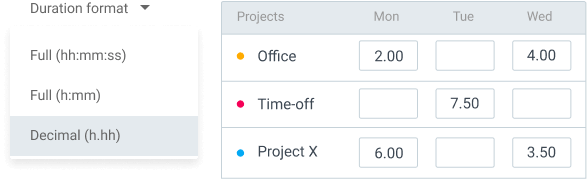
See, enter, and export time in decimal format.
Find all entries that are too short/long or are missing information.

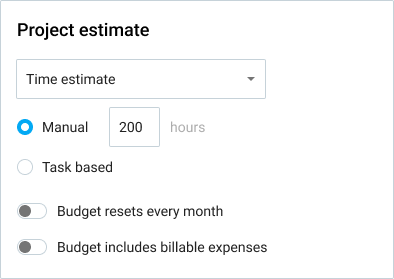
Set time estimates at the project or task level to track progress and budget.
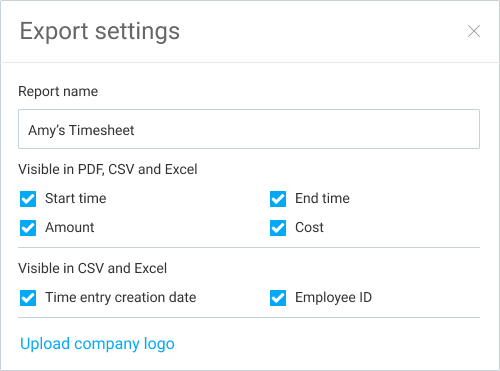
Choose which data you don't need when exporting reports or projects (CSV, Excel), or PDF reports (data, name, logo).
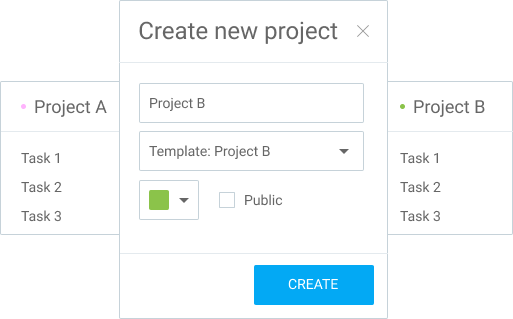
Create new projects with the same task structure and settings like existing ones.
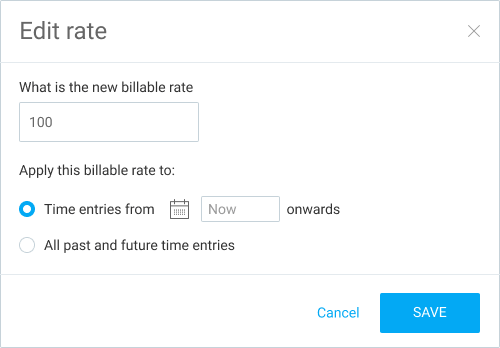
Apply new hourly rates to past time entries.
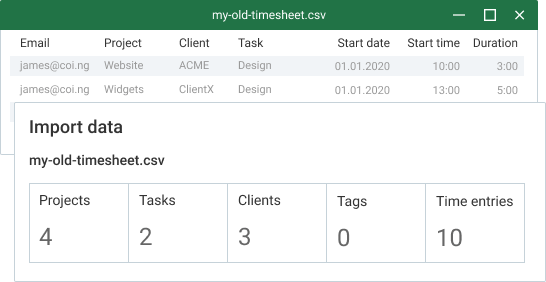
Upload a file with time entries directly to Clockify.
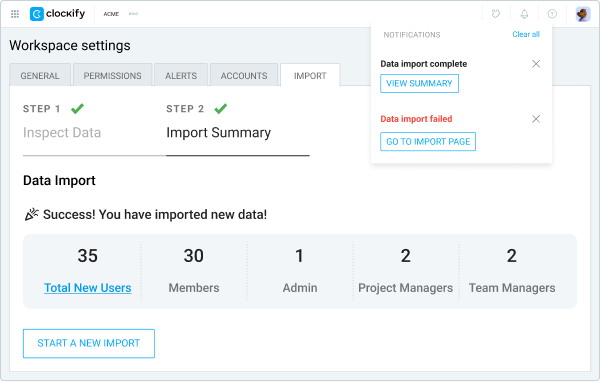
Upload a file with users directly to Clockify.
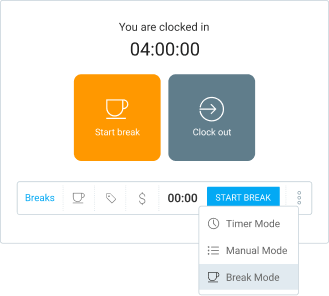
Allow people to track time they spend on breaks.
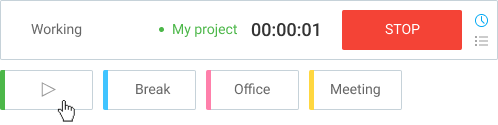
Pin existing time entries to the top of the Time Tracker page so you can quickly start timers for your most common activities.
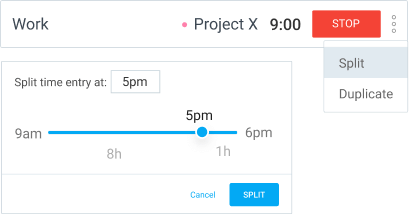
Choose a specific time and separate running or existing time entries into two.
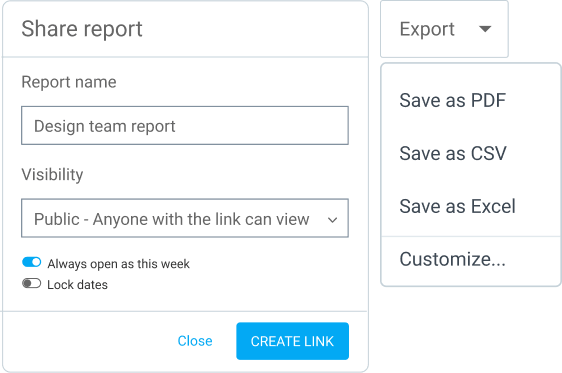
Export your time tracking data and share it with others.
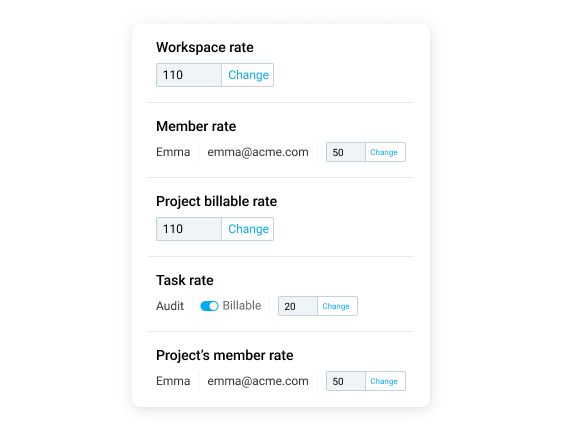
Set up billable rates for your activities.
Get concierge services, personalized consultations, and tailored onboarding from a dedicated success agent. We’ll guide you through setup, key features, and best practices while continuously helping you to maximize your Clockify experience. Qualifying criteria for a dedicated success representative: at least 120 seats for the Basic plan, 90 seats for the Standard plan, 60 seats for the Pro plan, 40 seats for the Enterprise plan, or 30 seats for the Bundle plan.
STANDARD
Timesheeting & Billing
$
5
.49
USD
per seat/month
billed annually
(or
$6.99 if billed
monthly)
Watch tour
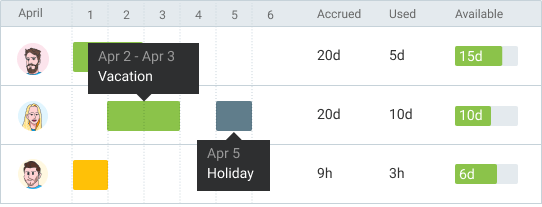
Define time off policies and holidays, request and approve leaves, see who's away and when, and track remaining balances.
Create professional invoices for clients based on tracked time and expenses, download as PDF, and track their status.
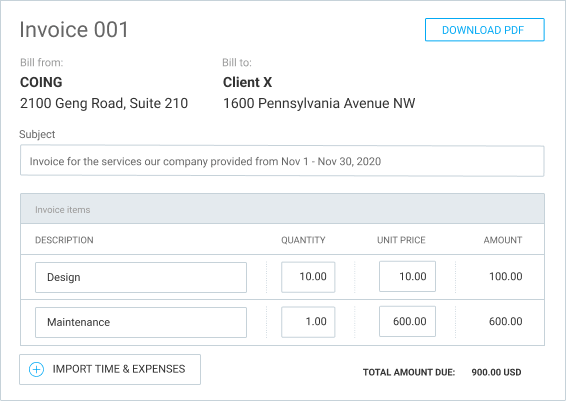
Automate invoice creation process.

Submit weekly or monthly timesheets and expenses for official manager review and approval so they can't be changed later.
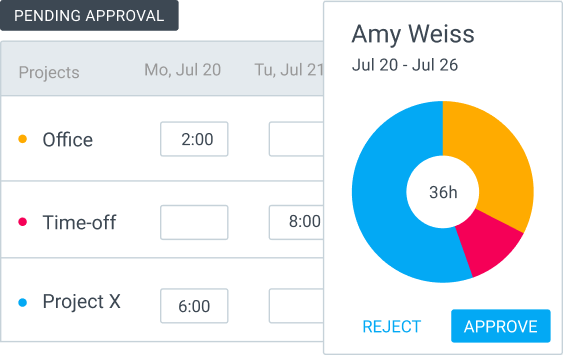
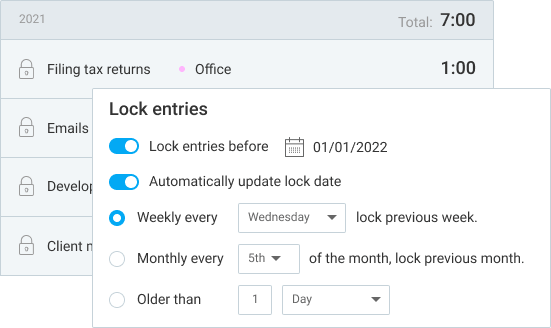
Prevent users from changing their past timesheets and expenses.
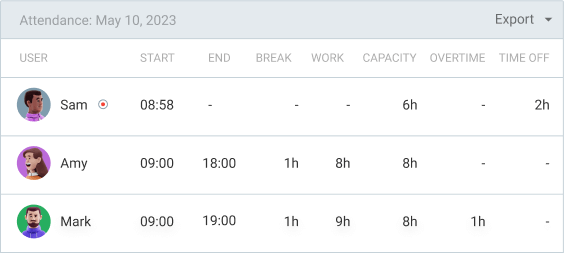
See employees' daily start/end time, breaks, overtime, and time off in one report.
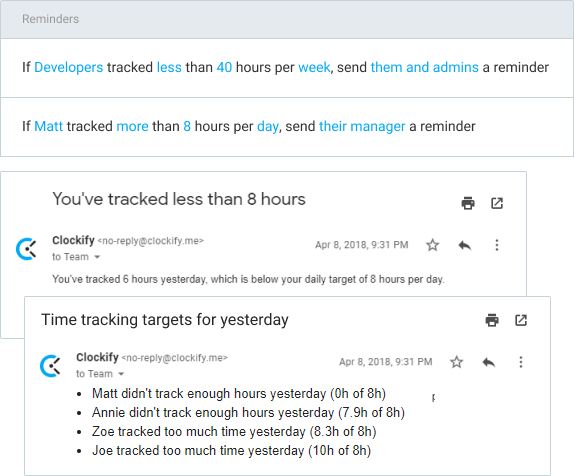
Automatic emails when someone forgets to log time or tracks too much.
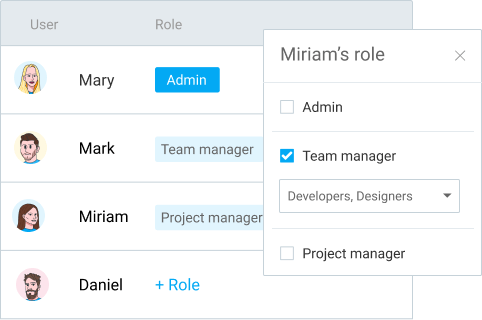
Give manager rights to users so they can manage projects and approve timesheets.
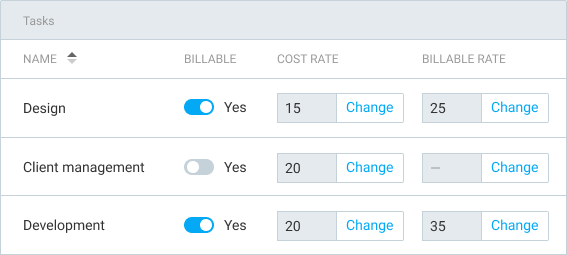
Define hourly rates for tasks on a project and choose which ones billable.
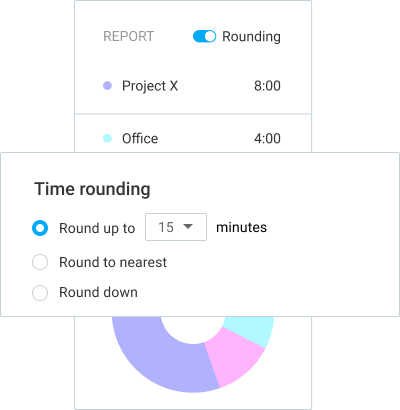
Round time up, down, or to nearest X minutes.
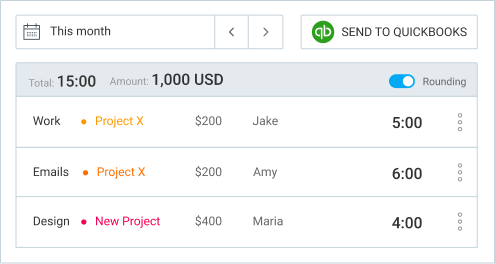
Sync users and project, and send time to QuickBooks for payroll and billing.
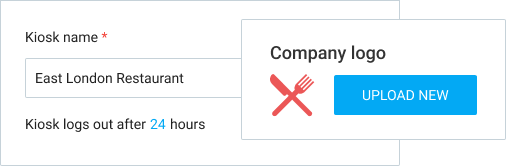
Put your company's logo on the kiosk and choose how long the kiosk is opened when launched.
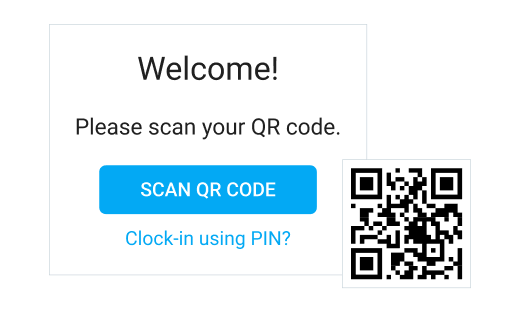
Allow employees to sign in to kiosk with their personal QR code.
BEST VALUE
PRO
Profit & Productivity
$
7
.99
USD
per seat/month
billed annually
(or
$9.99 if billed
monthly)
Watch tour
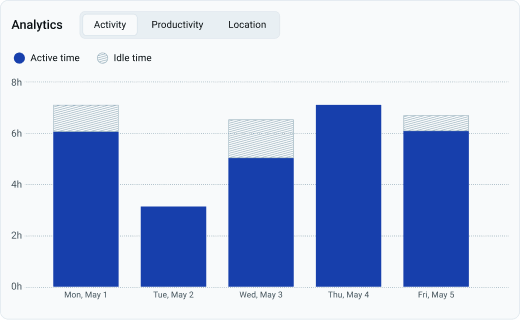
Get transparency through real data, optimize resource use, and see all activity as it happens.
Plan projects on a timeline, see who's available, manage resources, and give assignments.
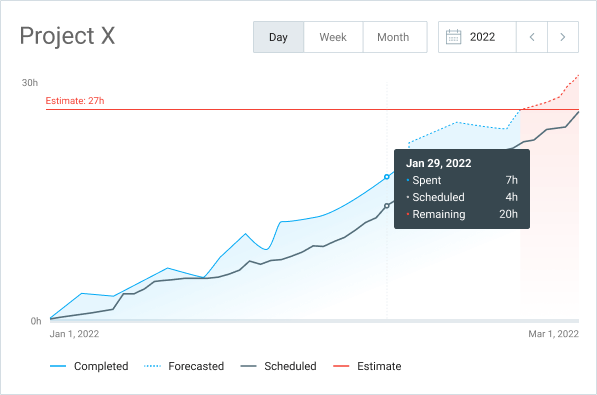
Visualize how your project is progressing. Add estimates and make predictions based on tracked and scheduled assignments.
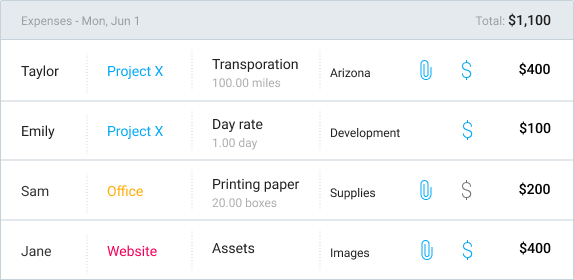
Record fixed fees on projects and employee costs, attach receipts, and add them to invoices.
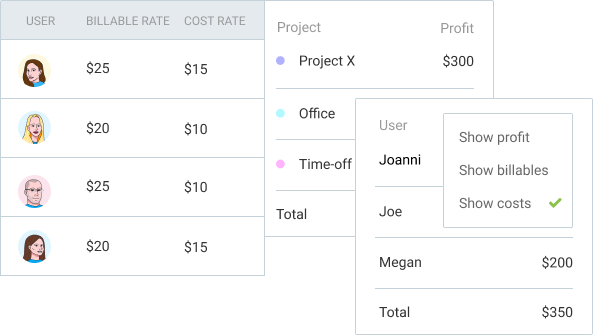
Add labor cost hourly rates to projects and users, so you can compare what you pay your team vs what you charge clients.
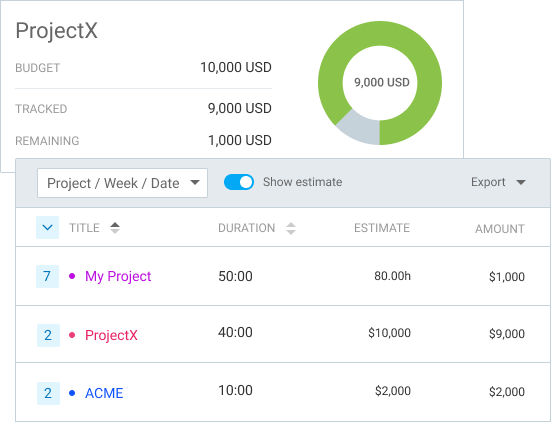
Set time or money budget on projects and track their status so they don't go over.
Add additional information and download complete time entries.
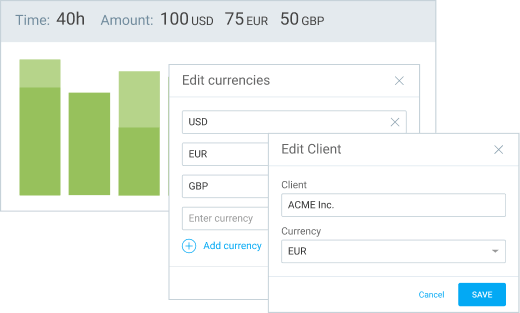
Add multiple currencies and define a specific one for each client to see reports and amounts in their currencies.
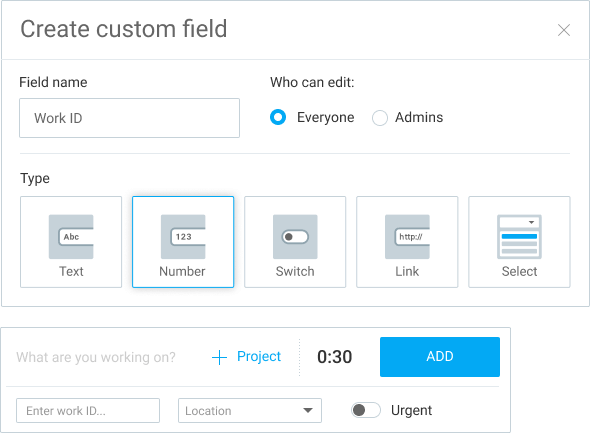
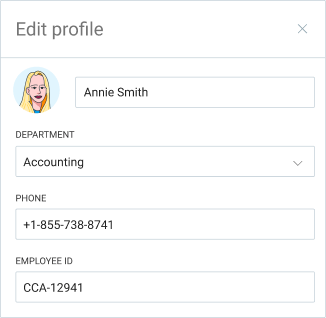
Add custom fields to users (eg. employe ID, department) so they're included in time exports.
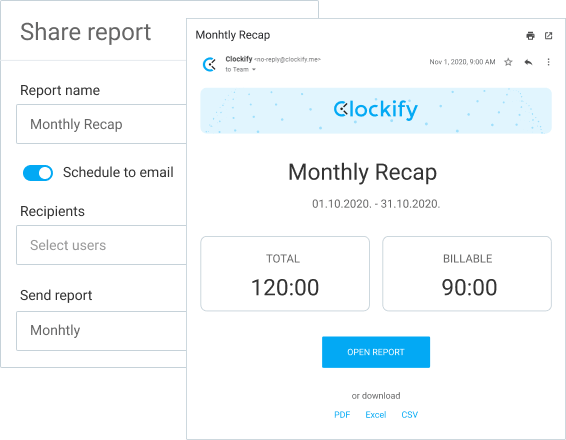
Receive a custom report via email each day, week, or month.
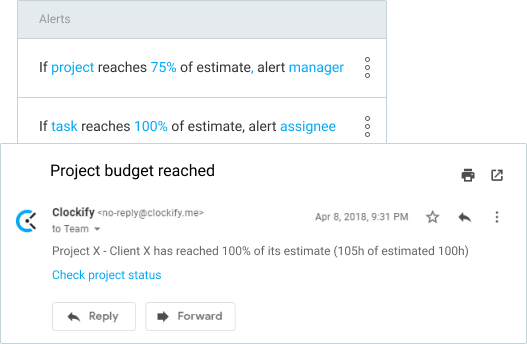
Get notified when a project reaches its allocated budget or estimate.
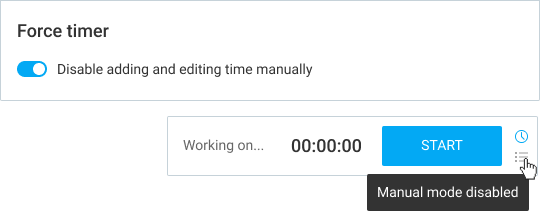
Prevent users from entering time manually or changing start/end time.
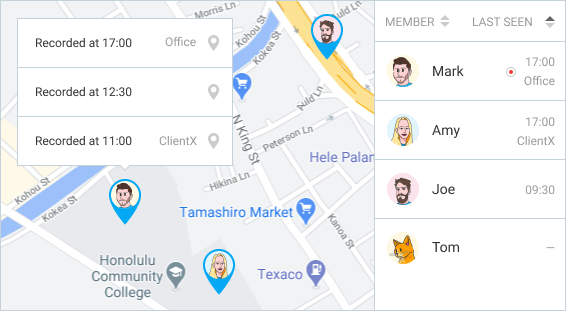
Track your team's location and visited client sites while on the clock (optional).
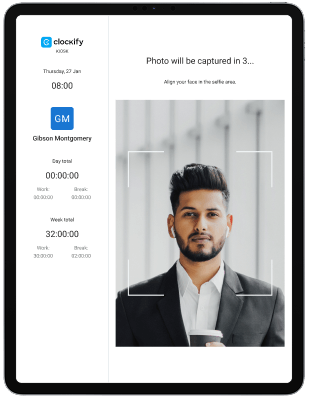
Capture photos as users log into kiosk to avoid buddy punching and increase accountability.
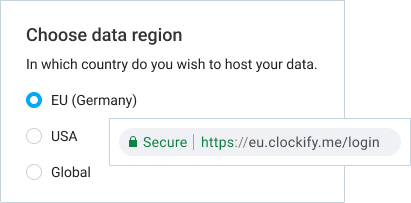
Host your Clockify data in EU (Germany), UK, USA or Australia (excluding data used for CAKE.com account).
ENTERPRISE
Control & Security
$
11
.99
USD
per seat/month
billed annually
(or
$14.99 if billed
monthly)
Watch tour
All PRO features, plus:
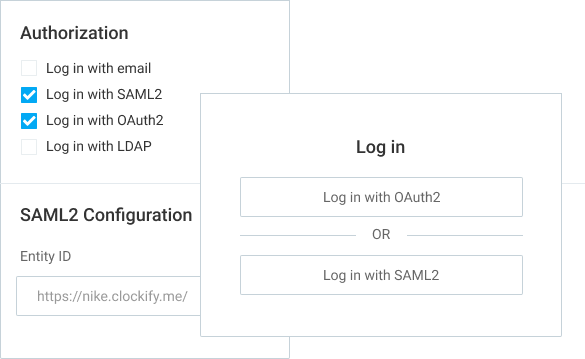
Eliminate user-managed passwords and improve security by using your company's authentication system (SAML, Office 365, Okta, Google, etc.).
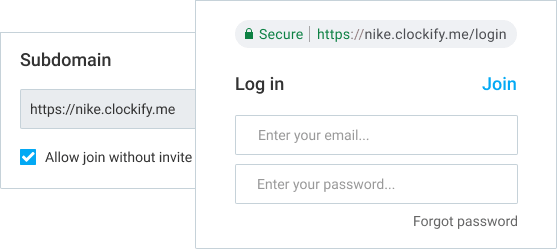
Choose the subdomain through which your users will use Clockify and remove the ability to have multiple workspaces.
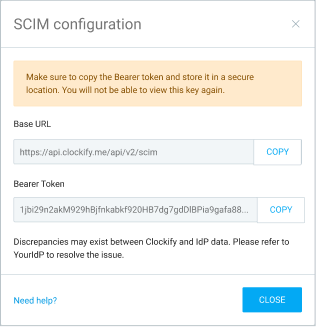
Automatically manage and sync members and groups in Clockify through your identity provider (IdP).
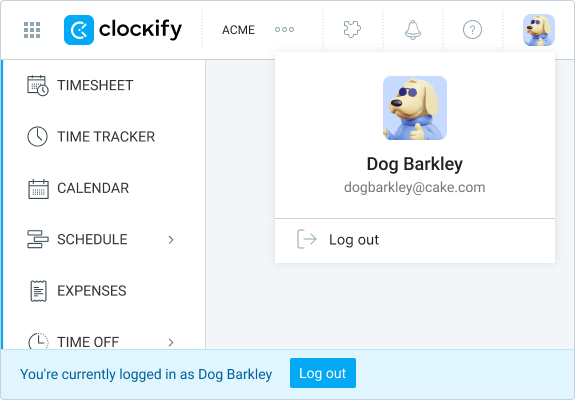
See your users' information, and log in on their behalf for troubleshooting purposes.
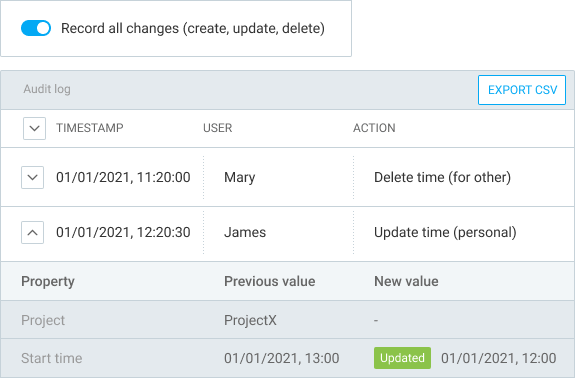
Record all actions users make and see them in a detailed audit report (eg. show which entries were added manually and when).
 Pay less for limited users who access Clockify only via a kiosk.
0.79
per limited seat/month billed annually (or 0.99 billed monthly)
1.19
per limited seat/month billed annually (or 1.49 billed monthly)
1.59
per limited seat/month billed annually (or 1.99 billed monthly)
2.39
per limited seat/month billed annually (or 2.99 billed monthly)
 United States